Australia’s consumer watchdog wants internet providers to openly advertise the typical upload speeds of their broadband plans, as it says upload speeds have “become more important to consumers” in recent years.
The Australian Competition and Consumer Commission (ACCC) says clear-cut information around broadband upload speeds started to decline in 2020, just as upload speed became more meaningful with the switch to working and learning from home.
“At the same time, upload speeds information has become more important to consumers who rely on upload speeds to undertake activities at home that were previously done in the workplace and place of education,” read the ACCC’s consultation paper.
While internet providers are required to clearly state the typical download speed of each plan, the ACCC has found that most do not expressly state the upload speeds for their broadband offerings.
Some providers will state each plan’s upload speed in its critical information summary, but a link to this page is typically small and hard to find, and sometimes still does not include explicit details.
Further muddying the waters are 100Mbps plans. There was originally a single NBN 100 tier which came with 20Mbps upload speed, until NBN Co introduced a new NBN 100 tier in May 2020 that came with 40Mbps upload.
The two plans are sometimes identified by the providers are NBN 100/20 and NBN 100/40, although this is not consistent, and it can be difficult for consumers to know what they’re actually paying for.
As the ACCC looks to update its guidance to providers on broadband speed claims, it’s also looking to determine when the busy period is for upload speeds.
Internet providers consider the busy period for downloads to be 7pm-11pm, and while the ACCC suggests this timeframe seems to be the same for uploads (based on current information), it wants providers to test it for themselves to fairly assess their typical upload speeds. Given the prevalence of working and schooling from home, it may well land much earlier in the day
Why is internet upload speed important?
Upload speed is an important factor in online gaming, but since countless Australians have moved to working or learning from home, the ACCC believe it’s playing a larger part for the everyday internet user than it once did.
A better upload speed can improve video calling (a regular occurrence for most Aussies now), and it’s also helpful for uploading and sending large files over the internet, whether that’s a school assignment, or audio and video files for work.
If you’re not sure what upload speed you currently have, contact your provider, or search their website. Alternatively, you can do an NBN speed test to see just how fast your download and upload speed really is.
Rumors of WhatsApp making its way over to the iPad have been circulating for several years, but it seems there might be signs of light at the end of the tunnel for those hoping to see the instant messaging app appear on Apple's tablets in a native form.
In an interview with The Verge, WhatsApp boss Will Cathcart acknowledged that "people have wanted an iPad app for a long time" before going on to say that "we'd love to do it" – so make of that what you will.
While Cathcart didn't go as far as confirming that a tablet-specific app is going to see the light of day, or hint at any possible launch date, the confirmation that he and his team are keen on making WhatsApp for iPad a reality is encouraging news.
Multi-device support
As Cathcart points out, WhatsApp engineers have recently been busy updating the encrypted messenger app so that it can work independently on multiple devices – you no longer need to have your phone switched on and connected to the internet to load up messages in the WhatsApp web portal, for example.
"We did a lot of work on the technology for supporting multiple devices," says Cathcart. "That would be really important for a tablet app, to be able to use the app even if your phone isn't on. So the underlying technology is there."
We've been here before though: last June, Cathcart also said that he would love to bring WhatsApp to the iPad, and we're still waiting. Plenty of users will be hoping that his enthusiasm for getting the app in the right form for Apple's tablets translates into an actual product sooner rather than later.
Analysis: WhatsApp for iPad is harder than you might think
WhatsApp has grown to become one of the most popular messaging apps in the world, not least because it works the same across Android and iOS devices: no matter what type of smartphone people are using, they all get more or less the same experience inside the WhatsApp interface.
That cross-platform support takes a lot of effort to support though. The app's team is still working on the ability to migrate chats from Android devices to iPhones, and every time a new feature like this gets added, it's a substantial amount of coding and testing work.
The same can be said for getting WhatsApp running on multiple devices separately, without relying on an active connection to your phone. Part of the appeal of WhatsApp is its encryption, and this needs to be carefully handled on each new device.
In other words, putting WhatsApp on the iPad involves more than just making the screen elements and menus bigger for a larger screen. Back in August we saw a leaked image of WhatsApp running on an iPad, so it looks likely that a tablet version is at an advanced stage of development.
While Apple and Samsung continue to push ahead with bringing out new and improved tablets every year, Google hasn't been doing much to keep up – we haven't seen any Google-branded Android tablets for a long time, although there are now signs that this could be about to change.
As spotted by 9to5Google, Google is advertising for several positions in its Android tablets team, which makes us think that there might be some fresh momentum in terms of the development of another Pixel tablet.
What's more, one of the job listings refers to Android tablets as "the future of computing", which is a bold statement to make and similar to noises coming out of Apple in recent years. It's possible that Google is envious of the success of the iPad Pro slates and wants to put out something similar.
Hardware and software
However, as 9to5Google notes, this particular role looks like it focuses on building relationships with other manufacturers and supporting their attempts to make Android tablets. It's only the "future of computing" bit that makes us think Google might have its own hardware on the way.
"We are working to deliver the next chapter of computing and input by launching seamless support across our platforms and hero experiences that unlock new and better ways of being productive and creative," says the listing.
Google's Chrome OS can also work on a tablet form factor, but again we haven't seen many devices from Google itself that match this description. Now it would seem that Android is the operating system that Google is concentrating on when it comes to building tablets in the future.
Analysis: keep making the tablets
The last Android tablet that Google made was the Pixel C, launched all the way back in 2015 (and since discontinued). There was also the Pixel Slate in 2018, which actually ran Chrome OS – albeit with support for running Android apps as well.
That doesn't give us the impression of a company that's all that keen on making tablet devices, and indeed we've seen plenty of signs that Google would rather invest time and effort elsewhere. In our opinion that's something of a shame, because Android tablets can be very useful devices.
We still miss the Nexus 7 tablets that launched in 2012 and 2013: they were compact, capable and affordable, and by most measures are some of the most successful devices that Google has ever made. Now that Google is putting more effort into its Pixel phones again, we wonder if tablets might be next.
Part of the issue has been software: Android has never really been all that comfortable on larger screens. We're hoping that the recently announced Android 12L – developed specifically for tablets – can help close some of the gap to iPadOS.
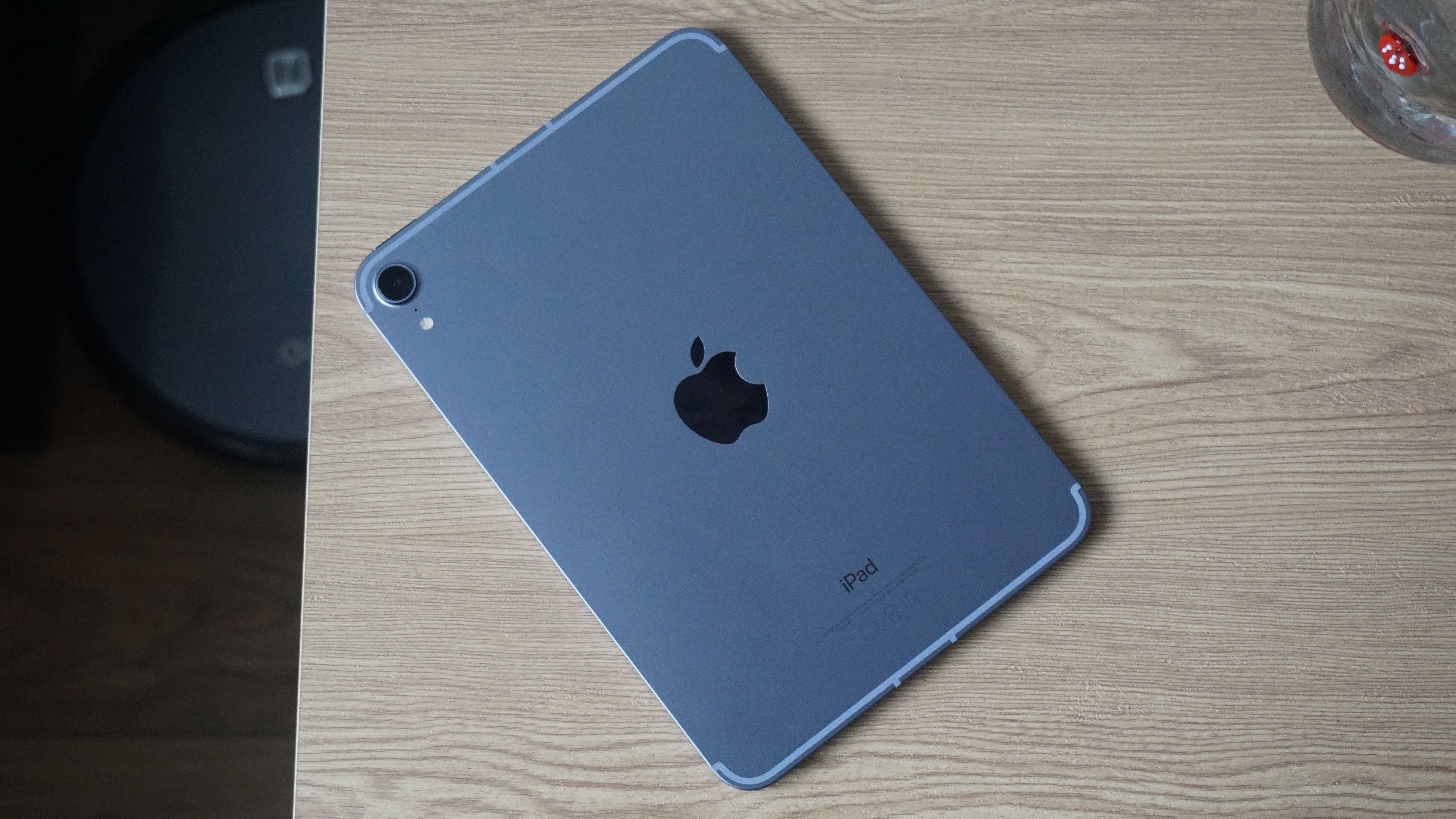
The iPad mini (2022) might actually end up being the iPad mini (2023) or beyond, as we’re not yet certain that it will land this year. You could also think of it as the iPad mini 7 then, as it will be the seventh model in the range, while one leak suggests it could land as the iPad mini Pro.
Whatever name you call it though and whenever it lands, we’re already starting to hear some rumors about it, and you’ll find those below, along with our thoughts on the likely release date and price.
Then further down we’ve included a list of things we want from Apple’s next compact slate, in order to make it even better than the iPad mini (2021).
Cut to the chase
What is it? The next small iPad
When is it out? Possibly late 2022, or maybe even later
How much will it cost? Maybe slightly over $499 / £479 / AU$749
iPad mini (2022) release date and price
There’s not much news on when the iPad mini (2022) might launch, but one source claimed in November 2021 that Samsung Display had already shipped a display sample to Apple for the slate, which suggests it could well arrive in 2022.
If it does, then September 2022 is when we’ll most likely see it, as the iPad mini (2021) arrived in September 2021. That also means it might launch alongside the iPhone 14.
That said, this isn’t a tablet range that Apple refreshes every year, so since we already received an iPad mini in 2021, there’s a chance that we’ll be waiting until 2023 or later.
As for the price, one source claims that the iPad mini (2022) will be slightly more expensive than the iPad mini (2021), which starts at $499 / £479 / AU$749. But we wouldn’t think Apple would push the price up by much.
The iPad mini (2022) might cost slightly more than the iPad mini (2021)(Image credit: TechRadar)
News and leaks
So far there’s only really been one iPad mini (2022) leak, but it’s a big one, detailing many of the possible specs.
Apparently, the tablet will have an 8.3-inch 120Hz screen, an A15 Bionic chipset (like the current model, though with a slightly higher 3.23GHz clock speed), 4GB of RAM, and a starting capacity of 128GB, up from 64GB on the current model.
However, as there aren’t any leaks corroborating any of this yet, and as the source doesn’t yet have a track record, we’d take this with a pinch of salt.
What we want to see
The iPad mini (2021) is a great slate, but with the following changes the iPad mini (2022) would be far better still.
1. Better battery life
In our review we found that the iPad mini (2021)’s battery life was solid but not special. It would last around 8 hours with intensive use, and potentially even less when the Apple Pencil was added to the equation.
The size of the slate may be a limiting factor here as there might simply not be space for a much bigger battery, but the fact is that the likes of the iPad Pro 11 (2021) offer better life, so we’d like Apple to try and make some improvements here for the iPad mini (2022).
2. More power
The iPad mini (2021) isn’t exactly lacking in power. After all, it has the same chipset as the iPhone 13. But it only has 4GB of RAM, and while its chipset is good, it’s no match for the M1 in the latest iPad Pro models.
This is of course a balance for Apple – supercharge the iPad mini too much and the price will inevitably go up, but we imagine there must be a market for a powerful slate with a small screen, so we’d like to see Apple lean into that for the next model, even if it also launches a less powerful version.
3. A stylus in the box
We'd like the next iPad mini to come with an Apple Pencil(Image credit: TechRadar)
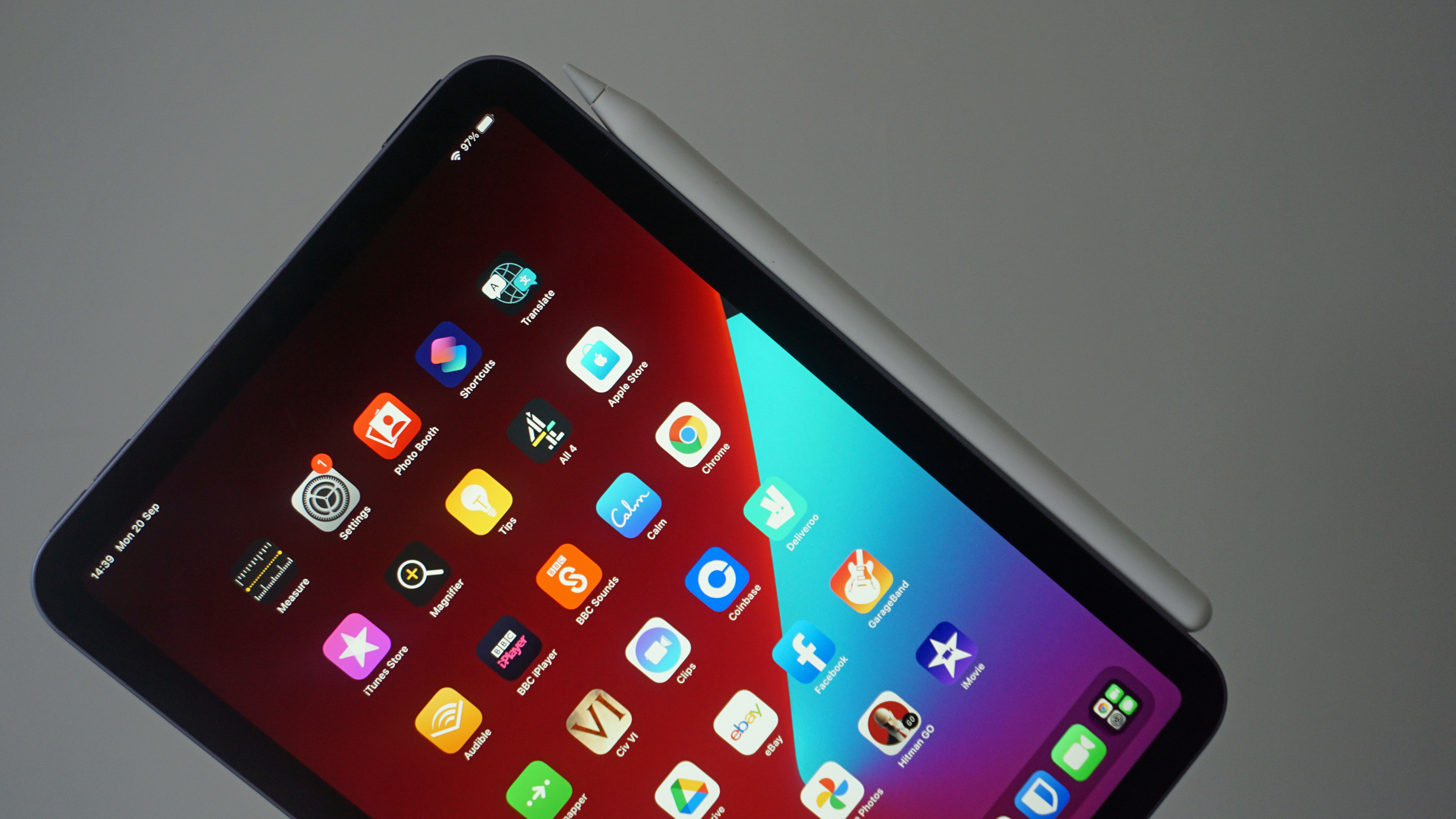
The Apple Pencil is an important accessory for the iPad mini, with the 2021 model even having a connector and charger for it on the right edge of the slate, yet the Apple Pencil doesn’t actually come with the tablet.
Instead, you have to buy it separately, and at quite a high cost. This isn’t so surprising when you consider that none of Apple’s tablets come with a stylus in the box, but the need to buy one makes the overall price of the iPad mini (2021) much less appealing.
Plus, some rival slates such as the Samsung Galaxy Tab S7 do come with a stylus included, so we’d love to see Apple do the same for the iPad mini (2022).
4. Face ID
Despite sporting a reasonably modern design (with no home button) the iPad mini (2021) still relies on a fingerprint scanner – one built into the power button on the top edge.
This isn’t a terrible option, but we’d love to see Apple add Face ID for the iPad mini (2022). If it can keep the fingerprint scanner as well so users have options then all the better, but that’s unlikely to happen.
5. mmWave support
The iPad mini (2021) optionally comes with 5G support, but what it doesn’t have is mmWave support. This is a high frequency form of 5G that offers far higher download speeds, and it’s perhaps not that surprising that it isn’t supported, as most countries have little to no mmWave infrastructure, and even in the US it’s very limited.
But support for it would be handy for those areas that do have it, and it would help future-proof the slate, as mmWave coverage is likely to improve over time. So we want to see this offered by the iPad mini (2022).
The Samsung Galaxy Tab S8 Ultra is expected to be the top model in Samsung’s upcoming Tab S8 range, and it’s already leaked extensively, but now we’ve also seen high-quality, official-looking renders that show it from all sides.
These come from Evan Blass (a leaker with a great track record), though at the time of writing they’re not visible on his Twitter feed – presumably due to a complaint from Samsung, which has also seen some of his other leaked material removed.
You can however still see some of the images on Phone Arena, where the Samsung Galaxy Tab S8 Ultra is pictured in a grey shade, with an S Pen stylus beside it.
There’s not really anything that we haven’t seen before here, but these images do include a close look at the rumored notch that the Samsung Galaxy Tab S8 Ultra looks destined to launch with.
Relative to the overall size of the slate this is quite small, but it’s an interesting design choice now that the world has largely moved on to punch-holes, Apple aside.
Still, it’s perhaps justified as it appears to house two cameras, which have previously been rumored to include an 8MP main one and a 5MP ultra-wide.
The images also show a silo for the S Pen on the back, next to a dual-lens rear camera. The bezels also appear very slim, thus further justifying the notch.
We’d take these images with a pinch of salt as usual, but they match up with earlier leaks and come from a reputable source, so we’d think they’re probably accurate. We should know soon, as the Samsung Galaxy Tab S8 Ultra is expected to land alongside the Tab S8 and Tab S8 Plus on February 9.
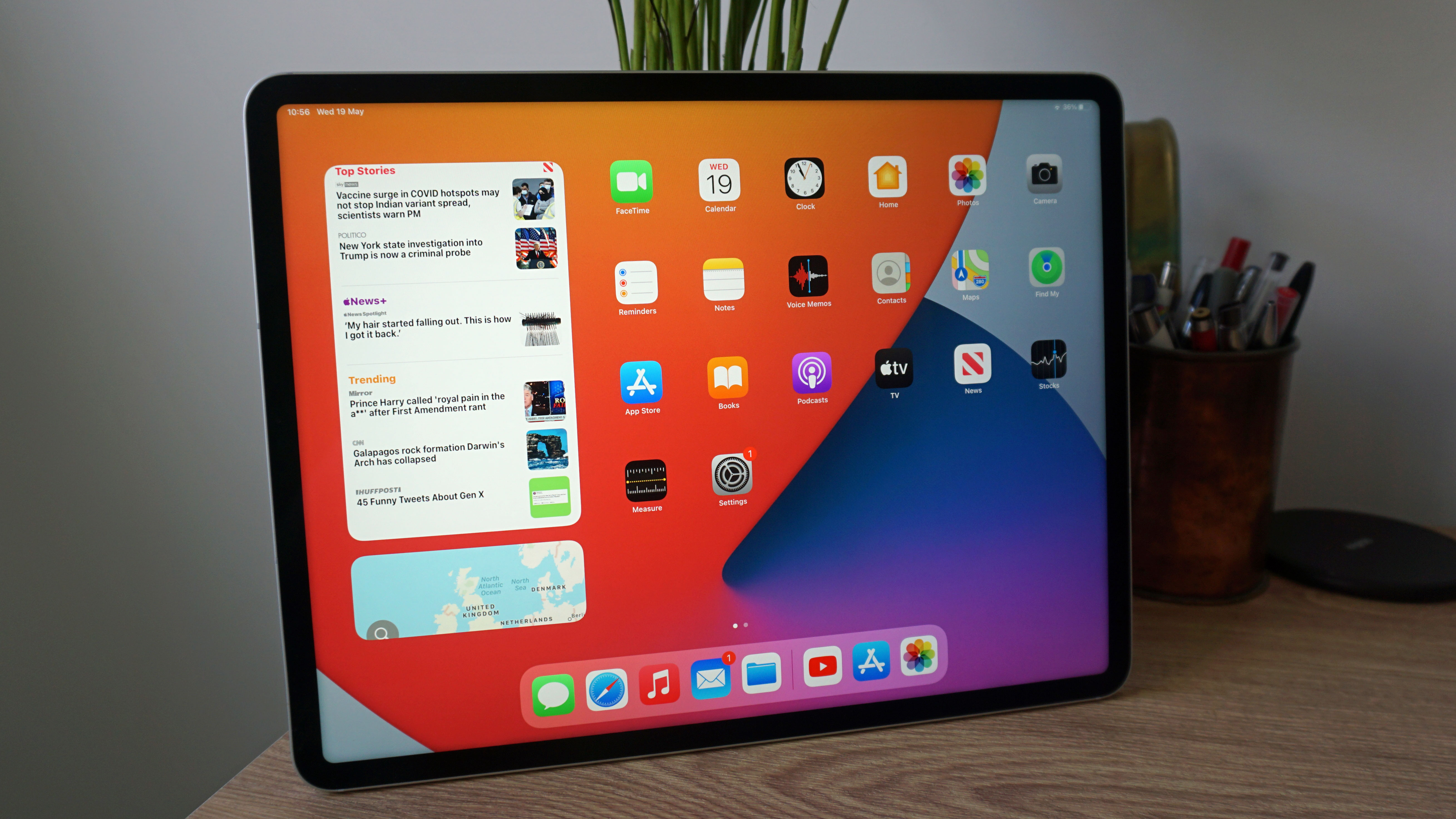
An iPad Pro 12.9 (2021)(Image credit: TechRadar)
Analysis: getting a head start on Apple
We might see a number of iPads this year, including a new iPad (2022), an iPad Air 5, and an iPad Pro (2022) in two sizes, but none of them are likely to land until after the Samsung Galaxy Tab S8 range, so Samsung's tablet trio could tempt some buyers before Apple’s next slates even hit the market.
It’s clear that the Tab S8 range is positioned as iPad alternatives too. Based on leaks and their predecessors, these will be high-end slates, with stylus support (much like Apple’s tablets largely work with the Apple Pencil).
In the case of the Samsung Galaxy Tab S8 Ultra, Samsung might even have the iPad Pro range beat, as this upcoming slate reportedly has an even larger 14.6-inch screen.
Intel’s Alder Lake Core i9 flagship laptop processor is faster than Apple’s M1 Max SoC, according to some fresh benchmarking, but the caveat is that the latter is way more energy-efficient.
The Core i9-12900HK nestling in an MSI GE76 Raider notebook was put through its paces by Macworld and compared to a pair of MacBook Pro 14-inch models running the M1 Max and M1 Pro chips respectively. The testing used Geekbench and Cinebench as both these benchmarks can be run on Windows and Mac machines.
For Geekbench, the Alder Lake CPU pulled ahead of the M1 Max, with scores of 13,235 versus 12,590 respectively for multi-core, a relatively narrow 5% win, and 1,838 versus 1,774 in single-core. As Macworld points out, that’s not a difference you’ll really notice in terms of real-world performance, but it’s still a victory for Intel, and a bit more than a marginal one.
In Cinebench R23, the Core i9-12900HK was compared to the M1 Pro – Macworld didn’t have results for the Max – but in this battle, the Intel chip achieved a multi-core result of 15,981 compared to 12,381 for the M1 Pro, a more pronounced difference of 29%. For single-core, the Intel chip hit 1,895 versus 1,531.
However, the tables were very much turned when it came to measuring power consumption for these laptop chips. Macworld found the Alder Lake-powered MSI laptop drew around 100W in Cinebench R23 multi-core testing, but with spikes to around 130W to 140W. Going by Anandtech’s testing of the M1 Max in Cinebench, it pulled around 40W, so you can see that power usage is a major victory for Apple here.
Analysis: Speedy laptop CPU, but let’s not forget about battery life
Intel wins in the straight performance stakes, then, but arguably the bigger win is for Apple, when you look at the relatively narrow margin of victory in some of these benchmarks, compared to the huge gulf in power consumption.
Remember, the M1 Max uses less than half the power, roughly, of the Core i9-12900HK, going by the testing highlighted here, and this is especially important for laptops because when you’re out and about, power usage and battery life are big concerns.
We must further remember that the kind of laptops running the Alder Lake flagship chip are going to be expensive, as is the case with the MSI GE76 Raider here which packs the Core i9-12900HK. Naturally, it does have a lot of other high-end components including an Nvidia RTX 3080 Ti GPU – which is very likely to be the case with portables like this – and the GE76 weighs in at an eye-watering $3,999 (around £3,000, AU$5,650). Whereas a MacBook Pro 14-inch with M1 Max can be had cheaper than that (and pricing is a lot cheaper with the M1 Pro chip, which comes close to the Max variant, for Geekbench results anyway).
In short, Intel’s new flagship Alder Lake model is without doubt an impressive speed demon of a laptop CPU, but you will pay a price not just in dollars, but in power consumption compared to Apple silicon.
Chrome could soon get Windows 11-style overlay scrollbars, or at least they’re set to go into testing on Google’s browser according to the grapevine.
An overlay scrollbar simply means that the bar for scrolling on the right side of the browser window is pretty much hidden – it’s just a very thin line – and it only pops fully into existence when you move the mouse near to it, or over it. This gives a neater look, and provides a touch more real-estate to show the contents of a web page in the browser window when you’re not scrolling around (or when using your mouse wheel to scroll, of course).
As spotted by Leopeva64-2 on Reddit (via Neowin), overlay scrollbars have been in testing on Edge since August 2021, when Microsoft promised it would bring this feature to Chromium – and therefore presumably Chrome, eventually.
Well, it seems like that’s finally happening, because a fresh patch in Chromium Gerrit has witnessed a comment from a Microsoft staff member stating that overlay scrollbars will soon be tested in Chrome (presumably beginning with Canary, the earliest preview build).
Analysis: Bug squashing will hopefully proceed at a speedy pace
Also in this patch, Microsoft developers have said they are trying to fix a glitch whereby YouTube in full-screen mode is bugged when the overlay scrollbars are enabled. Doubtless there will be other wrinkles which need to be smoothed over as this work progresses – assuming this move happens as anticipated – so it could take some time for this feature to appear in the release version of Chrome.
When it does, overlay scrollbars should be present in Chrome with not just Windows 11, but also on Windows 10, because the functionality came to both operating systems with the Edge browser. Fingers crossed we don’t have to wait long, at least for those who like this style of scrollbars; for those who don’t, there’ll doubtless be an option to turn them off.
The Samsung Galaxy Tab S8 isn't much of an enigma, as we've seen countless leaks regarding the series over the last few months. Some new renders reveal the lowest-end member of the family from all angles, though it's nothing we haven't seen before.
These come from popular leaker Evan Blass, who recently also revealed a poster for Galaxy Unpacked which said it'd fall on February 9 - that's the launch event where we're expecting to see the upcoming Android tablet as well as the Galaxy S22 line.
Blass' Twitter account, where the Galaxy Tab renders were shared, is private, so you can only see them if you follow the account. But if you've seen any previously-leaked imagery for the tablet, including these listings or these renders, you'll know what to expect - and the slates don't seem to be that different from the Tab S7 series anyway.
Like on that older tablet, the Tab S8 has an indent on the back for the S Pen stylus; it also has a USB-C port, four speaker grilles, no 3.5mm headphone jack, two rear cameras, and a front-facing snapper that's on the top when the tablet is landscape.
Three colors of the tablet are shared, so there will likely be a gray, white and pink version, though it's possible there are more shades besides.
Analysis: enough of the hardware
Basically every single Samsung Galaxy Tab S8 leak has surrounded its screen size, the design or its internals. But that's not too important when it comes to tablets.
Based on what we've heard, the tablet doesn't sound too exciting, nor too different from the Tab S7, save for the giant-sounding Ultra member of the line. But there could be more we're not hearing.
Tablets, like all other types of tech, are defined just as much by the software as the hardware though, and right now we haven't heard many software leaks for the upcoming slate.
To know if the Tab S8 is a useful tool or not, we need to hear how it runs, and what improvements it has over its predecessor. We'd like to see new stylus tricks, or improved ways to multi-task, or ways to keep its battery going for long work stints, and so far we don't know much in that regard.
While leakers are focusing on the hardware, it's hard to really get a good picture of the slate from a user perspective, and until new software features are leaked, it'll remain that way.
Alternatively, Galaxy Unpacked is likely only two weeks away, so if leakers won't give us what we need, we might have to wait until Unpacked to see what's up with these new slates.
There might not be a more anticipated notebook out there than the MacBook Air (2022). The current model is already one of Apple’s most popular portables, thanks to its svelte and light design and, more importantly, the fact that it remains the company’s most inexpensive laptop.
And, though the MacBook Air (M1, 2020) still tops both our best laptop and best Apple laptop guides, it’s been out since November of 2020, when it was released alongside other M1-powered devices such as the Mac mini (2020) and 13-inch MacBook Pro (M1, 2020). So, it’s time for an updated version to be released. And, if the rumours are to be believed, the Air might soon be the only 13-inch laptop in Apple’s stable as the 13-inch MacBook Pro will most likely be discontinued this year.
The current version of the MacBook Air comes with Apple’s M1 SoC or system on a chip, which combines CPU, GPU and other components into an 8-core processor capable of surprisingly stunning performance. The 2020 model is much more powerful than the Intel-powered version it replaced, working 3.5 times faster when it comes to CPU performance and 5 times faster for its GPU performance.
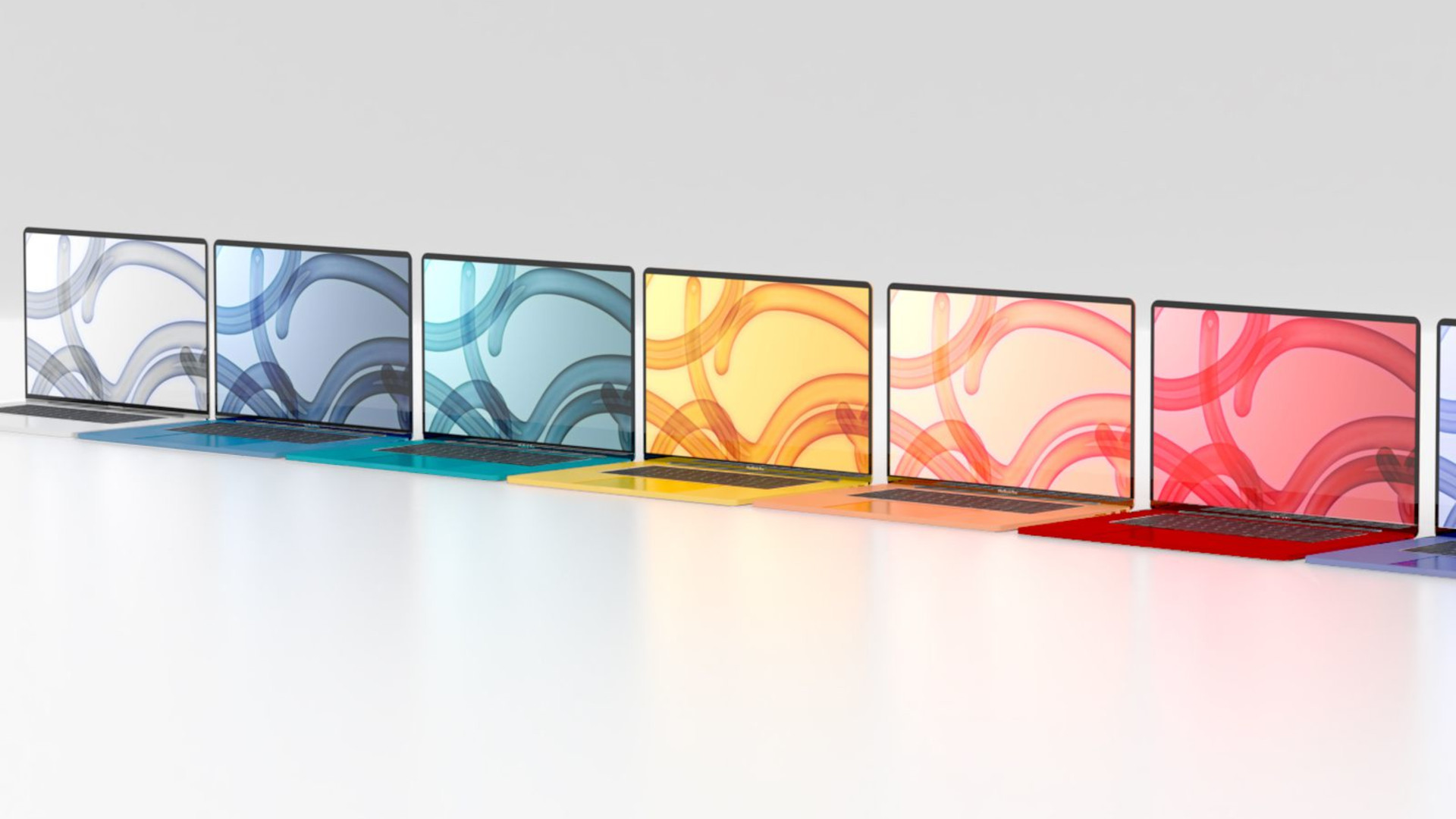
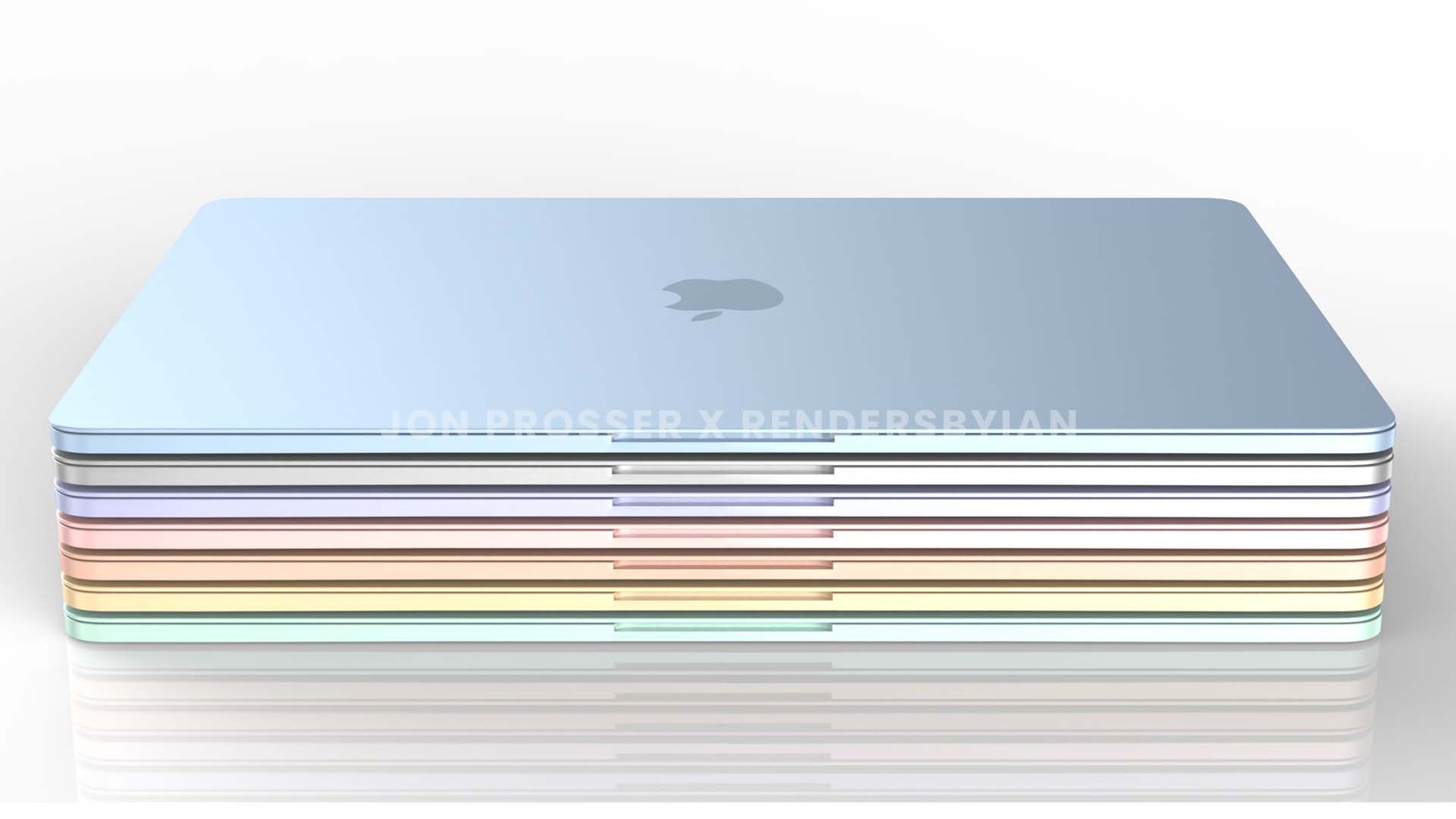
The MacBook Air 2022 will most likely keep that silent, fanless design and excellent battery life, which is already the longest in an Apple laptop, even if Apple doesn’t make any adjustments. But we’re expecting some improvements, particularly in the Air’s design, with the 2022 model. Rumours abound of a complete redesign including a plethora of colours to choose from, similar to the classic Mac-inspired ones that you can pick for the 2021 iMac and 4th generation iPad Air.
The current webcam remains at 720p despite 1080 resolutions for broadcasting cameras being the standard for some time now (with the new iMac also featuring an improved full HD webcam), and the M1-powered MacBook Air was actually a step back regarding connecting to additional displays as you can only run one external monitor with the current model. For context, the last Intel-based MacBook Air could run two 4K external monitors, so we might see this feature return, especially since the newest iMacs and MacBook Pros all sport 1080p webcams.
MacBook Air (2022): Cut to the chase
What is it? The new MacBook Air (2022)
When is it out? Likely Q3-Q4 of 2021
What will it cost? Unknown, but likely similar to current pricing (starting at $999/£999)
MacBook Air (2022): release date and price
(Image credit: Jon Prosser)
We’ve been anticipating some official news on the MacBook Air (2022) for a long time now, even expecting something back during the iPhone reveal event on September 14. While Apple stayed silent on the MacBook Air during its subsequent event on 18 October as well, rumors suggest it could appear as soon as May of 2022.
The latest 24-inch iMac was only released back in May 2021, and given that featured the same M1 SoC as the first wave of Apple silicon, it's anyone's guess as to if this latest MacBook Air will offer the very same M1 with a complete design update, will sport one of the new chips unveiled with the new MacBook Pros, or have an all-new M2 chip.
The current MacBook Air model is also still relatively new at just under a year old, so while we did expect new laptops to be announced on October 18, it ended up being the highly anticipated MacBook Pro 14-inch and MacBook Pro 16-inch, which means the new MacBook Air announcement will be bumped into 2022.
In fact, given that these two new MacBook Pro models contain souped-up versions of the M1 chip (the M1 Pro and M1 Max), it's unlikely that the 2022 MacBook Air would launch with the same, ultra-powerful Soc during the same release window.
There's no official murmurings on price yet, but we anticipate the new MacBook Air will start at $999 / £999, just like the current model.
MacBook Air (2022): design
(Image credit: Jon Prosser / RendesByIan)
Regardless of when the new MacBook Air arrives, there's been plenty of leaks and speculation regarding its new design to make it worth the wait. We anticipated back in April that the MacBook Air is overdue for its own colorful redesign following the release of the 24-inch iMac during the Spring Loaded event, when the new models took inspiration from some classic, colorful Mac designs.
According to renders provided by Prosser, these new MacBook Air laptops could also feature white keycaps, larger function keys, and a slightly smaller trackpad. The chassis is also noticeably slimmer and 'boxier', doing away with the current sloped edges and instead opting for a very modern, blunt edge. With these rumors all collated, it would seem this anticipated redesign will be the thinnest, lightest MacBook Air to date.
Now that the rumors have been proven true with the return of MagSafe charging on the two newest MacBook Pros, we also anticipate that the 2022 MacBook Air will feature a Mini-LED display, something not only suggested by analyst Ming-Chi Kuo but a couple other sources
As well.
MacBook Air (2022): leaks and rumors
(Image credit: Jon Prosser / RendesByIan)
A thinner design suggests that the MacBook Air (2022) will include some variant of the Apple M1 SoC, though it's unclear right now if this will be the same M1 chip featured in the current MacBook Air, or a new all-in-one M2 SoC.
Just wanted to share some details on when to expect the next generation M2 (not the M1X which is reserved for the Pro Mac devices). This processor is on track to release in the first half of 2022 alongside the upcoming colorful Macbook (Air).July 5, 2021
See more
Outside of the chip itself, it's likely that Apple will keep many of the other specifications the same as the current model. This is the 'budget' laptop option after all, so any boost to power could push the price higher and eat into the market for the MacBook Pro.
This means you'll see a choice between 8GB or 16GB of RAM and 256GB or 512GB of SSD, alongside established features like the Magic Keyboard, and Touch ID. We're also anticipating thinner bezels, a 13-inch display (as is currently the standard), and an improved 1080p webcam. Updated webcam tech was featured on the 2021 iMac, with Apple claiming this to be the “best camera ever in a Mac”, so we'd be surprised if this isn't extended across the entire range of MacBook devices given how dire the current 720p webcam performance is.
While the number of ports on the 14-inch and 16-inch MacBook Pro (2021) ended up expanding quite a bit, the same might not happen on the MacBook Air (2021), which will likely remain at two ports.
While the 2021 iPad Pros had a big display gulf between the 11-inch and 12.9-inch versions, that looks set to change with the iPad Pro (2022) if a new leak is to be believed.
This information comes from one @dylandkt on Twitter, a leaker with a mixed track record - mostly because the majority of leaks they've provided are on devices that haven't launched yet, so take this with a pinch of salt.
The leak reiterates some claims we've heard before, including the use of the as-yet-unannounced M2 chipset and compatibility with MagSafe accessories for wireless charging and other functions. However, there's also one thing that's new.
According to the leak, the new iPad Pro will have a mini-LED screen. For context, the 2021 model had mini-LED for its 12.9-inch but not for the 11-inch model, which stuck with LCD. So if this information is correct, in 2022 the 11-inch model will also get the newer display tech.
That's a fairly big jump up, and it gives you a good reason to consider the smaller and more affordable 11-inch model over the 12.9-inch giant this time around, since in 2021 the screen discrepancy made it harder to recommend.
Mini-LED is useful as the way it works allows for darker blacks and improved contrast over LCD. That's especially great for content creators who use their tablet for work, but could be beneficial when watching movies or TV shows too.
Analysis: But that's the only big change
A change in screen technology is useful, especially when it's letting the 11-inch model catch up, but it's not enough to make the tablet a must-buy. And it doesn't sound like the new iPad Pro has anything else in that vein either.
Other leaked improvements sound pretty minimal. MagSafe, an M2 chip and a relocated front-facing camera sound like intriguing changes, but not massive ones, and it won't make the iPad Pro (2022) a hugely different slate from its predecessor.
In fact, some of the TechRadar team have argued that we don't need a new iPad Pro in 2022 at all, suggesting that Apple may as well wait a year and release an improved slate.
The iPad Pro has been a product released yearly since it debuted (other than in 2019) so there's little reason to think Apple would skip a year - particularly if we're hearing leaks about it.
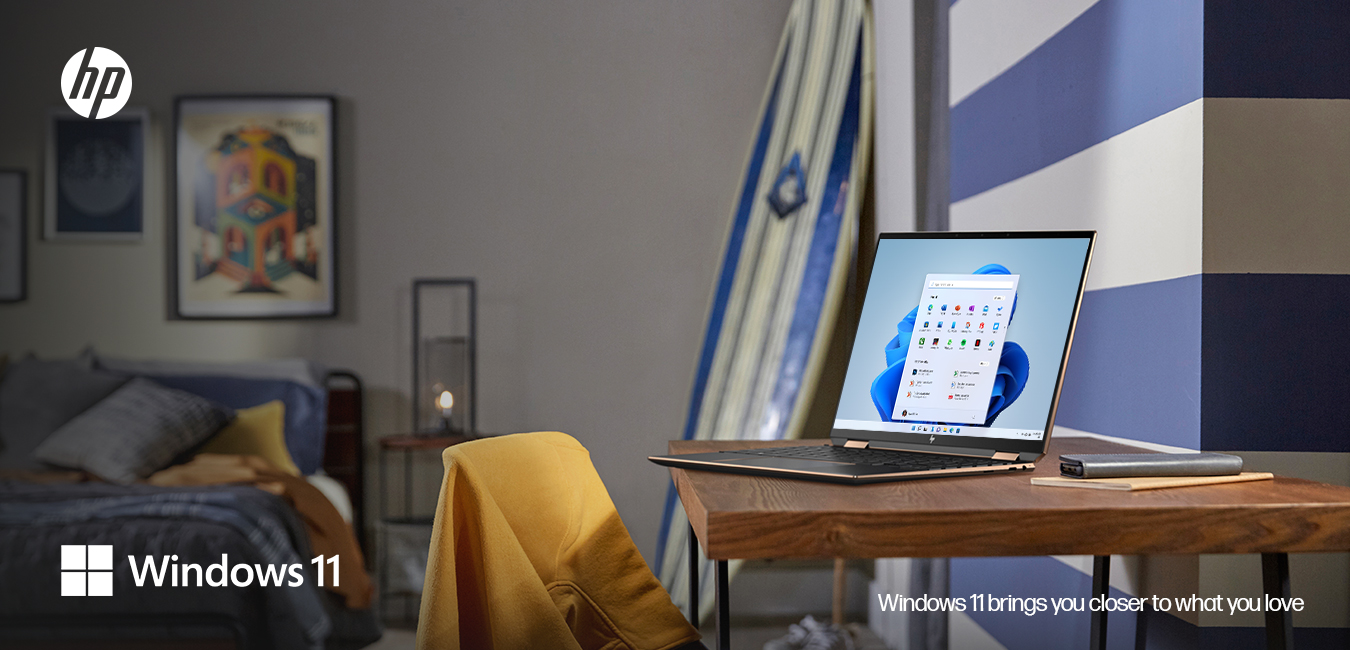
The HP Spectre x360 14 is a more thoughtful laptop not only built to last as your daily companion, but also to serve as your canvas for whenever inspiration strikes. Powered by the latest Intel 11th gen processors, its true potential comes to life in the hands of content creators. With privacy features at its core, the HP Spectre x360 14 offers unrivalled performance in a sleek and portable design that is second to none.
Measuring just 16.99mm thick and weighing 1.36kg, the Spectre x360 14 is a high performance laptop that’s built to go where you go. Its ultra-portable form factor makes it easy to use wherever you need it – at a coffee shop, an airport lounge, or even the comfort of your couch. Its 360-degree hinged display effortlessly lets you use the laptop as a tablet, making it easier to adapt to your unique workflow.
The vibrant 3:2 aspect ratio display is the star attraction here, allowing up to 20% more vertical viewing space than a traditional 16:9 screen. The Spectre x360 14 features a remarkable 90% screen to body ratio, and can be equipped with a 3K2K OLED display for a viewing experience that is unmatched on any 16:9 laptop.
With a reflection reducing screen and enhanced contrast, you’ll be able to see your screen clearly in any setting. HP’s unique Auto Color feature ensures that colors are as accurate and precise as possible, making it ideal for editing photos with real-world color palettes. It can also automatically adapt to your surroundings by adjusting brightness and contrast to reduce eye strain, by showing a cooler light during daytime and a warmer one during nighttime.
With the increase in conference calls and virtual meetings, the Spectre x360 14 is equipped with the right tools to ensure that all your meetings are held without the usual problems of figuring out hardware connections and compatibility settings. Quad speakers produce crystal-clear sound during virtual meetings, and intelligent noise cancellation makes your voice heard clearly above any background noise.
Privacy has always been a core principle for HP’s products, and the Spectre x360 14 is no exception. A fingerprint reader is conveniently embedded in the keyboard and lets you unlock your laptop in seconds, without having to type in your password each time. A physical camera shutter that’s activated via the keyboard lets you know when you’re really using your camera or not, while a mute mic button lets you speak freely without the fear of being recorded in any way. HP’s SureView Reflect Privacy Screen lets you hide your display contents when working in a public space, just by pressing a single button.
Sometimes, doing nothing is the most important thing, and the Spectre x360 14 intelligently manages your battery life to save energy while you think about your projects. To maximize battery life, it has some unique features to keep you going throughout the day. Focus Mode lights up only the portion of your display that you’re working on, while the rest of the screen is dimmed to lighten your battery load. In-bag detection also automatically adjusts power to avoid overheating or battery drain when placing the laptop in a bag. Meanwhile, Smart Sense automatically adapts the system to your demands, helping to optimize power and performance when it matters the most. With up to 17 hours of battery life available, the Spectre x360 14 is always ready for a challenge, and you can conveniently recharge it with the bundled Type-C charger.
For seamless sharing between the Spectre x360 14 and your smartphone, HP’s QuickDrop lets you truly streamline your digital life. Easily share photos, videos, documents, or text over Wi-Fi or LTE safely and securely. You’ll be able to snap a photo on your smartphone and then wirelessly transfer it to your Spectre x360 14 for editing, before transferring it back to your smartphone to share on your favourite social networks. It’s effortless and cable-free, giving you more time to do the things you enjoy.
The Spectre x360 14 is powered by Microsoft Windows 11. Windows 11 brings you closer to what you love, and features a host of new features and easy-to-use-tools that can help you optimize your screen space and maximize your productivity. You can use features like Snap Assist to quickly organize multiple windows when working on different tasks or attending a video call, or use the new touchscreen shortcuts to touch, tap, and swipe your way to quicker navigation, faster interactions, and a more fluid workflow.
Sustainability is another key pillar for HP, and the Spectre x360 14 highlights this both in the product itself and the packaging. It features the world’s first keyboard scissors made from natural, renewable material, while recycled plastics were used in components such as the speaker enclosures and keyboard caps. Plastic-free packaging and cushioning material made from 100% recycled materials helps to reduce unnecessary plastic waste while still keeping products safe during shipping.
The HP Spectre x360 14 is available now from leading retailers and online from hp.com
from TechRadar - All the latest technology news https://ift.tt/3KEDg44
via IFTTT
We've just spotted some fantastic Fire device deals at Amazon's latest sale, which include up to 50% off Amazon's best-selling Fire tablets and Fire TV Sticks.
Amazon's best-selling Fire tablets allow you to watch all your favorite movies and TV shows from apps like Netflix, Hulu, and more, or you can cozy up with a new book from millions of eBooks options. You also won't have to worry about recharging your battery throughout the day because today's tablet deals offer up to 12 hours of battery life and work with Amazon Alexa for hands-free control.
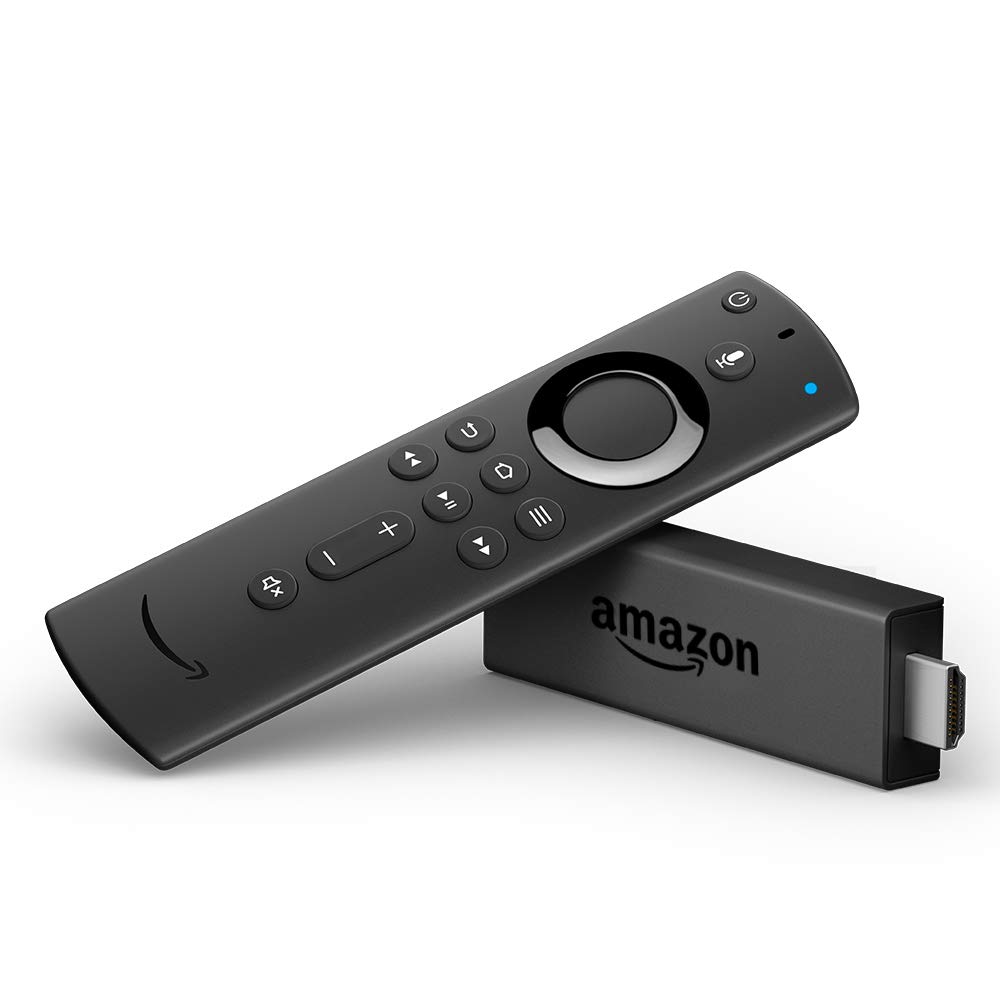
The popular Fire TV Sticks allow you to stream your favorite content from apps like Hulu, Amazon Video, Netflix, and more. You'll get access to tens of thousands of channels, Alexa skills, and apps, and the Alexa voice remote allows you to browse shows, launch movies and adjust the volume completely hands-free.
Today's Fire device deals are limited-time offers and include record-low prices that we typically only see during big sales like Black Friday or Amazon Prime Day. We don't know how long Amazon will have the Fire devices on sale, so you should grab these bargains now before it's too late.
Fire TV Stick Lite with Alexa Voice Remote:$29.99$18.99 at Amazon
Save $11 - Amazon's cheapest Fire device deal is the Fire TV Stick Lite that's on sale for just $18.99 - only $1 more than the record-low price. The budget streaming player allows you to enjoy tens of thousands of channels, apps, and Alexa skills and features an Alexa voice remote.
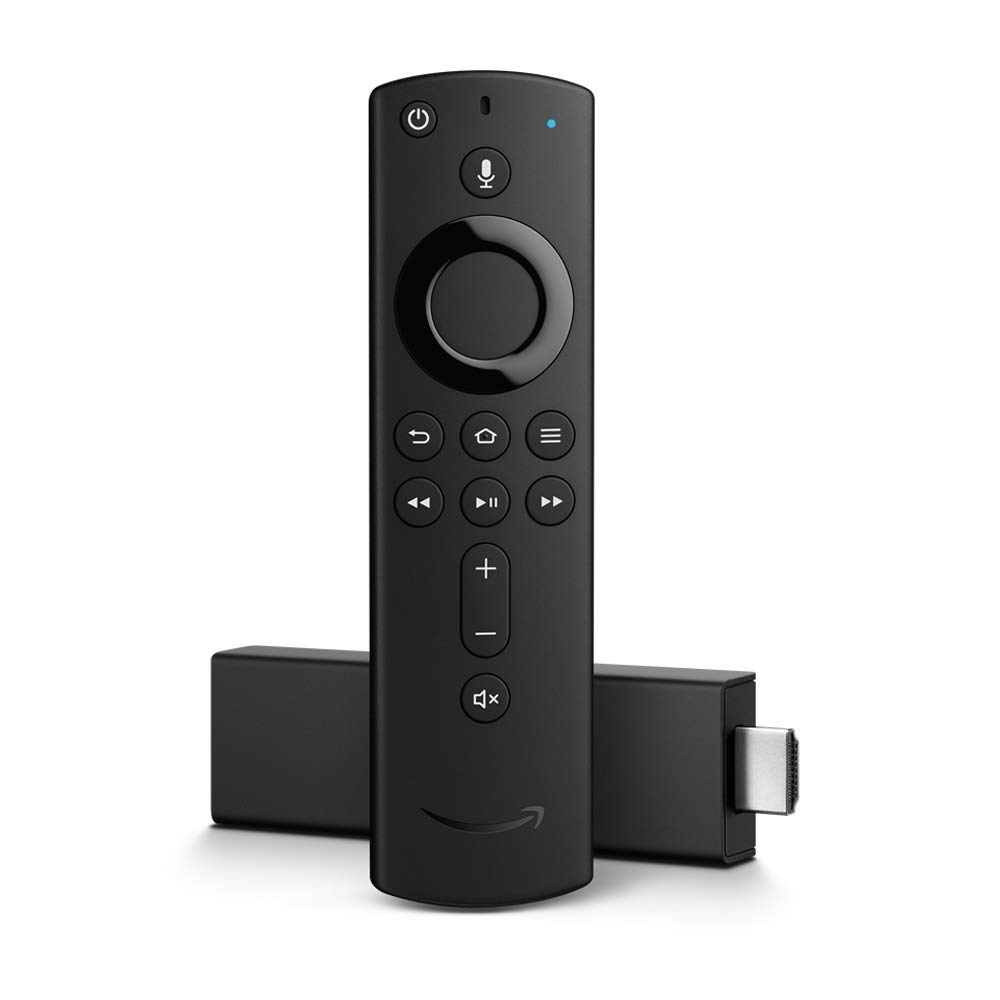
Fire TV Stick 4K with Alexa Voice Remote:$49.99$29.99 at Amazon
Save $20 - If you want to stream content in 4K resolution, Amazon has the Fire TV Stick 4K on sale for $29.99. That's the best price we've found and only $5 more than the all-time low. The best-selling Fire Stick allows you to stream your favorite content in 4K resolution and includes a handy Alexa voice remote.
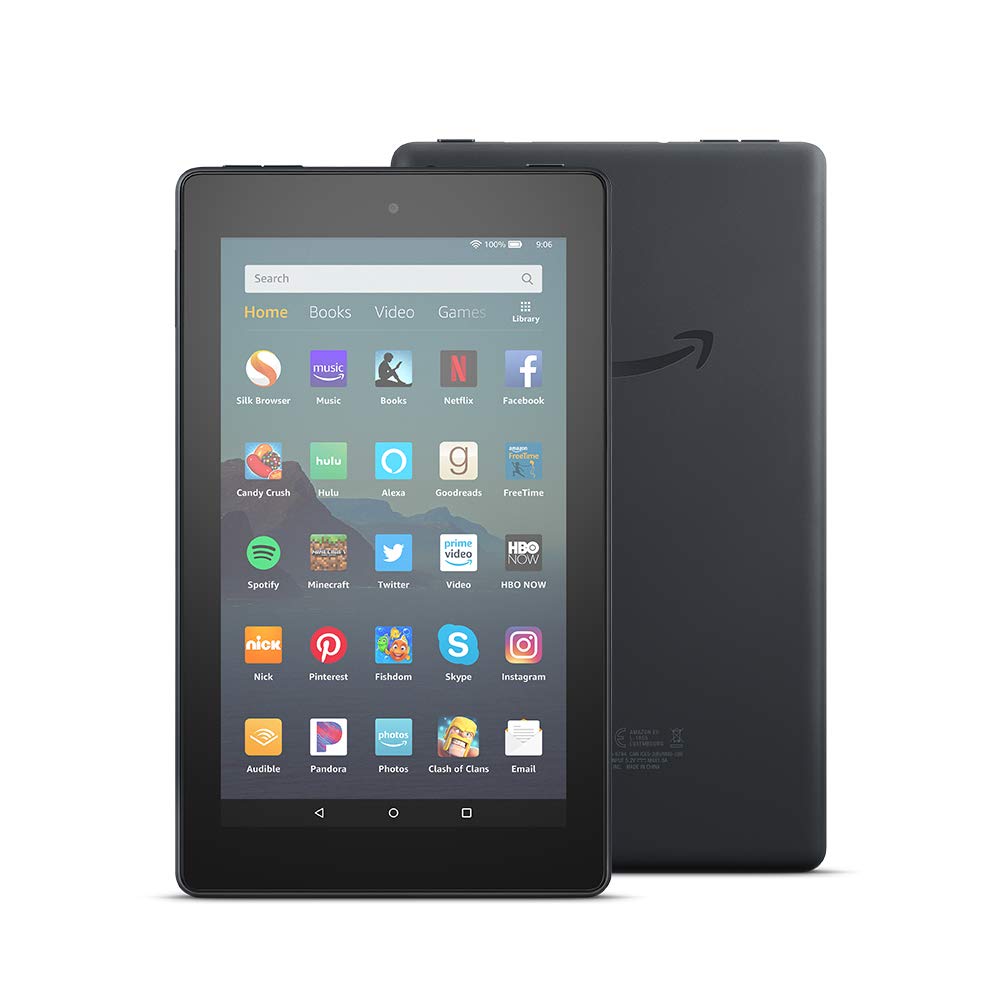
Amazon Fire 7 Tablet (2019):$49.99$34.99 at Amazon
Save $15 - Today's cheapest Fire Tablet deal is the Amazon Fire 7 that's on sale for just $34.99 - only $5 more than the record-low price. The seven-inch Alexa-enabled tablet packs 16GB of storage and provides up to seven hours of battery life.
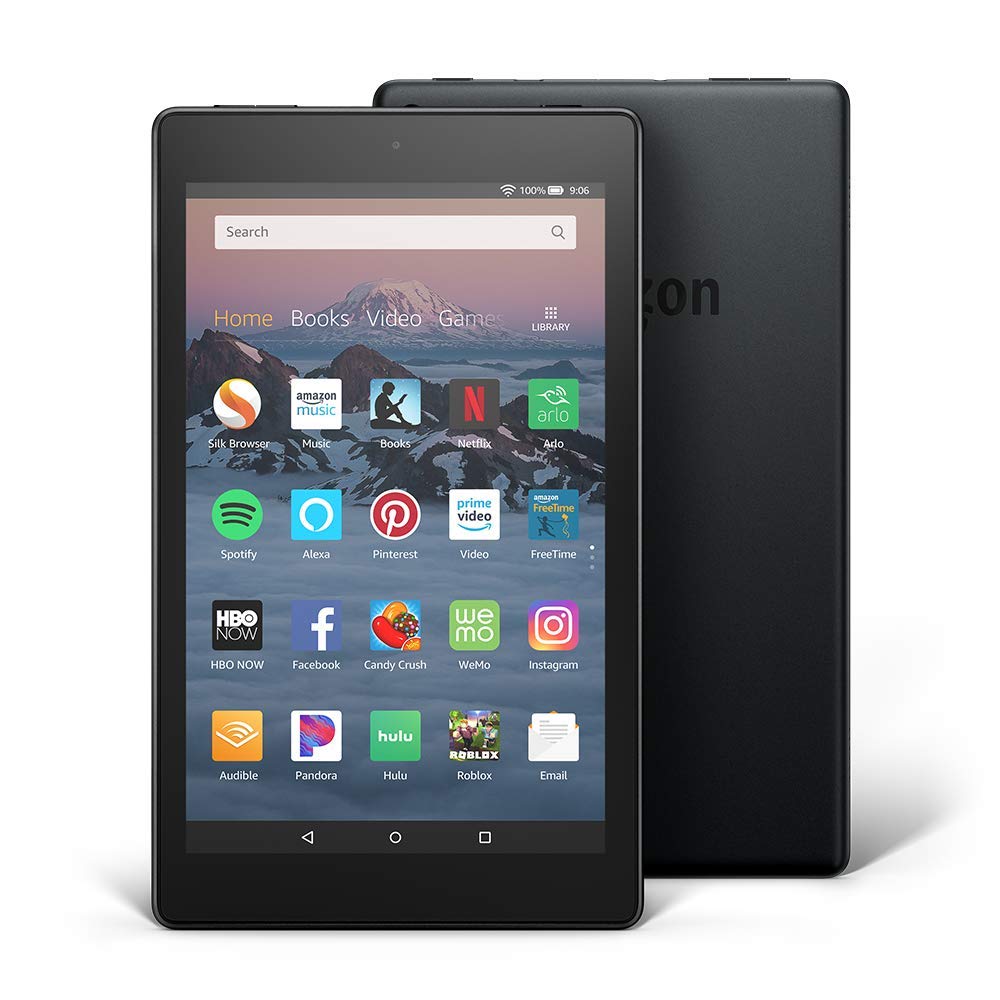
Amazon Fire HD 8 Tablet (2020):$89.99$44.99 at Amazon
Save $45 - You can score a massive 50% discount on the Amazon Fire HD 8 tablet bringing the price down to just $44.99 - the cheapest deal we've ever seen. The eight-inch HD display is 30% faster thanks to the new 2.0 GHz quad-core processor, plus you're getting 32GB of storage, 12-hours of battery life, and Amazon Alexa for hands-free control.
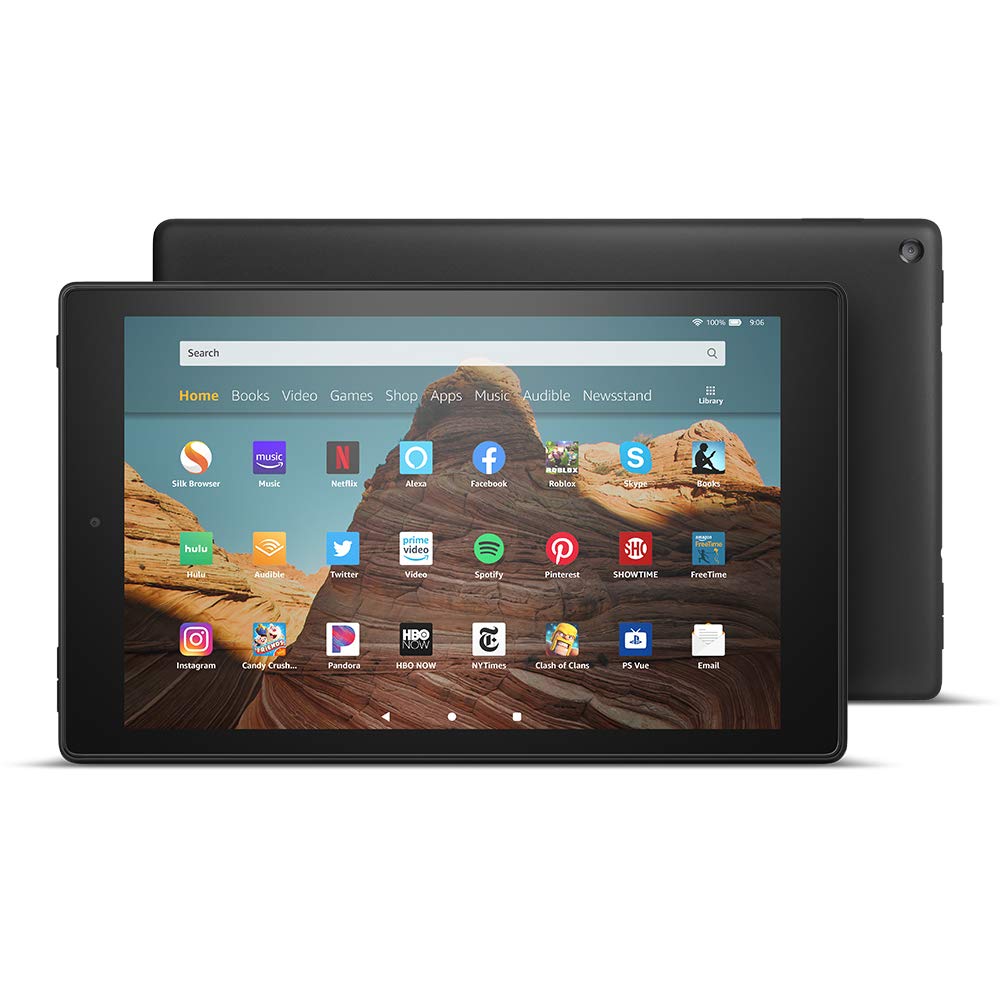
Amazon Fire HD 10 Tablet (2021):$149.99$109.99 at Amazon
Save $40 - If you're looking for the latest and greatest tablet deal, Amazon has the 2021 Fire HD 10 on sale for $109.99. The 10-inch tablet packs the powerful octa-core processor and 50% more RAM than the previous generation. The tablet also works with Amazon Alexa and provides an impressive 12-hours of battery life.
The range of fast NBN plans on offer has changed drastically, and there are now three fast tiers available to households: NBN 1000, NBN 250 and NBN 100.
The prospect of hooking up to one of these fast speeds will soon become more accessible as well, as the NBN Co has announced that 1.1 million premises across Australia will receive an NBN fibre upgrade by the end of 2023.
The number of options can be understandably overwhelming, but we want to help you make the right choice when it comes to choosing a fast NBN plan. We’ve offered our top picks on this page, or you can skip ahead by clicking on the links below:
Before signing up to a high-speed NBN 250 or NBN 1000 plan, there are some factors you should be aware of. These tiers are only available on two types of NBN connection – fibre-to-the-premises (FTTP) and hybrid fibre coaxial (HFC).
When it comes to NBN 1000 plans, all FTTP connections can sign up for the 1000Mbps speed tier, but only a select subset of HFC installations are eligible – estimated to be roughly 7% of the total.
Noteworthy fast NBN deals
Below we’re running you through our plan recommendations, but first, check out these ace offers currently available on fast NBN plans:
Spintel is facing some stiff competition from MyRepulic at the moment, but we’re giving the best NBN 100 plan to Spintel. You’ll get a discount for your first six months with the provider, so you’ll pay AU$69 a month before it goes back to AU$84.95 each billing. It’s still one of the cheapest NBN 100 plans you’ll find once the discount ends, and for the price, you’ll be getting typical speeds of 100Mbps. This is ultimately why MyRepublic missed out on the top spot – it’s got a lower ongoing cost, but a slower typical evening speed of 93Mbps.
Total minimum cost: AU$69 | Total cost for first year: AU$923.70
MyRepublic is now offering incredibly competitive prices on its fastest plans. You can sign up to its NBN 250 plan for just AU$89 a month for your first six months, and once the introductory deal is over, it only bumps up to AU$99 ongoing. That makes it not only the cheapest NBN 250 plan initially, but also the (equal) lowest ongoing price too. It comes with a typical evening speed of 200Mbps, which is about average for this tier.
MyRepublic is also our pick for the best NBN 1000 plan, and that’s largely due to its cost – just AU$99 a month for your first six months. Once that welcome discount finishes, it’s still the cheapest plan we can find at this speed, coming in at AU$109 ongoing. MyRepublic’s plan only promises a typical evening speed of 350Mbps though, so if you want a plan that’s guaranteed to get closer to 1000Mbps, we’d recommend Aussie Broadband for AU$149p/m.
Telstra’s higher speed tiers tend to be quite expensive, so it’s good when you can get a discount. You’ll now pay AU$100 a month for your first six months on this plan, after which it’ll revert back to the standard price of AU$110 a month. We’ve chosen this as the best high-speed plan Telstra has to offer because it’s closer to the market average than other Telstra options, and you’ll get a typical evening speed of 100Mbps. You’ll get the AU$99 connection fee waived by signing-up online, and if you stick with the telco for 24 months, you won’t have to pay for the Telstra Smart Modem either (AU$216).
Total minimum cost: AU$316 (includes modem) | Total cost for first year: AU$1,260
Not the right plan for you? Check out our full comparison of all Telstra’s NBN plans.
Keeping up with the competition, Optus has cut the price of its NBN 250 plan. For your first six months, you’ll pay a reduced rate of AU$99 a month before it raises to the standard pricing of AU$119 each billing. You can feel fairly confident going with Optus – it’s historically performed well in the Australian Competition and Consumer Commission’s (ACCC) speed test report, and the plan comes with typical download speeds of 215Mbps. While the plan comes with no lock-in contract, you will need to pay out the cost of your modem if you leave before a 36-month term (usually AU$252).
Total minimum cost: AU$351 (includes modem) | Total cost for first year: AU$1,308
Need a different speed? See our full comparison of all Optus NBN plans.
TPG is a popular telco among Aussies because it offers solid, reliable speeds at an affordable price. It has also consistently performed well in the ACCC’s speed test report, and delivers speeds of up to 90Mbps during the peak evening period. If you sign up for this NBN 100 plan on a six-month contract, TPG will waive the AU$99 set-up fee, though a AU$10 delivery fee applies. You can also get this same plan on a no lock-in contract, though it’s an additional AU$109 upfront with all fees included. Note that you could face a contract payout fee of up to AU$350 if you decide to leave early.
Total minimum cost: AU$489.94 | Total cost for first year: AU$1,029.88
NBN 1000, which the NBN Co refers to as 'Ultrafast', is the fastest consumer NBN speed tier. The small but growing number of ISPs who offer it typically advise a typical evening speed of 250Mbps – though we’ve seen speed test results that place the figure much higher at 900Mbps.
What are NBN 250 real world speeds?
The second-fastest tier is NBN 250, which the NBN Co refers to as 'Superfast'. Again, there’s a small number of providers who offer this speed, and most report an average download speed of 215Mbps during the evening hours – though the actual speed does vary among the ISPs, so be sure to read the fine print.
What are NBN 100 real world speeds?
The NBN 100 tier is the most affordable option from the fastest NBN category, and you can expect a typical evening speed of around 90Mbps. While the tiers mentioned above are leaps and bounds ahead in terms of speed, they are also limited in their availability – only FTTP and HFC connections can sign-up to NBN 1000 and NBN 250 in most cases.
NBN 100 is referred to as 'Fast' by the NBN Co – it’s available for most connection types, and is often the fastest option available for the millions of Australians using fibre-to-the-node (FTTN) technology. You can read more about each connection type here.
January 20, 2022 at 06:14AM from TechRadar - All the latest technology news https://ift.tt/2I8IMjN
via IFTTT
Apple might not release a MacBook Pro 13-inch 2022 model according to a new rumor, which suggests the company will instead release a MacBook Pro 14-inch powered by a brand new M2 chip. This will be the follow-up to the successful M1 chip that powers the current MacBook Pro 13-inch and MacBook Air (the latter of which remains our pick as the best laptop you can buy right now).
The rumor, reported by Apple Insider, comes from a tweet by reputable leaker DylanDKT, who claims the MacBook Pro 14-inch (M2, 2022) will come in the second half of 2022, and will be released alongside a redesigned MacBook Air (2022), which will run on the M2 chip as well.
The currently available M1 MacBook Pro 13 will be replaced with a MacBook Pro 14 with an M2 chip in the 2H of 2022. It will receive a slight price increase over the previous generation. Alongside this release time frame, we will receive the redesigned M2 MacBook (Air).January 17, 2022
See more
The leaker also confirmed to a follower that the new 14-inch MacBook Pro will come with the same design as the MacBook Pro 14-inch (2021) which released last year.
That came with a choice of powerful M1 Pro or M1 Max chips, and while the M2 would likely be more powerful than the M1 chip in the 13-inch MacBook Pro, it may not be as powerful as the M1 Pro or M1 Max.
Analysis: 2022 is shaping up to be an exciting year
We expected Apple to work on a follow-up to both the 13-inch MacBook Pro and the M1 chip, so we’re not too surprised to hear the company may be readying new laptops with an M2 chip. When Apple switched from Intel to its own M1 chip, there was a concern that the company may be biting off more than it could chew, but it proved critics wrong, releasing a series of M1-powered MacBooks and Macs that offered brilliant performance.
We’re keen to see what the M2 chip brings to the table. What is perhaps more surprising is the rumor that the 13-inch MacBook Pro will be no more. When Apple launched the 14-inch model last year, some people thought that the company may keep the 14-inch MacBook Pro for heavy-duty users, due to its M1 Pro and M1 Max specifications and high price tag, leaving the smaller MacBook Pro 13-inch for people who didn’t quite need that level of performance.
However, dropping the 13-inch model makes a lot of sense – especially if the M2 MacBook Pro 14-inch does indeed have the same design as the existing MacBook Pro 14-inch. It means Apple doesn’t have to make separate parts for the 13-inch model, which will certainly make things easier (and cheaper) for Apple.
It could make buying a 14-inch MacBook Pro a bit more confusing for some people, however, as you’ll need to carefully look at the specifications. While we have no doubt that the M2 chip will again be fantastic, it may not stack up to the M1 Pro or M1 Max.
Still, we loved the 14-inch MacBook Pro – it earned one of our rare five-star ratings – so if Apple is planning a more affordable version of people who don’t need the raw power on offer, that’s only a good thing in our book.
We also can’t wait to see Apple’s plans for the MacBook Air in 2022 as well. If a redesign and a performance boost with M2 is on the cards, then it could be another shoo-in for topping our best laptops list once again.