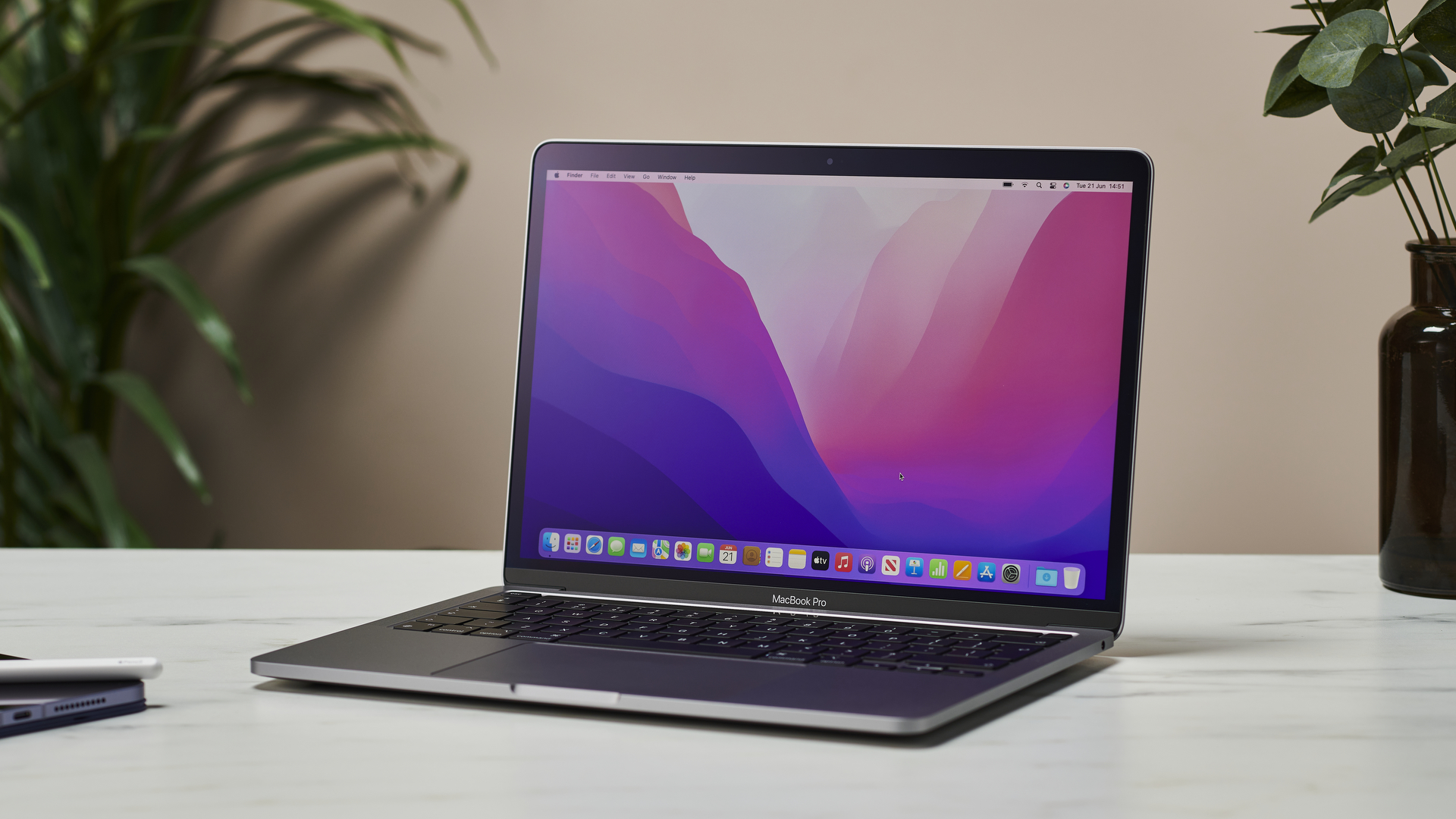
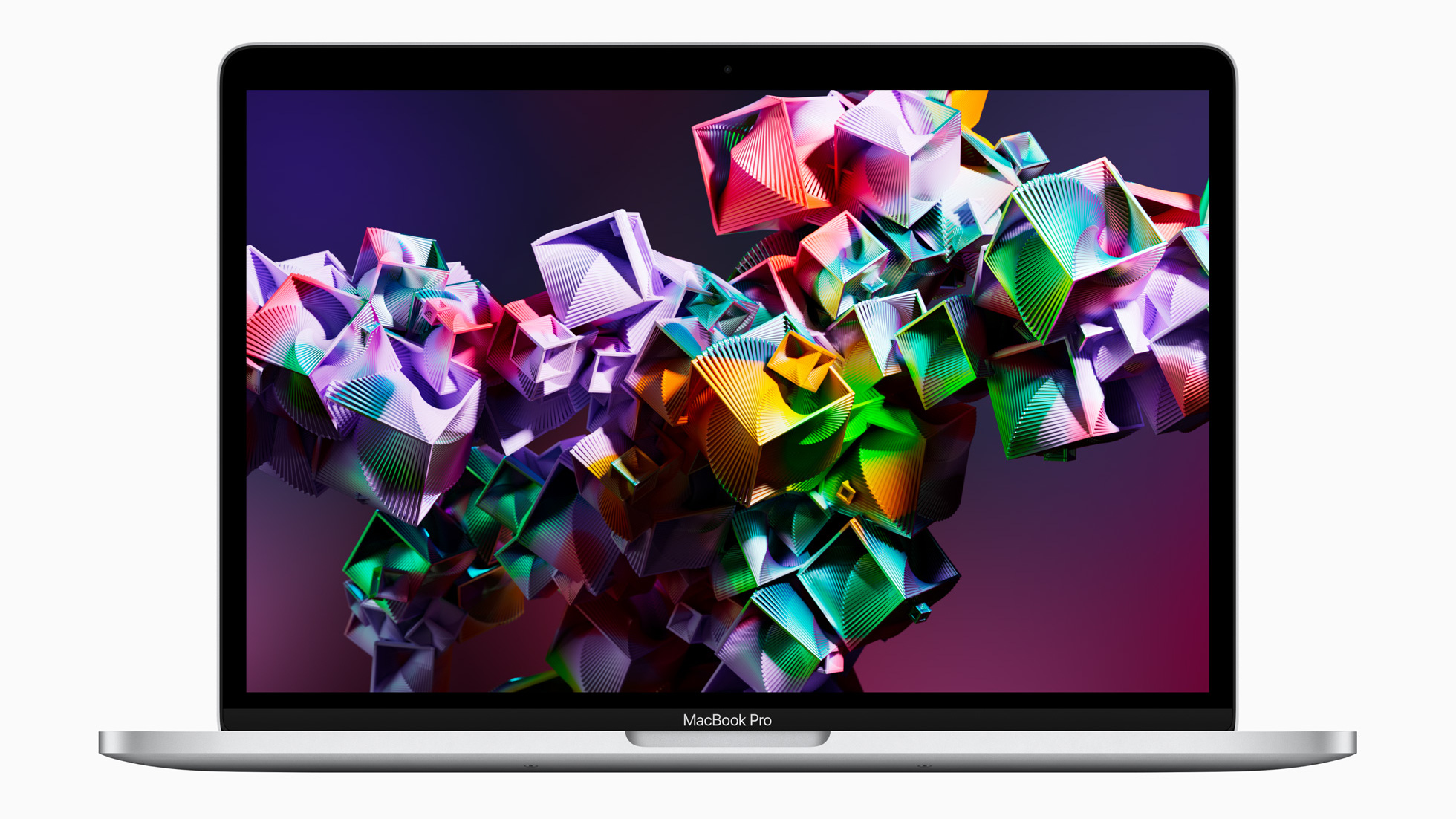
Apple’s redesigned MacBook Air with the M2 chip, which was recently revealed at WWDC 2022 and has been keenly awaited since, will supposedly go on sale come July 15.
That’s the word from MacRumors, which cited a retail source for this fresh info on the release schedule for the MacBook Air (M2, 2022).
As ever, we can’t treat this as anything concrete, but MacRumors is one of the more trustworthy Apple-focused sites out there, and the date does fit with what we’ve heard previously – namely that the new MacBook Air will arrive at some point in July.
Assuming the July 15 date is on the money, pre-orders will presumably go live somewhat before that date. July 8 is the pre-order date MacRumors is expecting (and a week beforehand makes sense, of course).
If you’re thinking about grabbing yourself a shiny new M2-powered MacBook Air, then we’ve got a dedicated page linking through to all the main retailers set to sell the laptop (Apple included) to help you get that pre-order in sharpish (hopefully in the very near future, by the sound of things).
Pricing for the MacBook Air M2 starts at $1,199 / £1,249 for the entry-level model with 8GB RAM and a 256GB SSD.
Analysis: Slower SSD issue might also affect the MacBook Air M2?
A week tomorrow, then, we could see pre-orders going live for the MacBook Air, and there’ll be quite a rush on for this new model, no doubt. It’s a major redesign that makes the Air lighter and thinner than its predecessor, yet with a larger screen, very much in contrast to the MacBook Pro 13-inch with M2 chip that was also unveiled at WWDC 2022, which didn’t change much (and is already out there).
Speaking of that MacBook Pro M2, you might have noticed that we recently found out that the SSD on the entry-level model is actually slower than the solid-state drive in the M1-toting MacBook Pro. Why? It’s due to the Pro M2’s drive having a single 256GB NAND chip, as opposed to a pair of 128GB chips in parallel with the M1, with the latter providing better performance levels.
The question many would-be MacBook Air buyers are now asking is: will the M2 version of this new laptop suffer from the same SSD issue? Note that it’s just with the entry-level MacBook Pro M2 that Apple has gone this route with the storage (to save money), and higher tier models are apparently unaffected.
So, if Apple has also taken this same approach with the MacBook Air M2, that’d be a possible reason to give the entry-level model a swerve (though depending on your use case, the slower SSD may not have any noticeable effect in real-world usage, anyhow). Another reason to look at the higher tier models is that stock is likely to be more robust, as we expect the cheapest model will be subject to something of a stampede of buyers initially (SSD issues or not, frankly).
from TechRadar - All the latest technology news https://ift.tt/nr98MER
via IFTTT
After a mid-May announcement, the newest Amazon Fire 7 is finally available to buy - this is the follow-up to the Fire 7 (2019), and the newest generational version of the company's cheapest slate.
This new cheap tablet has more RAM, a longer-lasting battery and finally a USB-C port for faster charging over its predecessor, though the range's core feature - the 7-inch 1024 x 600 screen - hasn't seen any changes.
Here's how much the slate costs in your region:
You can spend more to increase the storage from 32GB to 64GB, and also to remove the built-in software ads, but we don't find them intrusive enough to be an issue. Saying that, you don't need to make your ads decision straight away, as you can pay at any time to have them removed.
The price hike might make the tablet a hard sell given the limited changes over the 2019 model, but Amazon Prime Day on July 12 and 13 might bring discounts to offset that increase.
The tablet launched alongside a Kids version which is more expensive but comes with a protective shell and age-appropriate built-in software
Opinion: early test results are in
I haven't tested the Amazon Fire 7 for long enough to write a full review, but I have used it for a day now in its eye-catching pink - oh, sorry, rose - version, and it's the 32GB model.
While we at TechRadar often rate the Fire HD 8 and Fire HD 10 tablets higher than the Fire 7 ones, because of their bigger and higher-resolution displays, my testing time does show that there's a place for the budget option.
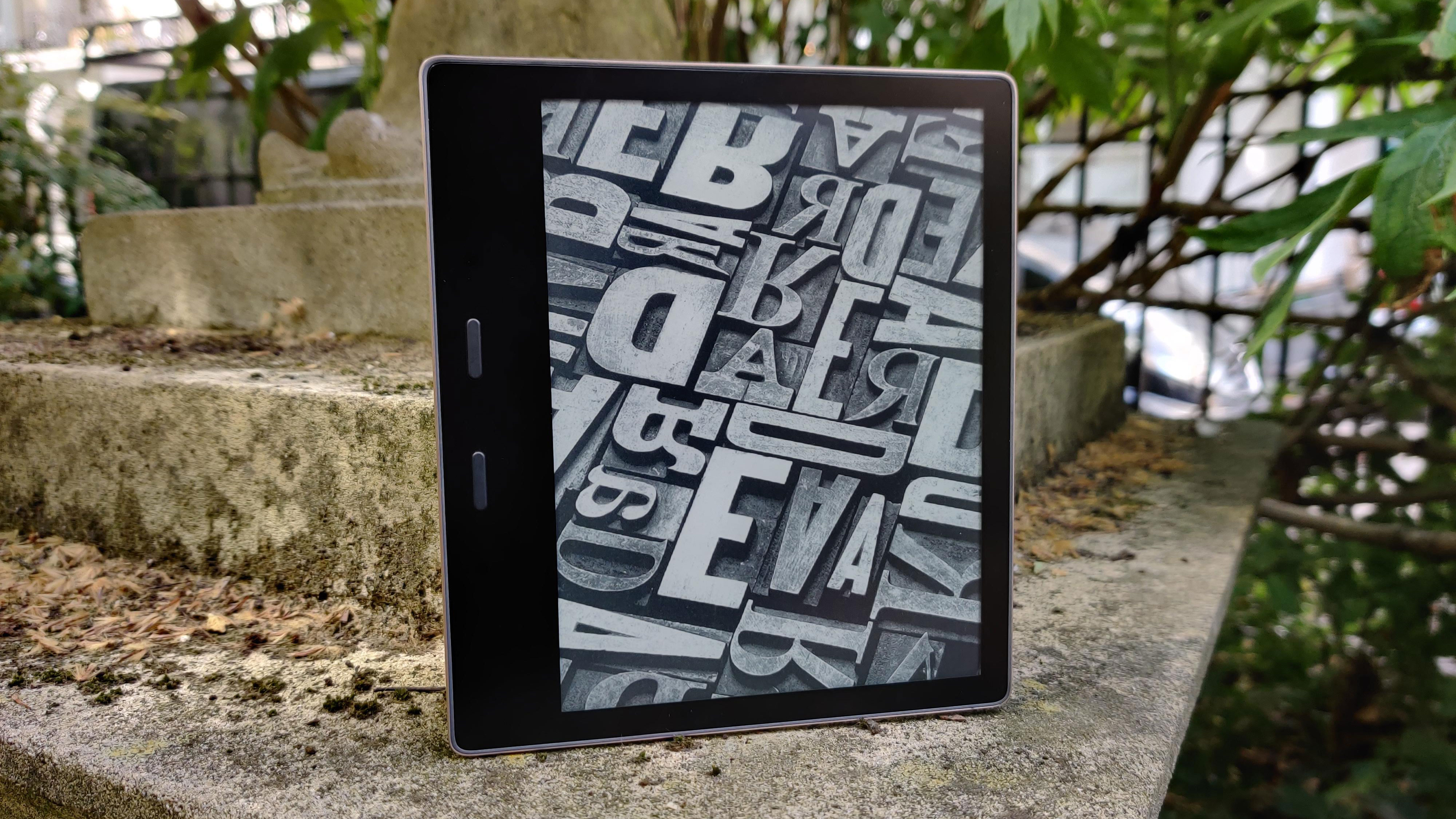
In fact, I very quickly found myself using the Fire 7 instead of my Kindle when commuting on the tube. Its small screen matches my Kindle Oasis (2019) in terms of inches, but its longer and thinner aspect ratio made it more easily pocketable.
The tablet's low resolution doesn't exactly matter when I'm just reading books. This gadget costs so much less than the $249.99 / £229.99 / AU$399 Oasis, yet can also stream content on Prime Video or Amazon Music, and play a few games.
Sure, the Oasis and other Kindles do have some ereader-specific features that make them technically better for reading, but between its size, price and feature set, I can really see why some people might prefer the Fire 7 to a Kindle for reading.
I'll see if this opinion stays the same after a few weeks of testing when I'm ready to write a full Amazon Fire 7 review, but as it stands, I'm finding the slate a lot more useful than I expected. Maybe this will show up in our list of the best tablets after all...
from TechRadar - All the latest technology news https://ift.tt/AWZzdlK
via IFTTT
However, leaks now suggest we don't need to fear a price increase: leaker LeaksApplePro, writing for iDropNews, has provided some prices that we can expect for the next iPad Pro range, and they're lower than we expected.
Apparently, the 11-inch version will cost $799 for its 128GB storage and 5G-enabled version, while the 12.9-inch version will cost $1,099 for that same configuration. Those prices are surprisingly much cheaper than what the predecessors cost - the iPad Pro 11 (2021) went for $999 for those same options, while the iPad Pro 12.9 (2021) was $1,299.
Now, that price discrepancy could indicate that there's been an error on the leaker's part - maybe the information they saw was for a different device or currency translated from a different source. But the lower cost is less likely to be an error than you might believe.
A cheaper iPad Pro?
(Image credit: Future)
We're expecting the 2022 models to have the exact same design as the 2021 ones... and therefore the same as the 2020 and 2018 models. Yeah, Apple hasn't exactly varied up the way it's pro-grade tablets look too much.
But that means, after five years of using the same manufacturing processes, Apple doesn't exactly need to spend as much on R&D or design to work on new builds, so can save money in that department.
Perhaps, the saved money there will offset the increased price that Apple's new M2 chipset will incur - after all, the company has already made a fair few of its own of these silicon enginges at this point, so it's not likely to be as expensive as the debut M1.
It's also possible that some of the more outlandish leaks we'd heard - like mini LED panels on all the tablets and MagSafe compatibility - won't actually come true.
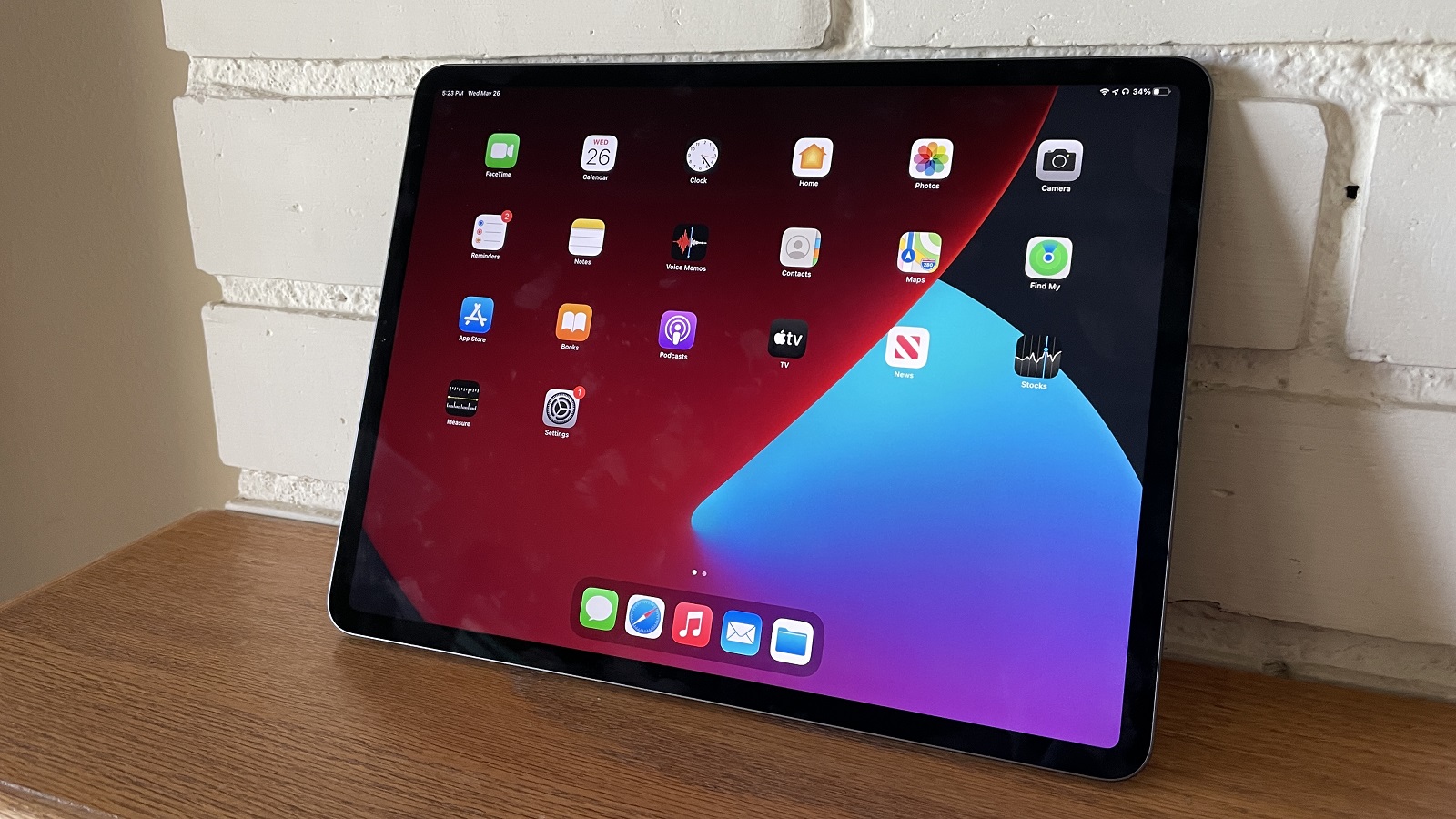
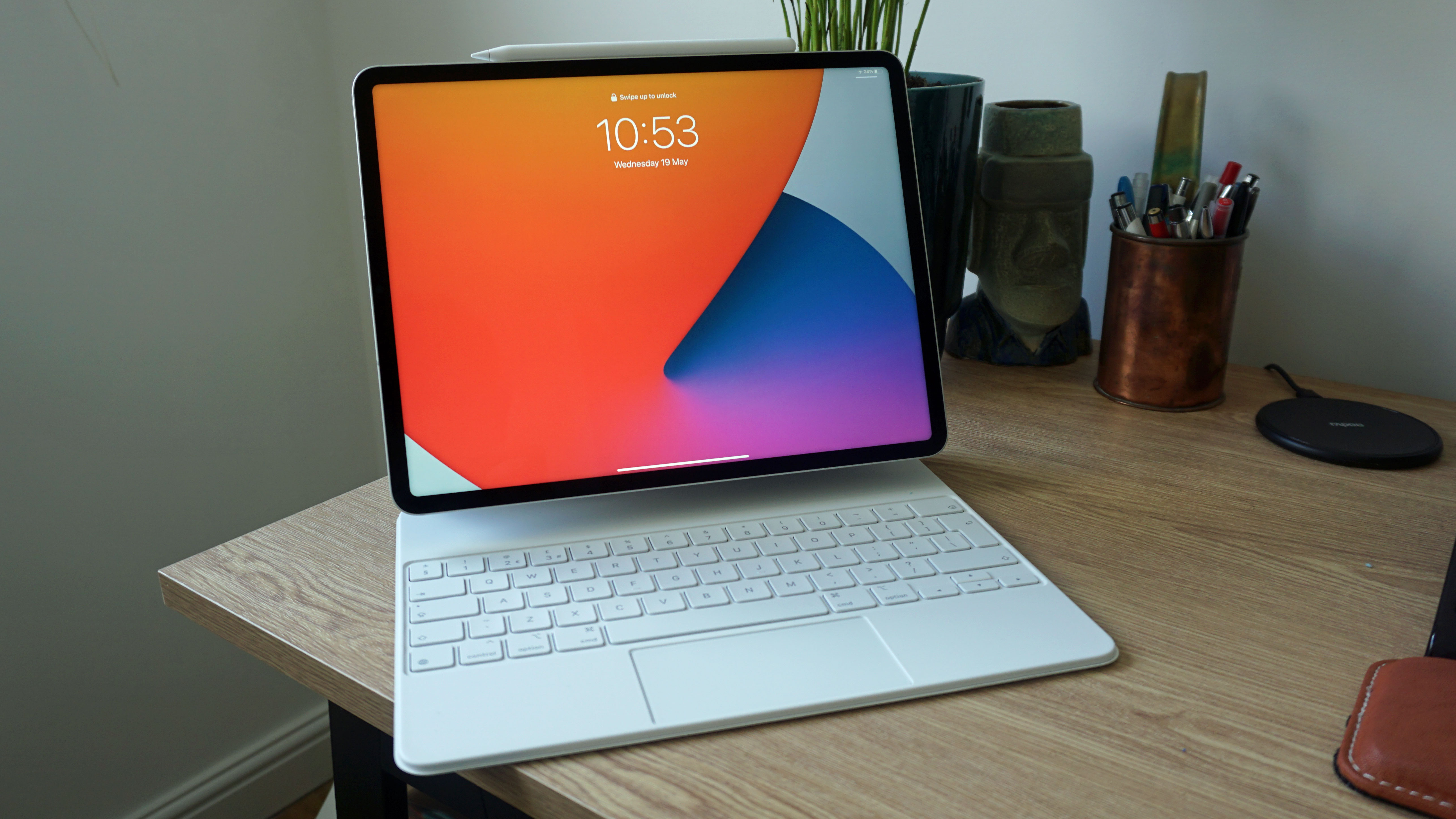
With a roughly 13-inch screen, M2 chipset and long-lasting battery, the iPad Pro 12.9 for 2022 could be a tempting alternative to the MacBook Pro for certain users.
The tablet will, according to the leak, undercut the $1,299 / £1,299 / AU$1,999 laptop, and will likely also be slimmer, with a touchscreen and Apple Pencil support giving it an edge for creative users. It also likely won't have a few issues that we saw on the MacBook Pro, like its low-res front camera.
It won't be for everybody, and the lack of a built-in keyboard in the iPad Pro, as well as its lack of gaming power and relatively limited viewing angles, may make it a worse choice for certain types of users.
In reality, the choice of an iPad Pro vs a MacBook Pro likely comes down to your preference of laptop vs tablet. There are pros and cons of both, and it depends on your particular use case.
But if the price is indeed lower, with enhanced features like MagSafe compatibility, then its rivalling of the MacBook will be enhanced and that will likely make it one of the best iPads to buy.
from TechRadar - All the latest technology news https://ift.tt/KAybgli
via IFTTT
Apple is already making an M3 chip, despite the M2 still very much being new on the silicon block, according to a fresh rumor.
Given that this is a rather surprisingly early time to be hearing about the M3, stay skeptical around this one, although that said, it does come from one of the more reliable Apple leakers out there; Mark Gurman.
In Gurman’s latest newsletter (published on Bloomberg) he mentions that Apple is working on the M3, which should theoretically be finished and inside Macs as soon as next year. Seemingly, the M3 is destined to be the engine of a refreshed MacBook Air 13-inch, as well as a MacBook Air 15-inch, along with a new all-in-one iMac (he doesn’t specify what size model), all of which are purportedly scheduled for launch in 2023.
There’s mention of a 12-inch MacBook, too (also recently rumored, as you may recall), but it’s much more tentative as the portable is still supposedly very early in the development timeline. Of course, all of this is speculation, so we should be careful about how much weight to lend any of these potential new Macs, anyhow.
Creative Bloq adds to this report by pointing to further rumblings from the rumor mill that an M3 chip is under development which will use TSMC’s 3nm process (N3), shifting up a gear from 5nm (as used by the new M2, and original M1 for that matter).
We know that TSMC is set to crank up volume production of 3nm chips in the final quarter of 2022, so this ties in with the timeframe of 2023 for the M3 to be ready and shipping inside new Macs.
The theory from some time back – see The Information – is that Apple is working on a trio of M3 chips, which will be the base SoC, plus Pro and Max versions (or equivalent), with the processors potentially having up to 40 cores (not the vanilla M3, of course, but the pepped-up chips).
Analysis: How likely is an M3 SoC to arrive this soon?
It sounds like the new M3 could be seriously powerful, then, and being built on 3nm it will offer some major advantages in terms of substantially improving not just performance, but also power efficiency. Exciting stuff, without a doubt, when playing the guessing game of how much oomph the successor to the M2 might boast.
So, what can we expect from Apple as the next step for its own silicon? Following the M2, there’ll presumably be the M2 Pro and M2 Max (assuming the pattern of the M1 launches is adhered to), and so we can guess that those chips will debut later in 2022. (Rumor has it that before long, Apple plans to push out a bunch of Macs – MacBooks, Mac Mini, and Mac Pro models – with the M2 chip driving them).
For the M3 to emerge in 2023, obviously we’re looking at Apple moving on from the M2 in just a year.
Could that happen? It does feel early to be hearing about the M3, and expectations of the SoC being ready to debut in multiple Macs next year. Even if this is Apple’s plan – and we’d be careful about putting too much stock in that idea at this point – the company could still hit gremlins and delays, either with chip production or indeed getting the actual devices to come to fruition.
Despite niggling doubts, we certainly wouldn’t rule out the M3 for next year. And if Apple’s plan is to debut a new generation of its own silicon every single year, that pace of development and continually speedier processors coming fast on each other’s heels certainly won’t do any harm to sales of the Macs that these SoCs are the beating heart of.
Now that Amazon Prime Day is getting close, you might be wondering whether you should pick up those gadgets you've had in your sights now, or hold on a little longer until the online retailer's discount days kick off on July 12.
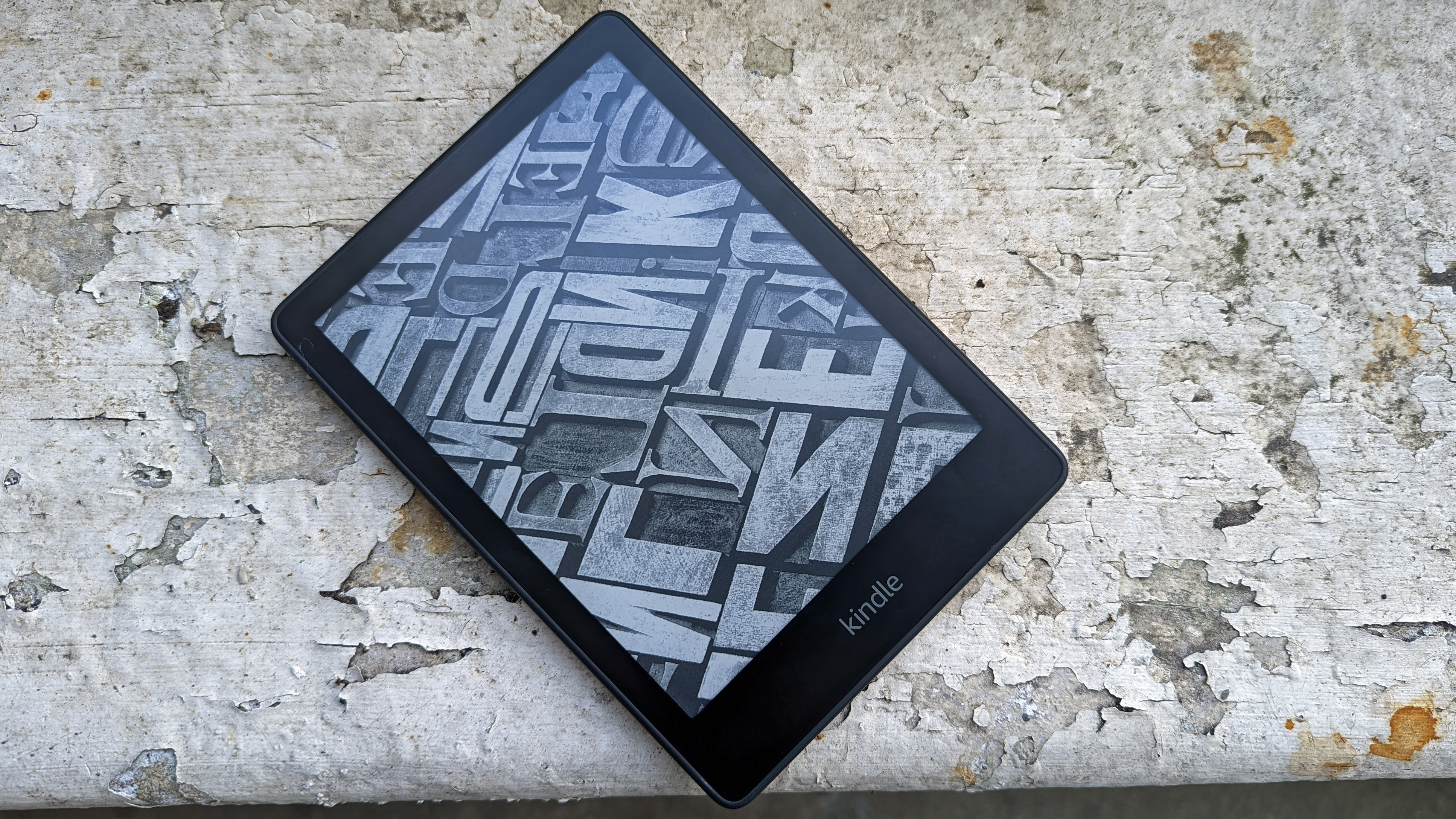
A popular gadget that we see discounted all the time is the Amazon Kindle line of ereaders, and that device is likely be a top pick this Prime Day, too; Amazon is always quick to discount its own products for Prime Day.
In fact, if you're looking to buy a new Kindle ereader, we'd always recommend that you wait for the sales – they take place frequently enough to not have to buy at full price.
So should a new Kindle ereader be on your Prime Day list of gadgets to buy? Well, that really depends on which model of Kindle you want – basic, Paperwhite or Oasis. We'll run you through the three different types and let you know what your plan of action should be.
Standard Amazon Kindle
(Image credit: Future)
Amazon's cheapest, but least feature-packed, line of entry-level Kindle ereader hasn't seen an update since 2019. We imagine the company is operating under the "if it ain't broke, don't fix it" mantra until a new ereader innovation comes along.
Since it's the oldest member of the currently sold Kindle products, it's often the first to see a discount during Prime Day sales (and Black Friday, and frequently through the year).
So it's understandable if you'd be looking for a deal - and we'd recommend picking one up if you see one. Although there's a slight chance that a new upgraded model will get launched later this year, a new, undiscounted one will be much pricier than an older, discounted one, maybe enough to justify the limited features.
Saying that, it depends on the level of discount being offered. The current model launched for $89.99 / £69.99 / AU$139, but we've seen it as low as $49 / £39 / AU$99 in various sales. As such, if you see it being sold at a mega discount, but not nearly as low as the previous best prices, you may want to hold off until Black Friday or another time.
As such, we're not expecting to see a new version of this model any time soon. That is to say, don't skip the sales in the hope of a 2022 edition.
Despite being relatively new, we've already seen some decent discounts on the Paperwhite devices, so don't fish out your credit card for a measly 10% discount.
We still see some older versions of the Paperwhite sold on Amazon, too – these are recognizable for having 6-inch, not 6.8-inch, displays. If you're looking for a great deal, and don't need the newest features, these devices could offer a better deal – if their price is reduced, of course.
Amazon Kindle Oasis
(Image credit: TechRadar)
Amazon's top-end Kindle costs a significant sum compared to its siblings, so it makes sense that you'd want to hold off until Prime Day to pick one up for a nice discount.
However, of the three lines of Kindle that Amazon makes, the Oasis is the one we'd most expect to receive an update this year. Like the basic model, the current-gen model launched in 2019; but we're hoping to see a few more premium features roll out to Oasis models soon, including color displays and wireless charging.
If a new Kindle Oasis came out later in 2022, we could see it (yes, the newer version) discounted for Black Friday, and in that hypothetical future it would definitely be worth skipping Prime Day and waiting. However, we can't be sure that a new version is coming, so that would be a risk.
If you like the look of the premium Kindle, but don't think you'd need any cutting-edge updates that could come with an upgraded model, certainly look to Oasis deals during Prime Day. But if you don't need it in a hurry, there's no harm in waiting until Black Friday.
from TechRadar - All the latest technology news https://ift.tt/F9c6ef1
via IFTTT
Apple has redesigned its MacBook Pro series several times since its original release, but recent patents submitted by the tech giant could indicate where the future of the fan-favorite workstation laptop is heading.
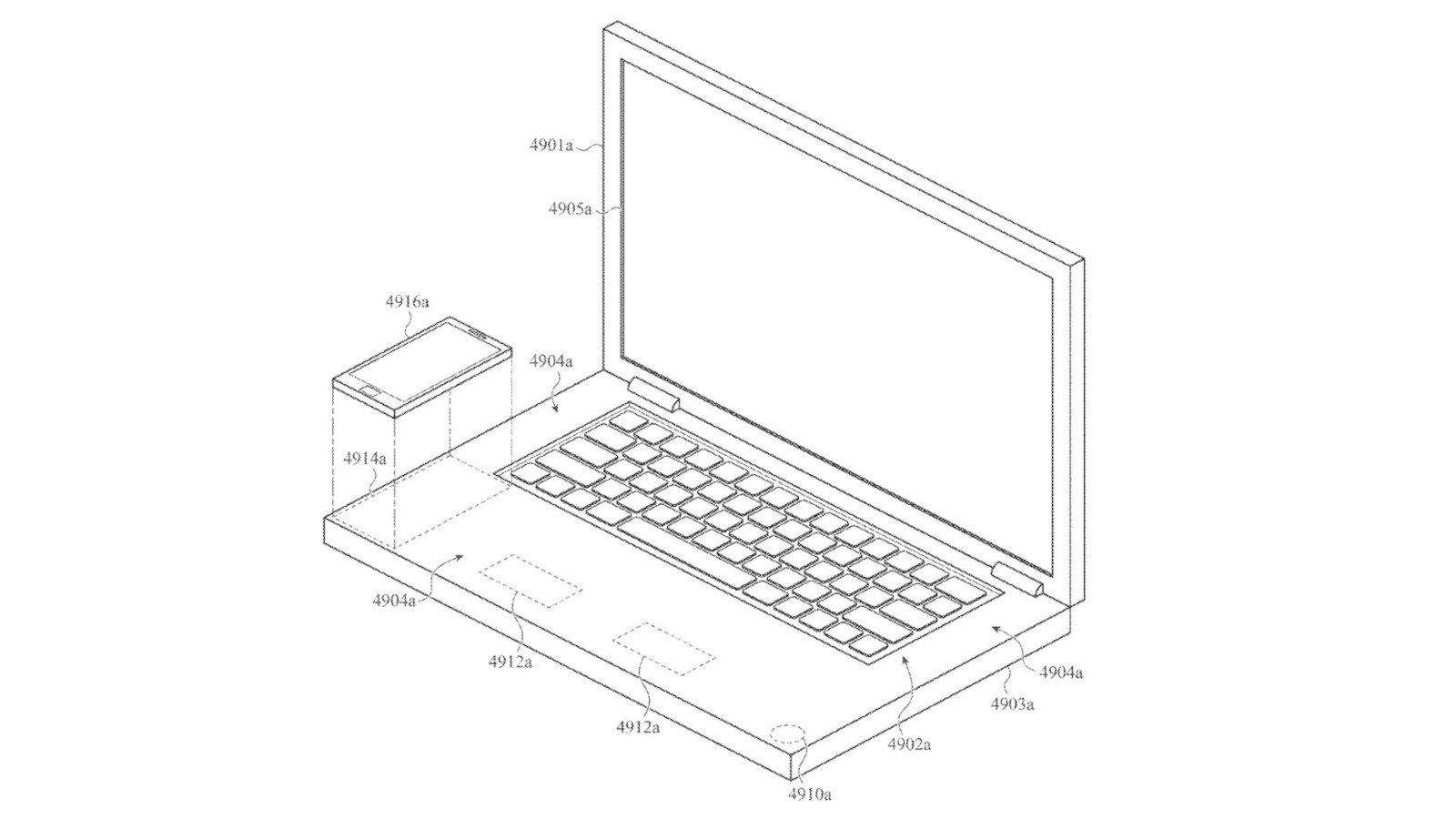
Older patents are also referenced in which Apple discusses altering the entire surface of a MacBook so that it can be used not only to prevent a build-up of dust and debris, but also discusses using the space as an additional touch-control function, allowing users to essentially control the entire surface.
"The proposals described herein are generally directed to electronic devices having an enclosure formed at least partially from a transparent, dielectric material such as plastic, glass, or a ceramic material," says Apple. "The transparent dielectric material may form a continuous or seamless input surface that may improve the look and feel of the device without having the drawbacks of some traditional device constructions."
An image taken from the Apple design patent showing a MacBook Pro laptop illustration with a built-in wireless iPhone charger.(Image credit: Apple)
One of the suggested uses for this technology is the inclusion of a built-in wireless charging pad, as shown in a provided mockup from the approved patent. This isn’t a world apart from MagSafe charging, so it’s not a wild leap to assume this could actually make its way into devices over the coming years.
Apple has even taken into consideration that it might be cumbersome to type on the keyboard while avoiding a phone placed alongside by laying out plans to improve its palm detection technology, including "The force sensing system may be configured to determine if a palm of a user is resting on the trackpad region" within the patent submission.
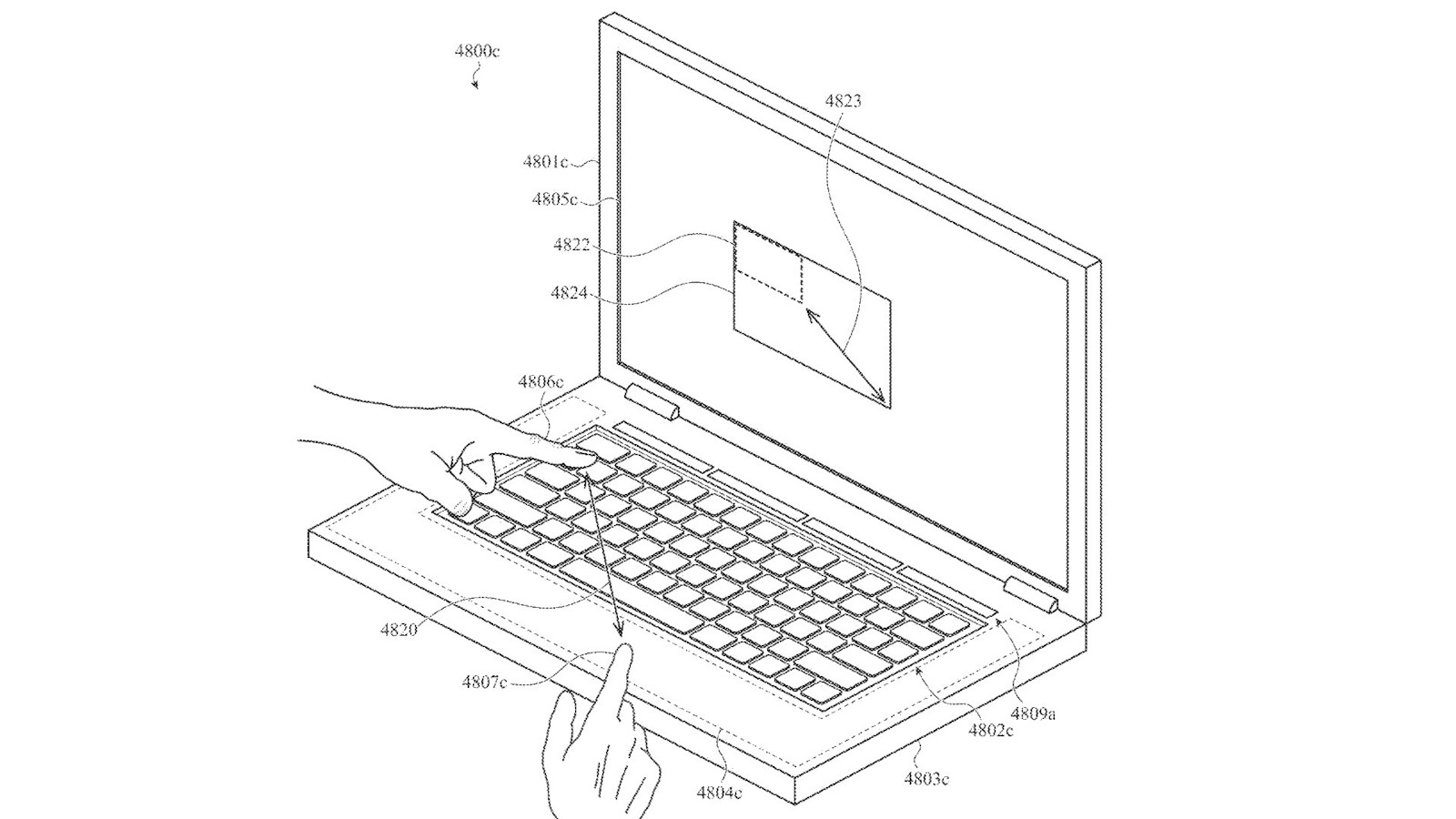
That technology, in turn, could also be adapted into a graphics tablet-style surface that allows users to use the entire palm rest and even the keyboard to control their cursor entirely by touch, stating that "In some instances... the integrated interface system may also be used to detect gestures and multi-touch inputs applied to keycaps of a mechanical keyboard, allowing the keycaps and keyboard region to function as a trackpad."
An image taken from the Apple design patent showing a MacBook Pro laptop illustration with massive touchpad.(Image credit: Apple)
This does raise some questions in regards to how useful such a large workspace would actually be - after all, graphic designers and other professionals who regularly used a display or drawing tablet would still be better off using a more dedicated piece of hardware, and this feature could be too ‘out there’ for most everyday MacBook Pro users to benefit from.
Analysis: approval doesn't mean it'll actually happen
Thing is, Apple actually submits a lot of patents each year and while many of these do get approved, it’s rare for us to actually see the designs and ideas within them appear in real-world designs. Back in 2019 it was reported by 9to5Mac that Apple had been granted approval for over 2,000 patents the previous year, and it's fairly safe to say we didn’t see 2,000 innovative features rolled out across the barn portfolio.
Apple does this because it wants to explore new areas of technology, and if it feels as though the feature will be of value then a patent submission will protect its intellectual property. You might not agree with it, but the fruit-themed brand is hardly the only massive corporation to have this practice.
Apple also has a mixed history with laptop innovations: the controversial Touchbar was either beloved or hated by MacBook Pro users, and the decision to remove ports such as the SD card reader and HDMI was so unpopular that they made a comeback on the 2021 M1-silicon-powered models.
The built-in phone charger is interesting, but there’s a good chance we’ll never actually see one make it onto the production line. Luckily there are plenty of amazing wireless phone chargers on the market so it’s not something we need for Apple to bring into its own ecosystem, but for those who are set on the idea, keep your fingers crossed - it could make an appearance in our favorite Mac products in the coming years.
from TechRadar - All the latest technology news https://ift.tt/CfF6lou
via IFTTT
If you’re keen on getting the new MacBook Pro 13-inch (M2, 2022), Apple’s first laptop with its M2 chip, you may have a wait on your hands, as it looks like some models won’t ship until August.
As Mac Rumors reports, the shipping delays are hitting custom configurations of the new MacBook Pro 13-inch, so if you configure it to come with 24GB of memory, you’re currently looking at a delivery in the US from between August 3 to August 10.
If you buy the set configurations from Apple, however, you should be able to get it pretty swiftly, with delivery starting on June 24, which is the official launch day of the new laptop.
It’s the same story in the UK, where the base models are available on June 24. However, configuring the memory to 16GB sees the delivery date slip to July 4 – July 6, and upping it to 24GB moves the delivery estimate to August 2 – August 9. Changing the amount of storage can also impact the delivery date.
In Australia, picking 24GB of memory means the new MacBook Pro 13-inch will ship in ‘5 – 6 weeks’, rather than on launch day, as models with less memory will start shipping on.
If you’re happy to go with either of the base models, which come with the M2 chip, 8GB of unified memory and either 256GB or 512GB storage, then you should still get it on launch day at the end of this week.
However, if you want more ambitious specs, including the new 24GB memory option, which is one of the main selling points of the M2 chip, then you may have to wait months to get it.
Analysis: Supply issues persist
(Image credit: Apple)
The news that some MacBook Pro 13-inch models will be delayed is disappointing – but, sadly, not too surprising. We’ve seen some MacBook Pro 14-inch (2021) and MacBook Pro 16-inch (2021) models become difficult to get hold of, with current shipping estimates for new orders now well into August.
Apple has also publicly indicated that supply issues would impact its products throughout 2022, which could cost the company between $4 and $8 billion.
This makes us particularly worried for the new MacBook Air (M2, 2022). Unlike the MacBook Pro 13-inch (M2, 2022), the new MacBook Air comes with a complete redesign – as well as the M2 chip – and this could compound supply issues.
Also, while the MacBook Pro 13-inch is set to launch this Friday, June 24, Apple has yet to give a concrete launch date for the new MacBook Air, simply telling us it will launch in ‘July’.
All of this leads us to suspect that the MacBook Air may be quite hard to get hold of, especially if you choose to configure it beyond the base specs. This is one of those times, however, where we hope to be proved wrong.
from TechRadar - All the latest technology news https://ift.tt/KFezPxv
via IFTTT
I've been using the iPad Pro 12.9 (2018) for years now, and it's served me well; but recently, I was given the opportunity to upgrade to the iPad Pro 12.9 (2021). Naturally, I leaped at the chance.
My 2018 was a faithful device, but it had a few flaws that made it increasingly less reliable as a gaming and working tool. It would get way too hot when I played games; the Keyboard Folio would only register a keyboard press about once every 20 depressions; and the battery life had become abysmal. I needed a change.
I was hoping the iPad Pro 2021 would be this change, allowing me to play more than 10 minutes of XCOM 2 without catching fire, or work in a coffee shop without the battery dying on me on my way in. But, I was wrong.
It's new...?
While pulling the new iPad Pro out of the box, I was surprised by its heaviness. It only weighs 50g more, but what a difference those extra grams make.
I was also concerned about the weight as I attached my keyboard accessory – instead of Apple's Keyboard Folio, which I used for my last slate, I used the company's Magic Keyboard. The Magic Keyboard feels a lot bulkier, and more rigid, than the Folio.
I did keep using the iPad Pro's Apple Pencil 2 though, since it's the same stylus for both models. No sense in getting a new one, right?
The slowest set-up in the world
I was excited to start using the new iPad Pro, but early warning bells started ringing when I began setting up the thing.
Setting up a new Apple device is meant to be easy, and when I started booting up the new iPad, it simply told me to move the old iPad near so it could start copying over my files.
My trusty old 2018 iPad with a cup of tea.(Image credit: Future)
This didn't work – and even after rubbing the two tablets up against one another, like two dolls I was trying to make kiss, they didn't want to connect. And I couldn't use iCloud for backup either as the 5GB-tier I'm on didn't really have space for the near-terabyte of data I had on my old iPad (and given that I'm an avid Google Suite user, I'm not paying for iCloud on top of Google Drive space).
Eventually, I just rebooted both iPads and waited a few hours; for some reason, the transfer started working. Why? I've no idea.
The tablets said it'd take 12 hours to transfer over all my data – remember, I had nearly 1TB of 'stuff' on my old iPad. But in the end, it was closer to five hours. And after that, the new iPad felt just like the old one, except... new.
A partial port
I was impressed by how much of the new tablet experience felt copied over from the old one.
Apps were all in the same places on my menu, and for most of them, I was already logged in, without even having to see a sign-in page. Many had projects open that I'd been working on with my old iPad.
What most impressed me was that progress in my various different games was carried over. I could dive straight into my save file from midway through an XCOM 2 battle.
The 2021 iPad in its Magic Keyboard.(Image credit: TechRadar)
It wasn't a total port though, and some apps failed to send data between iPads. One annoying example was Final Draft Mobile, a screenwriting software. I had to send the near-hundred scripts I had stored there over to the new iPad on my own.
But after minimal work, my new iPad was as good as... old. But that's when any improvements ended.
No power? Mo' problems
There are two things I am really hoping for in a new iPad (not including a fixed keyboard, which isn't technically part of the iPad itself). You know what these are; you read the introduction to this article.
After playing some games, doing some video editing, watching loads of videos and of course working, I noticed with chagrin some key things. Most importantly, none of the issues I had with the previous iPad are addressed in the new model.
My first issue was that my 2018 iPad Pro got way too hot when I used it to play games. It would even heat up when I worked. In hindsight, I don't know why I thought it'd be better with the new model; the M1 chip clearly likes to broil. Admittedly, I didn't do any scientific tests on the matter, but it feels like the new iPad Pro heats up quicker than the old one.
Battery drain is also still a huge issue, much more of one than I thought. Just watching a video drops the battery percentage at lightning speed – and don't get my started on how little gaming time I get when I'm not plugged into the wall. It is really disappointing.
'Surely, simply having a faster chipset balances out these issues though' some might say, but I don't even notice any speed difference. Loading and rendering times aren't any different, so what's the point?
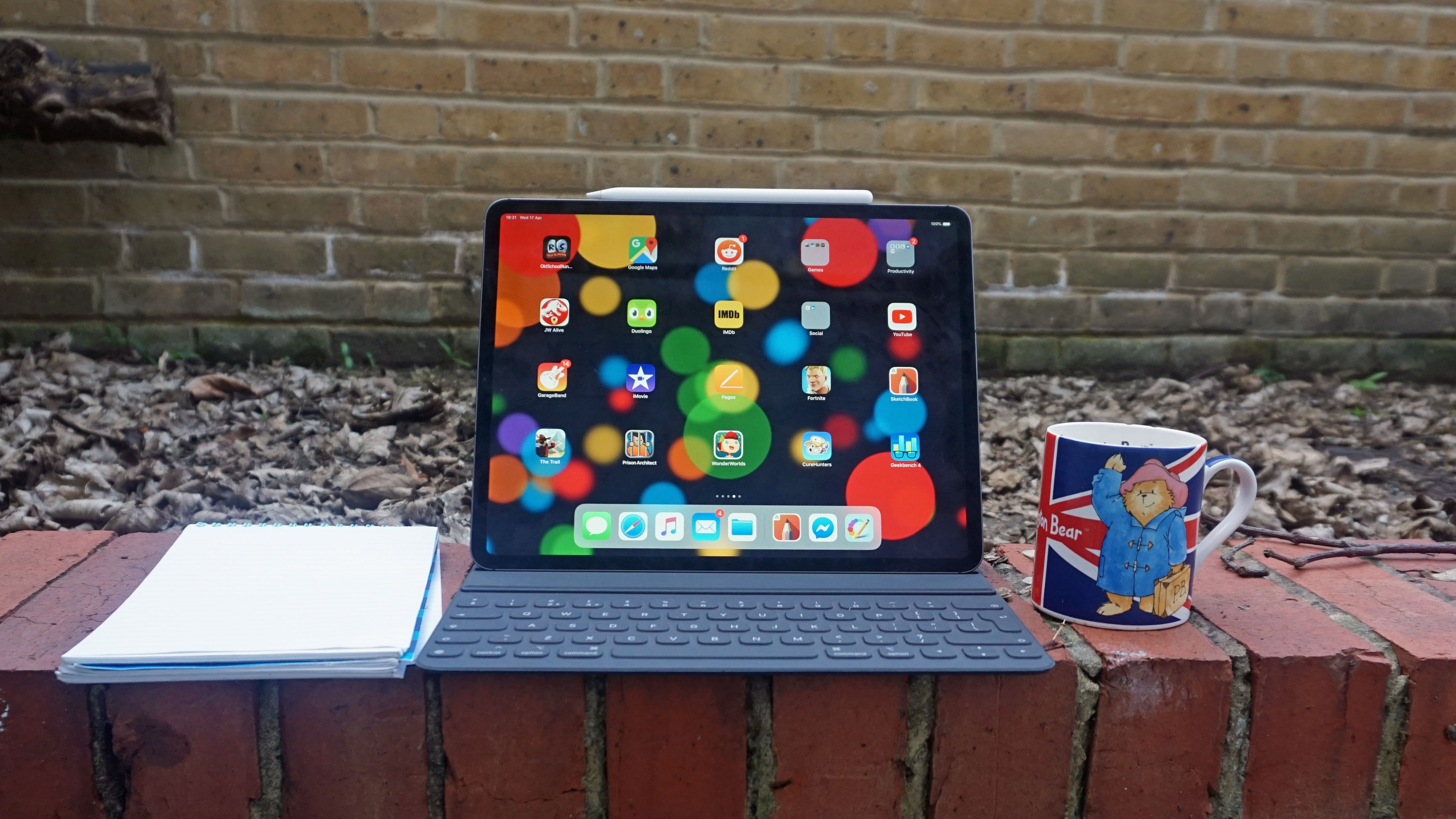
I've also got to say, I really don't like the Magic Keyboard. The trackpad is redundant given that the iPad Pro has a touch screen – and software designed for such touch screens. Plus, it only holds the iPad at a very limited arc, so you can't pull the thing to face up or down much. I prefer the Keyboard Folio, for its suspension angles.
I'm glad that I finally have a working keyboard though. Purely on that merit, I'm going to be sticking to the newer iPad Pro. But between the overheating and the battery drain, the latest model really doesn't feel like an upgrade. We all deserve better. This means the upcoming 2022 iPad Pros will really need to justify their existence to get people to upgrade.
from TechRadar - All the latest technology news https://ift.tt/uc2SZn0
via IFTTT
Love it or hate it, we have a divisive opinion when faced with sweltering heat, but the components inside our computers and laptops are decidedly not as sun-loving as the folks that use them.
Processors and graphics cards are especially sensitive to heat, which is why cooling them on a regular day is important – not just when the weather starts to feel like we’re ready for a BBQ. Most will come with some form of cooling solution depending on how premium the product is, with CPUs typically being shipped alongside a stock fan cooler and GPUs having a radiator and fan built directly into the card itself.
Even more luxurious water-cooling blocks and AIO cooling systems can require a fan and radiator to pull fan-cooled water over the hot surface, and case fans are essential for making sure other components such as your storage and memory also get some help with managing temperatures – but if cool air is needed, what if the room around the PC or laptop is too hot?
Unfortunately, regardless of what cooling system you have, the system generally only "cools" in relation to the ambient temperature of its surroundings, which can put additional strain on our computers and laptops. It can be concerning to hear your PC fans whirring loudly in a warm environment, though usually this just means that they’re doing their job. If the fans are whirring for a lengthy duration, though, it could be a sign that your system is struggling.
Just HOW hot is too hot?
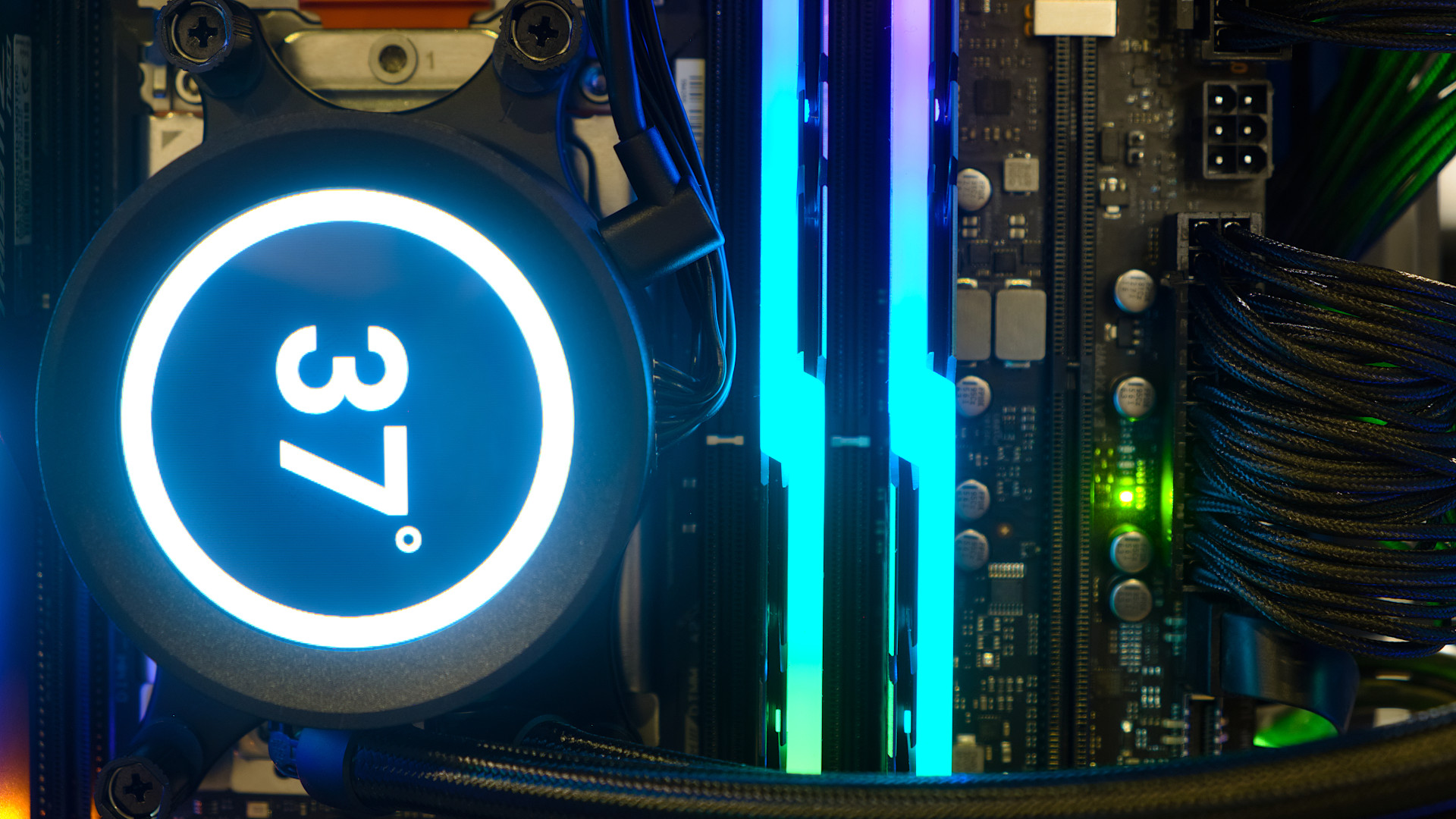
Some All-in-one liquid CPU coolers have a built-in display that you can set to monitor your CPU temperatures.(Image credit: Shutterstock / FeelGoodLuck)
So how hot should your GPU or CPU be? It's important to understand that temperatures will fluctuate depending on what your system is doing, with lower numbers expected while idle or running a single task, but they'll jump up if the PC is dealing with a heavy workload such as playing games, streaming, or even just opening several spreadsheets.
Typical safe GPU temperatures are usually between 150° to 185° (65° to 85° Celsius), though some AMD RDNA2 GPUs such as the Radeon RX 6900 XT have a max function temp of a whopping 230° F (110° Celsius).
Acceptable working temperatures for CPUs sit around 140° and 160° Fahrenheit (60° to 70° Celcius), though it’s not unusual to see this climb to 175° Fahrenheit (80° Celsius) when under load – and it's not a great idea for your PC to maintain that level of heat.
You can check the temperature of your GPU in a few different ways, though the easiest way, if you’re running Windows 10 or Windows 11, is to head into your task manager by pressing the Ctrl, Alt and Delete keys on your keyboard at the same time and selecting the app. From here, select performance and you’ll see that information is displayed for various components, including the temperature of your GPU.
CPU is a tad trickier and time-consuming depending on what method you want to use. You can access processor information in the BIOS, but this requires you to restart your system and takes the longest out of every method we tried. Our suggestion for those of you who want to keep a frequent eye on system performance is to install a third-party monitoring application such as NZXT CAM or CoreTemp as this will let you check your CPU temperature live (as well as other useful information such as power draw).
Please don't do this. There are easier ways to lower the running temperature of your system.(Image credit: Shutterstock / SimoneN)
So, you check your system temperatures and find some fairly alarming numbers on your screen. That’s sure to cause some concern but, luckily, there are a few things you can do to help.
Clean your device and make sure vents are clean
Dust and fluff can quickly build up around a desktop PC, which means your system might not be getting as much airflow as you think. A can of compressed air (the kind sold in electronics stores for blasting dust) will do the trick, or a paintbrush or makeup brush can be used to gently dust away any grime. If you have a PC case that can be opened up by removing a panel then you should also give your case fans a blast of air to clean them, and make sure that the inside of your system is clear from any dust build-up.
Roll back on overclocks
Some PC enthusiasts like to maximize performance by overclocking, but this not only draws additional power, it also bumps up the average operating temperature. Unless you absolutely need your system to be overclocked at all times, consider pulling back on the days when the weather starts to get uncomfortably warm.
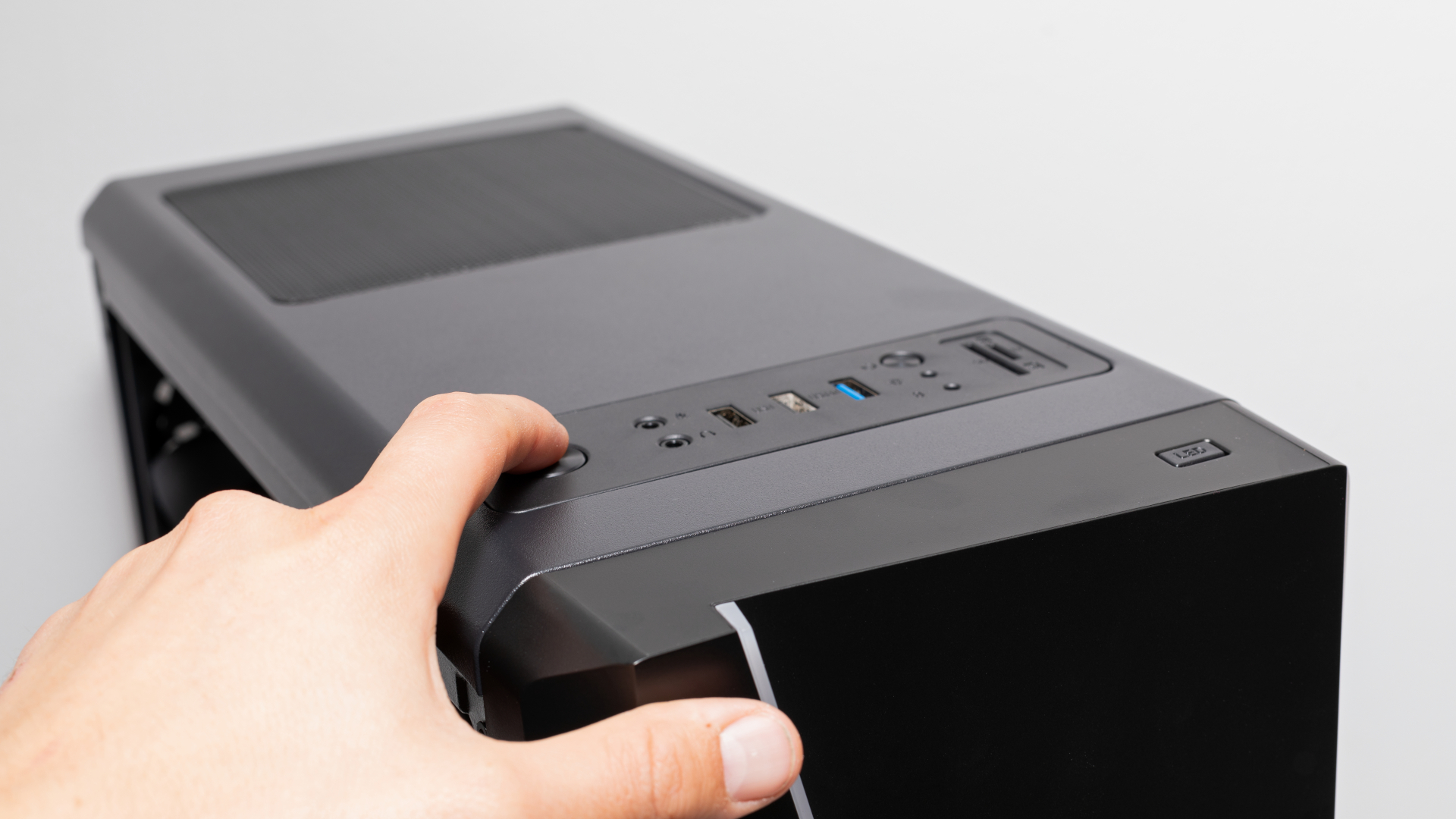
Look on the top of your PC for a dedicated fan button - it's a dated feature, but some models do still carry it.(Image credit: Shutterstock)
Crank up the fans – and potentially add more
Case fans have a large part to play in keeping your CPU and GPU cool. Some cases have a built-in fan controller that allows you to bump your fan speed up to 100% as and when you need it, or you can control this directly on the system by heading into the BIOS again.
This is just as time-consuming as previously mentioned regarding CPU temperatures. A good alternative is to install more third-party software such as SpeedTemp, though this may be unable to access your CPU fan depending on your motherboard manufacturer.
If your fans are cranked up to full, then it may be time to consider a case upgrade to allow for better airflow or adding additional case fans if you have the room to spare. You may be tempted to simply point a full-seized room fan at the PC and call it a day, but this is unlikely to actually bring down the temperature of your internal PC components, even if you take off a side panel.
Replace your thermal paste and thermal pads
This requires varying levels of technical know-how, but it’s perfectly possible to DIY rather than take your machine into a computing shop – though be wary of voiding any warranties. If your build has a few years behind it, consider cleaning off the old thermal paste from the CPU and replacing it with a fresh batch as this could help to bring the heat down.
If you've tried all of these tips then hopefully your computer is running a little cooler, regardless of slogging through spreadsheets, Google Chrome tabs, or streaming games. Just remember - you can always switch your PC off to give it some time to cool down if you're concerned about it, and that should save you from having to buy a new graphics card earlier than anticipated.
from TechRadar - All the latest technology news https://ift.tt/7fHoCuy
via IFTTT
Body detection security features may be coming to a Chromebook near you.
A recently discovered page on the Chromium Gerrit website reveals that body detection features are being worked on for a Chromebook laptop with the code name, “Crota”. Gerrit is a collaboration tool for software developers to come in and review each other’s work, and in this case, Google’s Chromium projects.
Google has expressed interest in the past with “integrated sensor technologies for more personalized experiences” and body detection could be the fruits of that labor.
Not much is known about how Google plans for implementing this security feature or how robust it will be. We did contact Google to see if it would like to make a comment about this project or provide information about it, and will update this post if it responds. However, we can look at other examples of body detection and paint a picture of what Google might be doing.
Advancements in security
Body detection, which is sometimes referred to as human presence detection, is a feature that allows a device to see if a person is standing right in front of it. You can see a demonstration of this technology on YouTube by Lattice Semiconductor. It shows a computer detecting multiple men in front of its camera.
This technology is mainly used for security or quick logins via facial recognition. For example, Lenovo has body detection in several of its laptops like the ThinkPad X1 Nano where it will lock the computer if its user walks or turns away from the screen. Some ThinkPad models sport PrivacyGuard which alerts you if someone is peeking over your shoulder and looking at your screen.
For quick logins, body detection already exists in the form of biometric security. Many phones have fingerprint recognition readers on their backs. And there are laptops out there, like the Surface Pro 8, that support facial recognition via Windows Hello. Not only that, Chromebooks with face unlocking have been teased for about three years now.
It’s also worth pointing out that specialist website Chrome Unboxed has reported in the past that Google is also working on adding “snooping detection” for Chrome OS.
Potential manufacturer
Further details regarding “Crota” hardware are unknown. No one even knows who the manufacturer will be, but it could be Taiwanese electronics manufacturer Wistron. You can see evidence of this if you look at the Gerrit page for the body detection feature, which has an email from Wistron listed in the “signed-off-by” row.
Chrome Unboxed claims that if Wistron is listed that could mean that Dell is involved according to past Chromium Gerrit pages, but this is circumstantial evidence at best. We won’t know until more information is uncovered or leaked. If you’re interested in Chromebooks, TechRadar recently published a list of the best ones for 2022.
from TechRadar - All the latest technology news https://ift.tt/jYS1J5W
via IFTTT
The Chivo Pets animal hospital, which opened in El Salvador in February, provides whatever care an animal needs for just 25 cents - as long as payment is made with a Bitcoin app.
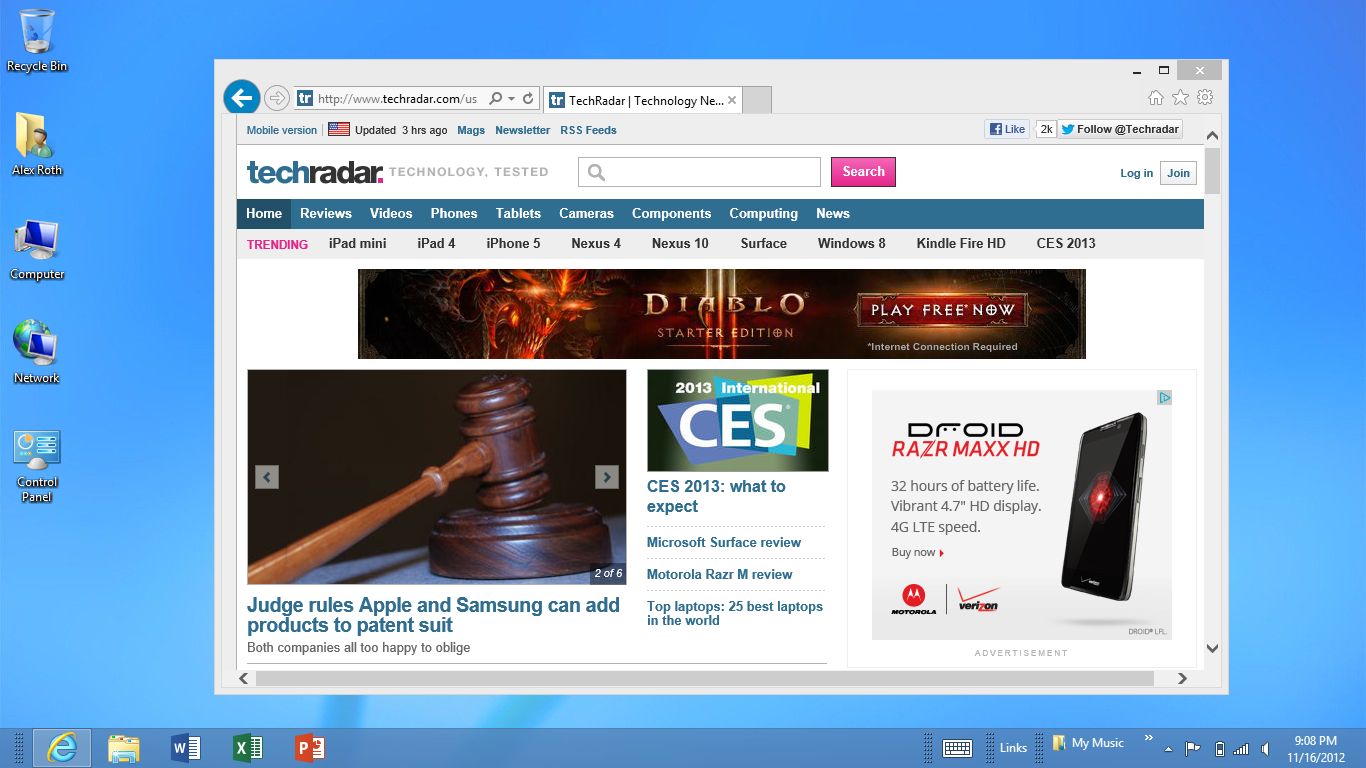
The end of an era is upon us, as Internet Explorer is finally retired after more than 26 years of service, both good and bad.
Announced last year, the official retirement of Internet Explorer on June 15, 2022, comes 26 years and 10 months (9,801 days, to be exact) after its release on August 15, 1995, back when the public-facing Internet was in its infancy.
From almost the very beginning, it courted controversy. After the launch of Windows 95 (also in August 1995), Microsoft started bundling Internet Explorer with OEM versions of the operating system.
This meant that if you bought a new computer at a time when everyone was buying a new computer, you almost certainly booted it up with a copy of Microsoft's web browser already installed and set as the default program for interacting with the Internet.
This, of course, is what got Microsoft into trouble with the US government, who lodged a successful antitrust action against the company (United States v. Microsoft) that ultimately forced Microsoft to allow OEMs to install the web browsers of their choice on the machines they shipped.
That strategy was nonetheless successful, and by the turn of the millennium, if you weren't using some legacy intermediary like AOL, Internet Explorer was how almost everyone else entered the internet, and it was unfathomable that this could change.
Microsoft Internet Explorer loses its edge
(Image credit: Mozilla)
Internet Explorer 6 was released in 2001 around the time of the final settlement of Microsoft's antitrust case, and it didn't receive a major feature updated for several critical years thereafter.
Internet Explorer was by then the dominant web browser the world over, so Microsoft probably thought it could rest on its laurels. This proved consequential for two reasons: ActiveX Controls and Mozilla Firefox.
ActiveX Controls were a feature of Internet Explorer since 1996 that allowed web pages to package executable code into HTML that would run on client-side machines (i.e., your computer) without any user intervention. While this arguably made the internet a richer experience than simple web pages could produce, it also became a security nightmare almost immediately -- one that Internet Explorer could never shake off.
Then in 2004, Mozilla Firefox, one of the first major open-source projects on the internet, was released, offering tabbed web browsing, extension support and no ActiveX Control vulnerabilities. As users flocked to Firefox, and a few years later to Google Chrome, Internet Explorer offered little in the way of updates until 2007, with Internet Explorer 7, but by then it was pretty much over. Firefox, and then Chrome, would eventually come to overshadow Internet Explorer and drive down its once dominant market share to once unthinkable lows from which it never recovered.
Microsoft Internet Explorer slouches towards retirement
That time has finally come. As of now, Internet Explorer – that once all-powerful ruler of the internet – is no longer being supported on most operating systems, with very limited extended security updates for certain enterprise services with extended support agreements Microsoft is contractually obligated to honor. But even those will be done by the end of 2023.
It's done. It's over. You don't have to go to Edge, but you stay with Internet Explorer at your own risk.
It's wasn't all bad times, though
(Image credit: Kevork Djansezian/Getty Images)
Internet Explorer deserved the reputation it earned for security vulnerabilities. You could click on a URL in a Something Awful forum in the early 2000s and have your computer completely bricked, or worse, by someone who just delighted in watching the world's computers burn.
Next to Adobe Flash, there is nothing on your computer that you should avoid more than Internet Explorer. It was unnecessarily careless with security, something that internet security professionals were screaming about into the Redmond Void before internet security professionals was even really a thing.
Microsoft had to have known better, but they pressed ahead with a web browser that literally let someone else install and run a program on your computer with just a careless click on a webpage and forced hundreds of millions of people to use it. There's no getting around the fact that it was an atrocity of a program, and even Microsoft is glad to be rid of it.
But, for a time, Internet Explorer was all there really was, and coming from the original Walled Garden of the internet, America Online, using Internet Explorer was like moving out of my parent's house for the first time when I went away for college.
There was an enormous amount of danger I could encounter and a whole lot of trouble that I narrowly avoided, and even fell into, because I was stupid. But it was also the best time of many of our lives, when life is full of possibilities and we thought ourselves immortal.
Internet Explorer was where many of us first found out that we could find anything, and I do mean anything, on the internet. From Ebaums World to CD-Key cracking sites to the entire wide world of emulators. Are game emulators illegal? We sure as hell didn't care. The entirety of the Internet was open to me in all its full-but-often-disgusting glory.
There are things I did with Internet Explorer that I would blanche at if I saw someone doing it today with even a secure browser like Edge, Chrome or Safari. We were all innocents abroad on the internet back then and Internet Explorer was built for a time when the internet was truly a frontier.
That time has passed, and so too must Internet Explorer. It was the digital version of riding down I-35 in Texas with my friends in the bed of someone's pickup truck to go to wherever underage college kids went to drink beer. I'm grateful I made it through both experiences safely. I would never do either again, but that doesn't mean it wasn't a hell of a time.
TechRadar sounds off on Internet Explorer
(Image credit: Microsoft)
Everyone here at TechRadar has an opinion on Internet Explorer, whether it was their first browser in the 1990s or the browser that turned entire family computers into digital petri dishes for malware. I asked the team what they thought about Internet Explorer finally being retired, and for better or worse, it stirred up lot of feelings in just about everyone.
"I remember getting my internet crash course from my techie dad in the late '90s/early 2000s and one of the earliest things I did outside of his guidance was to search for games," said Josephine Watson, TechRadar's deputy managing editor. "Bejewelled, Neopets, Miniclip and Runescape all became my best friends in the absence of real ones."
As fond as that memory was though, it wasn't all Neopets and sunshine. "SO. MANY. VIRUSES." Watson added. "Every other site would somehow download a trojan onto my computer. Or I did. I can’t remember."
"I can’t remember too many problems, but then again, they’d just invented the internet when I started and being able to download an image, or an MP3 at 4kb/s, was just a dream to me," said TechRadar's global editor in Chief, Gareth Beavis.
"I still have a fond nostalgia for the grey icons and blocky refresh button, although when I upgraded to Firefox, I felt like I was sneaking out of school and into a rebellious zone," Beavis added.
Internet Explorer also has its defenders, like Désiré Athow, managing editor of TechRadar Pro.
"It was the rabbit hole that allowed me to explore a world that was hitherto unknown to me, learn more about the 'information superhighway' and hang out with friends at cybercafés where we rented out computers by the hour," Athow said.
"Internet Explorer’s flaws shouldn’t hide the fact that it was a great springboard for newcomers to the web," he added. "It’s a shame that Microsoft didn’t embrace it the way Google did with Chrome."
"I was in college when the University of Illinois released NCSA Mosaic, an enormous pivot from the Archie and Veronica services available at the school library (look it up, kids!) and the Fetch app we had all been using to pirate software off the internet," confesses Jeremy Kaplan, TechRadar's content director. "Then my mom bought a new computer, and I convinced her she had to buy this new program called Netscape Navigator. A boxed version, for $49.99 … it was the only way to get such a large program at the time."
"When Internet Explorer came out," Kaplan said, "it seemed very much a me-too app. Microsoft steadily honed it, and improved it, and weirdly started coming up with 'extensions to the Internet' to ensure people used their browser.
"On the one hand, it made sense to just offer that app with a computer; after all, we had to buy apps before that," Kaplan added. "But it felt weird, and really bifurcated the market. Lawsuits later, IE still felt a little tainted, a little corporate, a little me too. It had no Edge. I stayed with Netscape, picked up Chrome when Google released it, and never looked back."
Finally waving Internet Explorer goodbye? The best web browsers are waiting for you
June 15, 2022 at 05:00AM from TechRadar - All the latest technology news https://ift.tt/ensi1HK
via IFTTT
Intel has officially announced the availability of its first Arc desktop GPU, but the catch – as we already knew – is that it’s only going to be sold in China initially, appearing in prebuilt PCs to begin with from later this month.
Team Blue is kicking off with the Intel Arc A380 GPU, an entry-level model which comes equipped with 8 Xe Cores, a base clock of 2GHz, 6GB of GDDR6 VRAM (with a 96-bit memory bus), and a 75W TDP.
As a wallet-friendly desktop graphics card the A380 comes with a recommended price tag of 1030 yuan over in China, and that’s equivalent to around $150 / £130 / AU$220 (remember that direct currency conversions aren’t always that useful in terms of ascertaining card pricing in other regions, though).
Intel compares the A380 to the RX 6400 in its launch press release, as VideoCardz spotted, and claims that its budget graphics card is up to 25% better than the AMD GPU for performance per yuan, so in other words, the value proposition in terms of the overall frame rates gamers are getting compared to the financial outlay. Although launch stats and soundbites from the maker are one thing, as they’re inevitably cherry-picked to show the card in its best light, while independent testing is, of course, a different beast entirely.
The first A380 graphics cards will be arriving in PCs built by Acer, Asus, Gigabyte, Gunnir, HP, and MSI starting from this month in China as mentioned, with availability of standalone cards (models sold separately on the shelves) will follow thereafter.
Analysis: A hint that we might see Arc desktop GPUs a bit sooner outside of China?
With the A380 announcement, Intel also gave us a set of gaming benchmarks broadly claiming a smooth (60 frames per second, at least) gaming experience at 1080p in a clutch of less taxing games, which included League of Legends and PUBG: Battlegrounds, as well as Naraka: Bladepoint. So that gives you some idea of what performance to expect, with a solid amount of grunt to drive Full HD gaming, at least outside of more demanding PC games – and with the caveat that these titles were running at medium details (so they weren’t looking their best).
Considering the A380 looks to be pitched around the $150 mark, it seems like it could be a robust value option for gamers with tight budgets – although the comparison to the value proposition of the RX 6400 doesn’t exactly fill us with confidence, given that this particular low-end GPU is an easy target really (failing to impress widely since its release). The other cause for concern is how Intel‘s graphics driver is going to perform across a gamut of games, of course (whereas AMD, and indeed Nvidia, have well-established drivers); and the reason for the initial China-only launch could be wrapped up in that.
What’s interesting to note in terms of the Arc desktop release schedule is that Intel says the A380 is coming inside pre-built PCs in China this month as mentioned, so that’s happening within the next week or two, followed by the standalone A380 desktop GPUs. Intel further notes that this will be “followed shortly by system and component sales in other regions”, which should mean the US and Europe (we would hope).
If we compare this to the (rough) timeframe that Intel previously informed us of, Team Blue didn’t mention the A380 coming ‘shortly’ after it had become available across China, rather only stating that the higher-tier A5 and A7 global GPU rollout would start later in the summer. So, could this be read as a hint that we might see the A380 outside of China perhaps later in July? Maybe, but as ever, we’ll just have to wait to find out – though it’s still possible that any plans for the worldwide launch which are in place now could slip, anyhow.
from TechRadar - All the latest technology news https://ift.tt/x8hTOcl
via IFTTT
While the new iPad (2022) has been one of Apple's least-leaked products of the year, we've finally started hearing details about the upcoming entry-level tablet - and it already sounds better in one key way than the iPhone 14 that it's expected to debut alongside.
Apple fan site 9to5Mac has received some information about the upcoming iPad, apparently from the same source that correctly provided iPad Air 5 information, though as with all leaks take this with a pinch of salt.
Apparently, the upcoming iPad will have a USB-C port, making it the final iPad line to use this standard plug since the iPad Pro devices were the first to make the jump in 2018. Existing entry-level iPads use the Lightning port, a proprietary Apple tech that iPhones also use (and are expected to use for this year's models too).
Another intriguing move is that the entry-level iPad will apparently offer 5G connectivity - well, on certain models. For current versions you can opt for a Wi-Fi only or cellular version, and it sounds like the 2022 version will connect to 5G as well as 4G networks for that cell option.
Finally, the leak says that the iPad (2022) will have the A14 Bionic chipset, which isn't exactly a surprise since the last one had the A13. It'll therefore be reasonably powerful, but not exactly a rival to the iPad Pro.
There are likely more iPad upgrades that we haven't heard about yet, but the USB-C and 5G alone are pretty big improvements.
Analysis: bye-bye Apple Pencil?
If Apple does ditch the Lightning port in its next iPad, there's going to be a knock-on effect in the stylus department.
Entry-level iPads currently use the original Apple Pencil, which requires the Lightning port to charge up, but newer slates with USB-C use the Apple Pencil 2. This charges wirelessly by clipping onto the side of the tablet, and was introduced when Lightning started going the way of the dodo.
If the Lightning port is finally dropped from the final iPad that uses it, this could mean that the original Apple Pencil is also on its way to retirement - only older versions of the slate will be able to use it, after all.
The Apple Pencil 2 is more convenient for its charging solution, and also offers better pressure sensitivity, so this isn't a bad thing - but an interesting sea change for Apple. If you want to know more, we've got a full guide to the Apple Pencil on iPads.
Apple initially said that the MacBook Pro 13-inch 2022 would ship in July, but the company has just let us know that it is in fact set to ship in June.
Punters will be able to pre-order the M2-toting MacBook Pro 13-inch worldwide from June 17, which is this Friday, with the devices arriving with customers from June 24 onwards.
Apple also reminded us that the new MacBook Pro for 2022 will be available on the Apple Store website and app, and from authorized resellers.
The main difference with this refreshed MacBook Pro is the inclusion of that M2 chip, which is an 8-core CPU (4 performance plus 4 efficiency cores), alongside a 10-core GPU. Apple claims that the M2 is 18% faster than the M1, and offers seriously impressive battery life at 20 hours of video playback (two hours more than the M2-powered MacBook Air).
Analysis: Wait – why is this the first M2 laptop out of the gate?
Speaking of the MacBook Air (M2, 2022), that was the big revelation in terms of laptops for WWDC 2022, but it’s the MacBook Pro 13-inch – which keeps the design the same, and doesn’t see much in the way of change, save for the addition of the M2 chip, and the option to run with 24GB of RAM – that we’re getting first.
More eyes are on the new MacBook Air, naturally, as it represents a major overhaul in terms of being slimmer and lighter, with a larger (and brighter) screen, and as we observed in our hands-on preview, it’s looking like another hit laptop for Apple already. But it won’t be here until July, so there’s still a bit of a wait for this device – and looking at broad feedback, there’s a good chance some buyers may indeed wait for the Air rather than jumping at the MacBook Pro 13-inch M2.
Certainly there’s been a bit of head-scratching as to why Apple hasn’t prioritized the MacBook Air here, but the fact that the MacBook Pro 13-inch isn’t very different from its predecessor, and therefore Apple may have a bunch of components still on hand for production, could be the reason for this Pro model coming out so swiftly. Whereas the MacBook Air M2 may well be more affected by recent supply chain difficulties, and of course, demand for the Pro model isn’t going to be near the same level as the all-new M2-powered MacBook Air.
from TechRadar - All the latest technology news https://ift.tt/d5pOa9F
via IFTTT
Dell has launched a revised XPS 13 and revealed an upcoming convertible tablet, both powered by Intel’s newest 12th Alder Lake processors.
The new XPS 13 is on sale right now starting at $999 on Dell’s website in the US and Canada with a Developer Edition on the way. The difference between the two is that the base XPS 13 runs on Windows 11 (Home or Pro) while the Developer Edition has Ubuntu 20.04. Dell states the Developer Edition is also on sale, but it currently can’t be found on the company website.
Lightweight power
Availability issues aside, one of the notable aspects of the XPS 13 is its size. It’s 0.55-inches thick with a starting weight of 2.59 pounds. Dell claims it had to create a new type of motherboard, the smallest it's ever made, in order to fit inside the thinner XPS 13. But this size comes at a pretty substantial cost: The XPS 13 only has two Thunderbolt 4 ports for power and outputting video.
There are no earphone jacks. Granted, the XPS 13 does support Bluetooth 5.2 for wireless headphones and comes with a USB-C to 3.5mm headset adapter. So there are ways around the missing port (as long as you don’t lose the adapter).
Hardware-wise, you have two choices for the Alder Lake 10-core CPU (i5-1230U or i7-1250U), three options for RAM (8GB, 16GB, and 32GB), and two SSD types (512GB or 1TB). Intel’s Iris Xe graphics card is the only GPU available for the XPS 13. All this power is displayed on a 13.4-inch Full HD+ screen that sports anti-glare tech.
At its most power-efficient, Dell claims the XPS 13 has a max battery life of 12 hours. Other notable features include a new woofer in the speakers and a fingerprint reader on the backlit keyboard.
XPS 13 2-in-1
Not much is known about the XPS 13 2-in-1 which is the convertible tablet mentioned earlier. Its price tag is still pending and is slated to release later this summer.
Dell states the convertible XPS will be the first in its line to offer 5G connectivity. It will also have eSIM tech installed. Dell claims you’ll be able to travel with this particular model to other countries and connect to their network providers without much hassle. Like the base XPS 13, the convertible has just the two ports with the same headphone adapter.
Apart from the Alder Lake CPU, hardware specs are unknown. Dell did reveal the 2-in-1 tablet has a 3K resolution screen, plus it’s thinner and lighter than the base model (0.29-inches thick and 1.6 pounds).
The XPS 13 comes in Sky blue or Umber brown. The 2-in-1 model will have the same Sky blue plus a darker Slate. If you’re interested in shopping for a new laptop, TechRadar has a list of the top picks for 2022.
from TechRadar - All the latest technology news https://ift.tt/jI1YnLp
via IFTTT