If there’s anything we’ve learned from the events of the past several years, it’s that creativity and productivity can happen anywhere. No longer must makers, creators, and dreamers be tethered to an office or a kitchen table to do their best work.
And just as people shouldn’t be held back by where they work, they also shouldn’t be limited by their tools. Laptops have become essential to getting work done today, so whatever you do, you need a laptop that can keep up with you – and maybe even inspire you.
Acer is no stranger to making high-quality, powerful, affordable laptops, and the company’s updated Swift lineup continues that trend by offering the latest-generation, performance-ready Intel or AMD processors, beautiful displays, and a premium design at a price to fit any budget.
Made for makers
Unleash a Swift notebook on even the most demanding projects. With extreme performance condensed within a thin and light metal chassis, creation becomes portable and so do you.
Acer has built several innovative cooling features into the Swift lineup to ensure it can handle even the most intense creative session. There’s also plenty of ports to connect all the essential accessories and great FHD screens designed to deliver the most accurate colors.
And Acer’s OceanGlass trackpad – available on the latest Swift 5 – is great for the environment, helping to preserve the planet for the next generation of makers.
(Image credit: Acer)
Exceptional performance anywhere
Creating on the go also means freedom from battery anxiety: no constant worrying where the next outlet is. Thankfully, the Swift series provides up to 16 hours of battery life inside an ultra-lightweight design without having to compromise the screen size or ports.
Plus, the Swift series is backed by either powerful Intel® Core™ processors and Iris Xe graphics or AMD Ryzen™ processors and NVIDIA® graphics, with plenty of RAM and storage to give creators all the tools they need.
Equipped for entertainment
When the hard work is done and it’s time to relax, the ultrasharp, colorful screens on the Swift lineup make it perfectly suited for kicking back with a good movie.
When the work starts up again, Swift laptops are capable of high-quality imagery even in low-light conditions. They’re designed with impressive screen-to-body ratio options and powerful color technology, and thanks to options like Acer PurifiedVoice with AI Noise Reduction, video calling and sound have never been so good.
(Image credit: Acer)
It takes a lot of hard work to create the art and technology that drive society, and those who make it shouldn’t be held back by inferior tools. Acer’s Swift laptops are perfectly designed to provide makers with the power, performance, and portability they need to create their best work wherever they are.
Great tools shouldn’t come at a high price either. Acer has a range of Swift laptops, including these three that are perfect for any budget:
The Swift 3 packs heavyweight performance in a lightweight shell.
The Swift 5 delivers power and award-winning thermal design in a premium package.
The Swift X is built to handle the most demanding tasks.
The new Amazon Kindle Scribe is a massive shake-up for the retail giant's line of ereaders, bringing the biggest screen and most storage we've ever seen for a Kindle, plus, for the first time, a stylus for note-taking.
Interested fans, though, may be put off by the ereader's hefty $339 / £329 starting price, which goes up even higher if you want more storage or the Premium Pen with more note-taking features.
When the Amazon Kindle Scribe was first announced, its release date wasn't actually mentioned, but shortly after the launch event, Amazon confirmed the availability window via the ereader's official store listing. And there's some bad news for people looking for a cheaper device.
The Kindle Scribe is officially going on sale on November 30, over two months after its announcement. But in those two months, two massive deals opportunities are happening, which means the new Amazon ereader won't be available at a discount at either of them.
A big two months for sales
On October 11 and 12, the second Prime Day sales event of the year, which we're calling Prime Day 2, is taking place. It remains to be seen how big this is for third-party manufacturers, but it's almost certain that Amazon will discount its own products by quite a bit - in fact, early sales are already doing just that.
But the biggest sales event of the year is after that - Black Friday deals are a popular way to pick up pre-Christmas gadgets for less, but this year, that Friday is on November 25. Even Cyber Monday, which used to be the tech-gadget sales event before Black Friday took that mantle, is on November 28.
Amazon's choice of this date likely isn't a coincidence, as it wouldn't launch a new tech product when everyone was spending their money on other gadgets - particularly if it wouldn't go on sale at a discount from its RRP.
Instead, the Kindle Scribe is likely being launched as a holiday product, so people can buy it as a gift or pick one up to prepare for the holiday break.
When the device goes on sale, or nears release, we'll test out the gadget to see where it ranks on our list of the best Kindles. But if you're really keen, you can already pre-order the thing to ensure you get it straight away.
from TechRadar - All the latest technology news https://ift.tt/HzbxNKk
via IFTTT
Google has announced a bunch of changes to its core search functionality, focusing on making searching the web a quicker and more convenient process, and more besides.
Announced at its Search On conference, All of these changes will be rolling out in the US down the line, and the first major introduction is that shortcuts to various tools are going to be brought in, nestling right underneath the search bar.
These are things like an icon for translating text with the camera, or identifying a tune by humming it, or indeed to help with a homework problem via the camera – common tasks that you might need, and can now be very swiftly accessed with a tap on the relevant shortcut.
In this case, the feature is coming to the Google app for iOS in the US (English language) to begin with, and a wider rollout will doubtless follow.
In terms of making core search quicker and more intuitive, Google is ushering in topic options that appear directly below the search box as you type a query. The example Google gives is someone typing a search for ‘best Mexico cities’, and after having entered that text, a bunch of suggestions for finishing the query pop up – such as ‘for families’, ‘for expats’, ‘to retire’, and so forth. These are the most likely options you’ll need, and will hopefully allow you to quickly finish your query with a simple tap.
Again, this feature will launch in the US (in English) to begin with, in the “coming months” Google informs us, and the same is true of the remaining capabilities we’re about to explore.
Next up are the details surfaced by a search, which again in Google’s example of searching for a city will now prominently include visual stories and the likes of video clips from folks who have visited that particular place. The emphasis is on imparting more practical info such as tips on getting around the city, how to travel there, or what to do during your stay, rather than just, say, historical or geographical facts for example (not that you won’t still receive some of that as results).
After a search, suggestion buttons will also pop up below the search box pointing to further topics you might want to explore, such as the beaches of that city you’re going to visit – and you simply tap these, and dive down even deeper into further suggestions if required.
Finally, Google tells us it’s revamping the way search results are presented to “better reflect the ways people explore topics”, meaning that as you scroll down, related topics will be highlighted. Sticking with the city example provided, those subjects include the likes of results pertaining to the local cuisine and recipes, musical traditions, art, and so forth.
Analysis: Some chunky changes to move with the times
The broad thrust here, then, is to make searching easier and quicker as we mentioned at the outset, and to surface more practical content and advice – with the likes of videos from folks who have visited a place – as well as making it as simple as possible to see and explore all manner of related topics.
In some corners of the web in more recent times, we’ve noticed complaint threads about how Google isn’t what it used to be when it comes to the quality of search results, and so perhaps the company felt it was time to start changing things up – in a pretty big way. There’s certainly a fresh take on search here with all these different elements, so it’s going to be interesting to see how this plays out when we actually get to use the new search; and of course what the reaction is from those who have become more skeptical about Google.
Google is about as old a veteran of the web as you’ll find, and mustn’t fail to move with the times. So when there’s chatter about youngsters hitting up TikTok to discover things rather than Google search, that must be, well, maybe not a threat to Google, but certainly something which is a bit of a worry and should be paid attention to.
When other regions outside the US will get these changes, we don’t know, but seeing as they’re down as arriving in the “coming months” in the States, it sounds like it’ll be a slow rollout, particularly in global terms.
September 28, 2022 at 07:15PM from TechRadar - All the latest technology news https://ift.tt/8BaWOTD
via IFTTT
At the September Amazon launch event, the retail and home tech giant unveiled a major new addition to its Amazon Kindle family of ereaders, in what looks like the biggest shake-up of the line since the Kindle Keyboard.
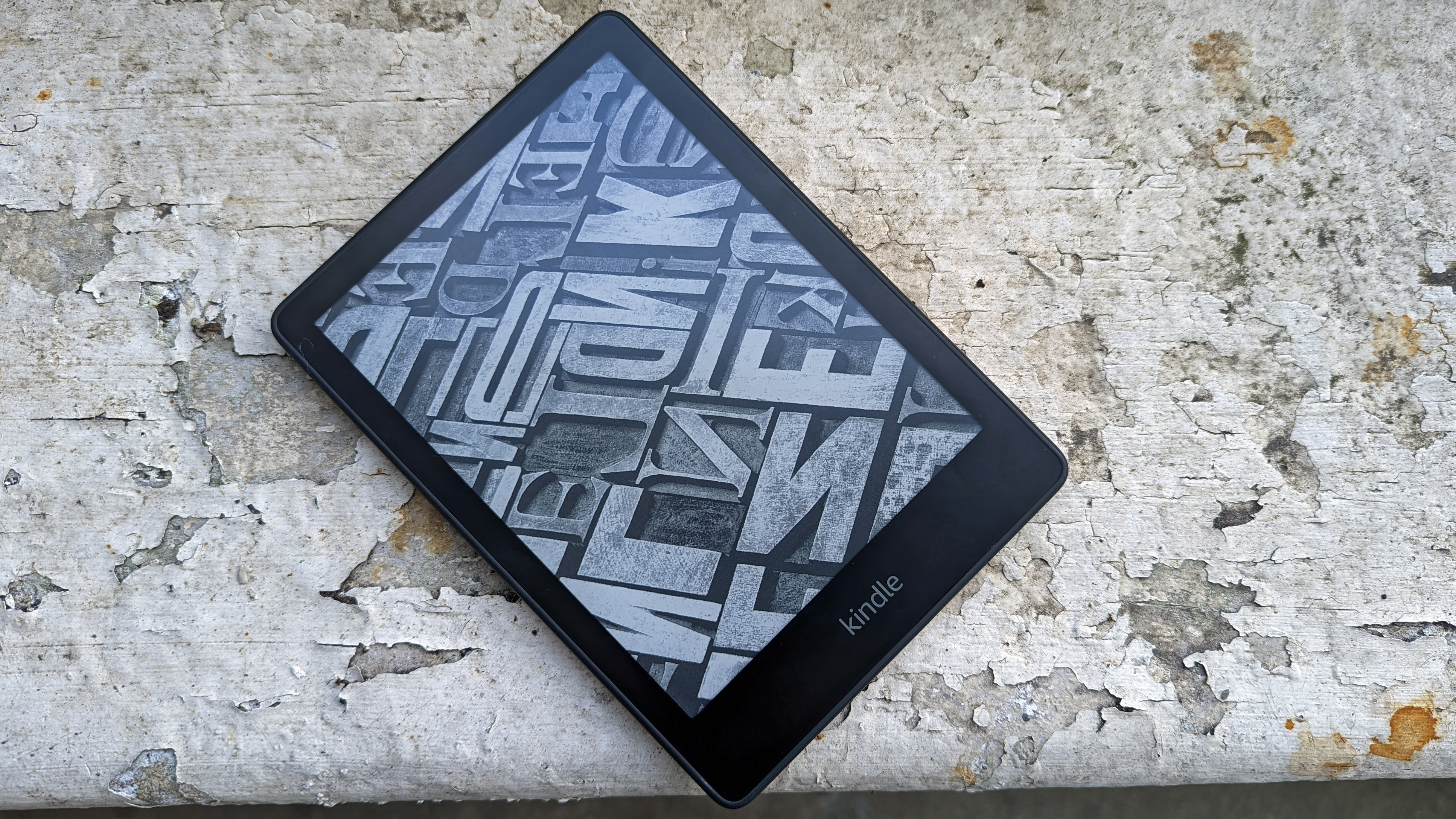
The Amazon Kindle Scribe is the first model in a new family of ereader, joining the standard Kindle, Kindle Paperwhite and Kindle Oasis. It’s Amazon's most premium Kindle yet, and brings a notable upgrade in screen size over the existing models – and it also introduces a brand-new feature to the range in the form of a stylus.
The Kindle Scribe has a large (for a Kindle) 10.2-inch display, a panel which dwarfs the 7-inch screen of the Kindle Oasis, the previous Kindle heavyweight in this regard. It’s a 300 pixel-per-inch display, matching the resolution of its siblings.
Because of this large screen, this is also the biggest Kindle we’ve seen in a while. Like the Oasis, it has a large bezel on one side, so you can easily hold it, but there’s no prominent ridge as on the Oasis.
The stylus can be used for annotating documents, as well as for note-taking, sketching, and drawing in other apps. Amazon talked about being able to send documents to your Kindle from your phone, and, from 2023, from Microsoft Word, which suggests the device has better connectivity than older Kindles.
At the launch event Amazon said the device was designed for note-taking and journaling, with the stylus designed to feel like a real pen in use. It doesn't have a battery, so doesn't need to be charged, which gives it a big advantage over the Apple Pencil and similar tablet slates.
This isn’t the first ereader we’ve ever seen with a stylus – models from brands like Onyx and Kobo also offer them – but this is the first Amazon Kindle with such an accessory.
Beyond that, the Kindle Scribe comes with either 16GB or 32GB storage, matching options offered by the Paperwhite, but without a 8GB option.
The device will cost $339.99 in the US, which also gets you Kindle Unlimited bundled for four months, and the pen is included in the price rather than having to be purchased separately. We're waiting to hear about prices and availability elsewhere, and we'll update this article when we get that information.
This is a major shake-up to the Kindle line and to Amazon's ereader strategy, and we’re keen to test the new ereader, so look out for our hands-on and then full, in-depth reviews. We're interested to see whether the Scribe is the Kindle reinvention it promises to be, and whether it makes it into our line-up of the best ereaders.
from TechRadar - All the latest technology news https://ift.tt/F6ycotK
via IFTTT
Our ranking of the best Amazon Kindles is going to get a massive shake-up soon, according to a leaker - there's an Amazon product launch happening in a few hours, and a leaker says a brand-new family of Kindle is launching at it.
This leaker, called SnoopyTech, has named the Amazon Kindle Scribe, and has provided some information about this surprise ereader, with imagery included. As with all leaks, take this with a pinch of salt, but the leaker has proven fairly reliable.
Amazon Kindle Scribe, the first Kindle with Pen10,2 Inch display with 300 ppi pic.twitter.com/PDsdb7Mi7QSeptember 28, 2022
See more
As you can see, this Kindle is said to come with a stylus, which you'd be able to use for note-taking and perhaps drawing and sketching too. Lots of entries in our list of the best ereaders have styli like this, but it'd be Amazon's first such device.
The leak continues to say that the tablet would have a 10.2-inch screen, which is significantly bigger than other Kindles. The Kindle Oasis, the largest right now, has a 7-inch screen, but an extra 3 inches would be useful for the aforementioned notation.
Apparently, the tablet will also come with 16GB or 32GB of storage - Amazon used to always offer either 8GB or 16GB for its Kindles, but recently, it's begun adopting 32GB more, likely realizing that more storage is useful for audio books, comic books and magazines.
For the past few years, we haven't seen a new family of Kindle, and have instead purely seen newer generations in the existing lines: the standard, Paperwhite and Oasis. So the launch of the Scribe is fairly huge news, especially with its big feature.
There's a lot that the leak doesn't say about the new Kindle Scribe: details like the price, whether the stylus is included, what the battery life is like and whether there are any new screen features, will hopefully be announced on-stage at the event.
Previous Amazon launches have featured lots of new devices across the company's many ranges, including Fire, Ring, Echo and more. The event starts very soon, with the kick-off at 9am PT / 12pm ET / 5pm BST, which is 2am AEST, and we've started an Amazon Launch live blog that you can follow for all the latest.
from TechRadar - All the latest technology news https://ift.tt/fSULGq3
via IFTTT
It makes sense that the Samsung Galaxy Tab S8 would get a budget 'FE' successor later in the year – it would follow tradition, after all – but the total lack of leaks about it made us completely forget about any prospect of a new cheap tablet from Samsung. However, a new leak does pique our interest for one big reason.
The upcoming (and as yet undiscussed by leaks) tablet has been spotted in a benchmarking database, as noticed by Dutch site GalaxyClub.
This listing hints toward the processing power of the tablet, showing a mid-range multi-core score, though pre-release tests like this can vary from the final product as engineers tweak the device. There's also 4GB of RAM, apparently. However that interesting tidbit that we referred to is also listed here: apparently, the tablet will run Android 13.
Other than in beta form, Android 13 isn't available on any tablets yet, though it's expected to roll out soon. And if this Galaxy Tab S8 FE information is correct, and if the tablet does roll out reasonably soon, it could well be the first tablet to come with the software built-in (or even be compatible with it at all).
Samsung's FE tablets are generally fine mid-rangers that offer reasonable value for money, but rarely impress in any serious way. However if the above is true, the Galaxy Tab S8 FE could be a contender for our 'best tablet' medal, for one exciting reason.
Analysis: Android 13 and its effect on tablets
Android 13, which was officially announced earlier in the year, sounds like it could be a revolution for Android tablets – enough, perhaps, to let them truly rival Apple's iPads.
Various changes are coming with Android 13 to user interface facets: the home page is getting a redesign, widgets will get a design change, multi-tasking will be easier, swipe-down options are getting organized, apps are getting tweaked to work better on larger displays, and the Google Play Store is getting extra information to let you know which apps have been optimized for tablets.
Android used to feel like a phone operating system that had been stretched and distorted to work on larger tablet screens, but from Android 13, it sounds like the software will be bespoke for these big slates, making it a much more enjoyable experience.
So if the Samsung Galaxy Tab S8 FE is the first Android tablet with this design overhaul, it will be the first for many years to rival the iPad Pro in gunning for the top spot of our best tablets list. And at the very least, it'll likely be an easy pick for our best Android tablet list.
from TechRadar - All the latest technology news https://ift.tt/DGy7UFk
via IFTTT
Apple recently held a big event where it launched the iPhone 14 line and new Apple Watches, including the Apple Watch Ultra, but there’s still more to come, with new iPad Pro 2022 models possibly set to headline an event in October. That said, we’re now hearing they might not get that much limelight.
According to Mark Gurman – a journalist with a good track record for Apple information – in his latest Power On newsletter for Bloomberg, the company is more likely to announce the new iPad Pros via press release than at an event.
Gurman claims that both 11-inch and 12.9-inch iPad Pro models are “highly likely” to land this year, but that they won’t be a “major departure” for Apple, so won’t justify a big event.
Apparently they’ll use the new M2 chipset – which has already been unveiled – along with having some “improved specifications”, but nothing drastic.
Gurman claims that we’ll also probably see new Mac Minis and MacBook Pros, but that these too will use chipsets in the previously announced M2 line, and won’t be big upgrades in any other way, so they likely wouldn’t carry an event either. Likewise there might be a new Apple TV box, but that’s not a major product for Apple.
It’s worth noting that the use of press releases rather than an event for these products seems to be an educated guess rather than inside information, and Gurman acknowledges that Apple may feel differently, so an event is still possible. But the key point is that the products themselves probably won’t be overly exciting upgrades however Apple chooses to announce them.
Analysis: a new standard iPad is notably absent
While Gurman has listed quite a few products here for launch in 2022, one thing that wasn’t mentioned was a new iPad 2022.
That’s slightly surprising as multiple sources – including Gurman himself – have previously said we’ll see a new basic iPad before the end of the year.
It’s possible that Gurman just neglected – or forgot – to mention it in this latest list, but it could also mean that they’re no longer confident we’ll see the slate before 2023.
If it does land this year then leaks suggest we’ll probably see it – along with the new iPad Pros – in October, so there might not be long to wait. But if it doesn’t land in October then perhaps there will be a while to wait for this cheap tablet after all.
from TechRadar - All the latest technology news https://ift.tt/aWi9YLP
via IFTTT
Officially, we haven't been given too many details on the Google Pixel Tablet yet, other than the fact that it exists and is coming in 2023. Unofficially, leaks are filling in some of the blanks when it comes to what we can expect from this slate.
As reported by 91mobiles and Kuba Wojciechowski, the Pixel Tablet has apparently now entered its engineering validation test (EVT) phase, which means that it's gone beyond the prototype stage and is now being tested internally.
When it comes to specs, 128GB and 256GB storage options are apparently on the way. The tablet is also said to support Wi-Fi 6 and will come with a 10.95-inch display – which is definitely on the large size for what we think will be a budget tablet.
Putting the pieces together
Some of the features reported in the latest leak have come up before: there's said to be a Google-made stylus being made for the Pixel Tablet, for example, and we've previously heard that the slate would come with stylus support.
Earlier rumors pointed to the tablet turning up with 4GB of RAM. Add in the first-gen Tensor chipset, which Google has confirmed will be powering the device, and this looks very much like something at the more affordable end of the scale.
Consumers wanting a premium option might have something to look forward to as well though, as hints about a Pixel Tablet Pro have been spotted in Android's code. It's possible that more than one model will be on the market before 2023 ends.
Analysis: budget tablet wars
Ignoring for a moment the Pixel Tablet Pro rumor, from what we've heard so far this sounds very much like a budget Android tablet – something cheap and cheerful for consuming media, checking email, and browsing social media.
You may have noticed that Amazon just updated its 8-inch Amazon Fire HD tablet series, which offers good enough tablet specs for not much money at all. The standard edition of the tablet with 32GB of storage will set you back $99 / £99.
There are plenty of other contenders in the field as well. The 8-inch Nokia T10 was announced earlier this year, and gives you 32GB of storage for £129 in the UK (that's roughly $140 / AU$215 with a straight converstion).
That's the market that Google is dropping into with its Pixel Tablet, and it will be hoping that its combination of sleek hardware, clean software and an appealing price are going to be enough to shift a serious number of these devices.
I've made sure to champion second-hand products in my time at TechRadar; buying pre-loved gadgets is a great way to save money and the environment in one go. But since all the gadgets I use are review loans, I haven't actually had to buy any tech for going on four years.
However, since I'll soon be leaving TechRadar, the situation is different. I'm now at a point where I have to begin buying my own tech again. I have to spend my own money on devices that I'll own – and not having been in this position for some time makes this a very scary change indeed.
A recent purchase I've had to make is an iPad. While I'm not a huge fan of Apple products, some of the apps I use in my professional life are available only on iOS, ruling out Android tablets for working.
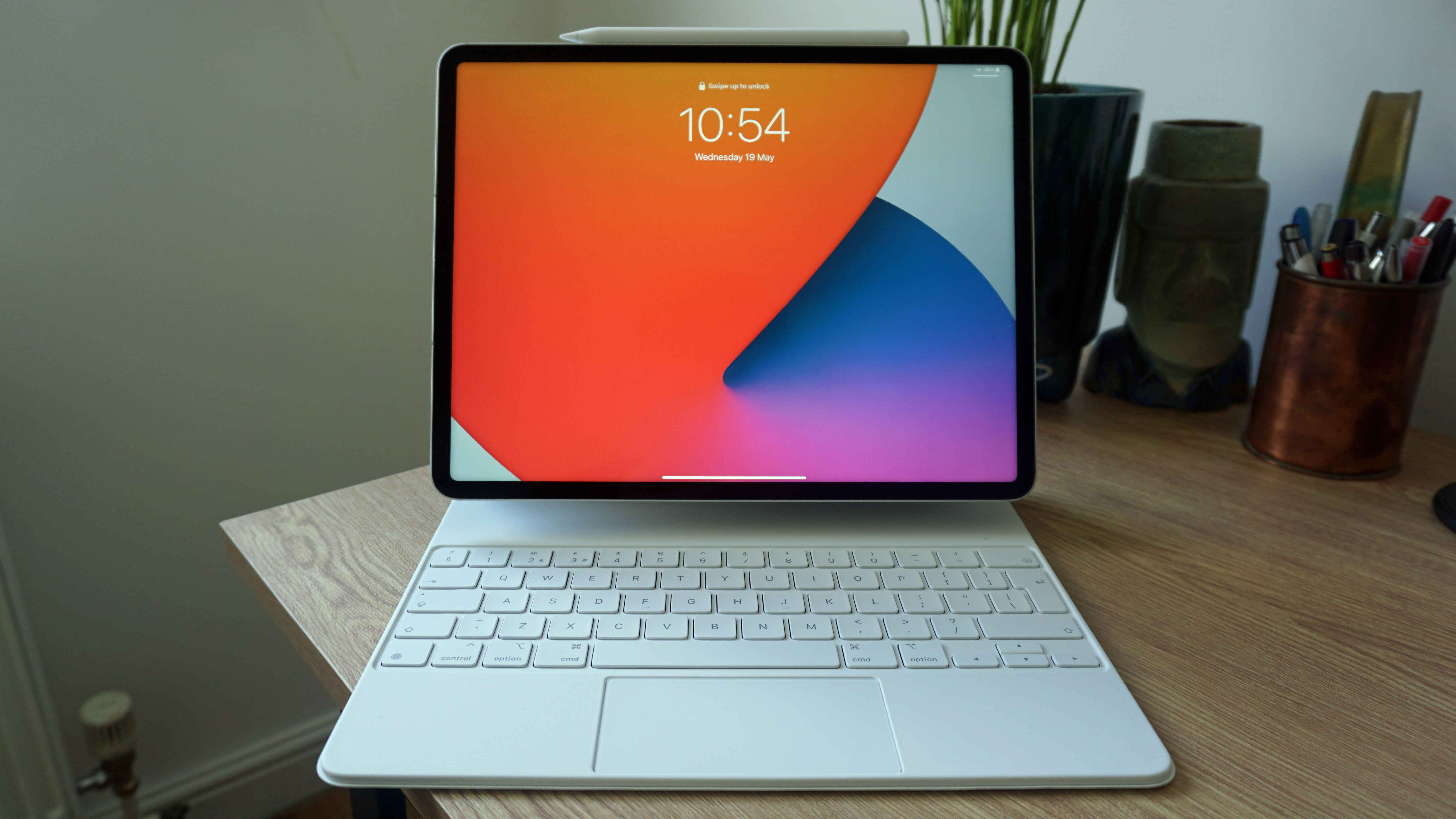
I've been offering up tech buying advice for years as part of the TechRadar team, but having to put my money where my mouth is has felt like a huge test of what I've written. However, having finally picked out a refurbished iPad Pro 12.9 (the 2021 model) with 256GB storage and Wi-Fi connectivity and received it last night, I feel vindicated in recommending refurbished gadgets.
Finding a tablet
Buying a new iPad was quite an intimidating proposition, because gadgets from Apple are ludicrously expensive – but I kept an open mind with regards to which device I'd buy.
That attitude lasted exactly a second, at which point I ruled out buying an iPad Mini – because who on earth would consider buying a tablet that similar in size to some Android phones? Certainly not me.
For a moment I did consider buying a new iPad (2022), upon hearing rumors of a redesign, and possibly would have gone forth with the purchase had the new generation launched alongside the iPhone 14. This didn't happen, of course, and I can't hang around waiting for the rumored October launch event. Plus, I'm not a fan of the antiquated design of the current-gen models, so the entry-level iPad line was also checked off the list.
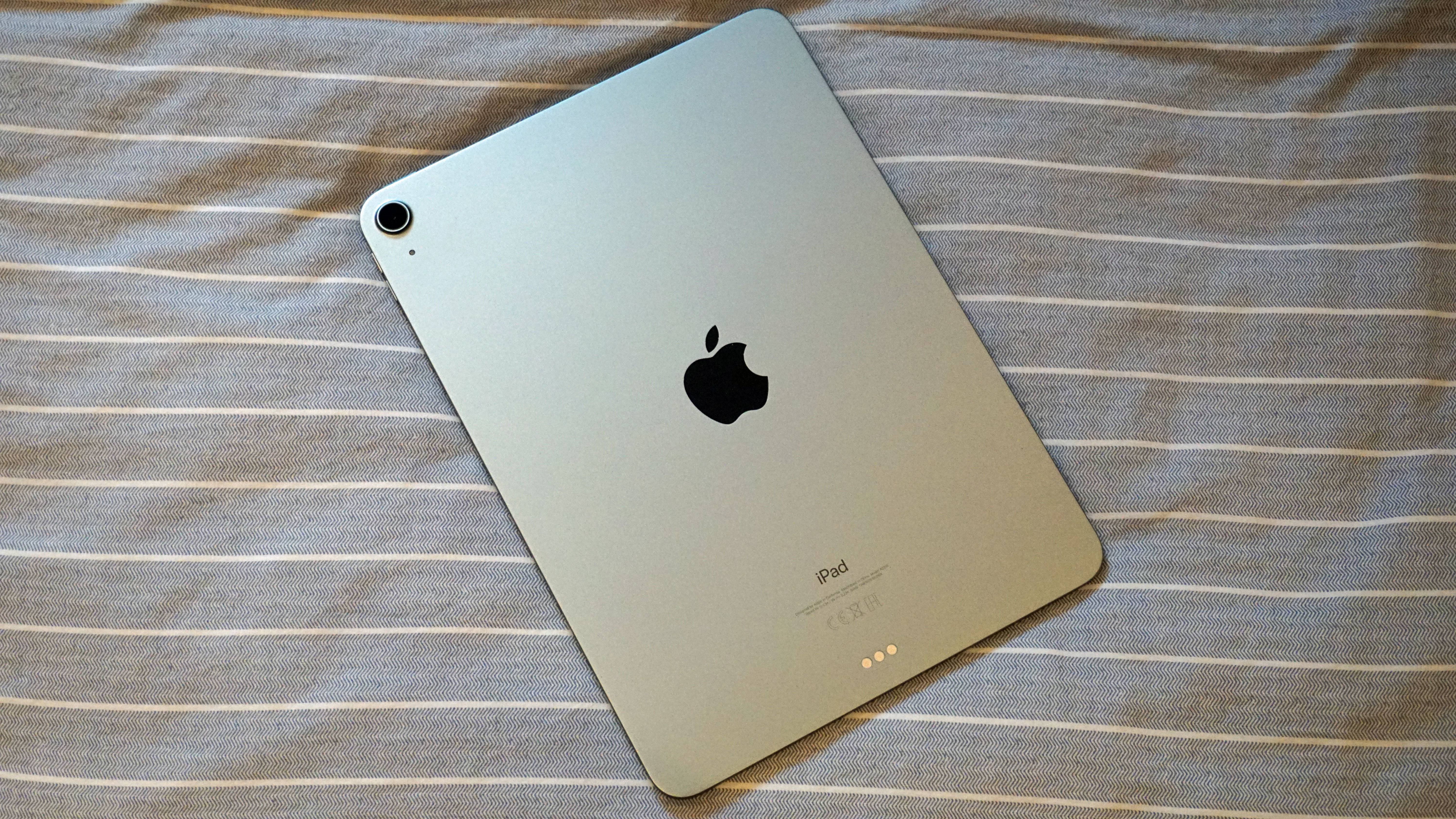
The iPad Air 2020, my first choice of tablet.(Image credit: TechRadar)
The iPad Air became my top choice; not the iPad Air (2022), because it's quite a duff upgrade over its predecessor, but the iPad Air (2020). This tablet offers a premium design that I like, more than enough processing power, and a compact body. However, as you already know from the heading of this article, it wasn't the device I went for in the end, for one simple reason: storage. Although the iPad Air has a mid-range price, it's for a pithy 64GB storage. Opting for the next size up, at 256GB, raises the price quite significantly.
So where to next? The iPad Pro range, of course – it's the line I'm most familiar with, after all, having used every model since 2018. While the iPad Pro range is also incredibly expensive, I like the more generous sizing of the 12.9-inch model, plus there are many more storage options, too.
And, whilst shopping around, I discovered that there are plenty of options in the form of refurbished models, too. You see, while checking out prices for new iPad Pro tablets, I'd also been keeping an eye on the cost of refurbished models, from the likes of BackMarket, Amazon and Apple's own stores, taking note of the differences in cost between the two.
My research found that the iPad Pro models were available at the best prices comparing new to second-hand. In addition, there was also a greater selection of quality grades on offer; some refurbished websites let you choose the quality of device, with pristine-looking models costing more than slightly-scuffed ones.
This is the reason I ended up with an iPad Pro instead of an iPad Air, and a 12.9-inch model instead of a cheaper 11-inch device, one with 256GB of storage instead of 128GB. The generous number of refurbished models of iPad Pro on the market meant that I could effectively get more tablet for the same amount of money, which actually saved me quite a bit of money.
In the end, I saved about £250 on the iPad I picked up, compared to buying it new at launch a year ago. Given that even Black Friday often sees a reduction in price of only about £100, this felt like a significant saving, one with which I was very pleased.
Getting more than iPaid for
After clicking "Buy" on Apple's website (which, surprisingly, offered the model at a better price than Amazon or BackMarket), I immediately had doubts – I'd agreed to spend a large sum of money on a second-hand tablet that I'd never seen before. Had I made a massive mistake?
The iPad Air 2021, which I ended up buying.(Image credit: TechRadar)
I was full of apprehension upon reaching the Apple Store, something that was made worse on entering; it felt like I was at a street bazaar. Why were there so many folk just hanging out, not really looking to buying anything at all? Why were all the employees shouting at one another across the floor? Why did all the show products look like they'd served time in a war? By trying to make its Apple Stores more like hubs where you spend time, and less like shops, Apple had made for a rather confusing visitor experience.
What caused even more confusion was that on receiving the iPad I'd ordered, it was in a box covered in plastic wrap. Had the staff member given me a brand-new tablet by accident?
But getting home, I saw that the box stated this was a refurbished product; Apple had simply gone to surprising lengths to make this refurbished tablet feel like a new one. This was evident when I opened the box, too, finding the wall plug and cable inside nicely wrapped up.
In fact, if it wasn't for the word "refurbished" on the box, no-one would ever know that this was a second-hand device – and the actual tablet is as much an indicator of this as the packaging. It was pristine, with no scuffs or marks. Even the charging port, which can quickly become scratched, looked like it had never seen a USB-C cable in its life.
Annoyingly, iPads don't come with the Battery Health feature seen on the iPhones, so I can't say for certain how well the battery will hold up. However, following my day of using this tablet, it feels identical to the brand-new test unit I'd been using for months.
I'm pleasantly surprised at just how new this "refurbished" device feels, and it has had me rethinking all of my future buying plans. Sure, Apple is a big company, and can be relied upon for having a top-notch process for refurbishing its products, but that also means that its close competitors (including Amazon's renewed service, and popular website BackMarket) likely need to keep up to speed to remain competitive.
My iPad Pro basically feels new, with the only difference being that I paid far less than I would have paid for a new model. So, if I can save a similar amount of money purchasing other products, of equal quality (something that seems like a no-brainer considering the cost of living crisis) then I don't really see the need to buy new ever again.
If you don't closely follow Amazon Kindle news – or spend too much time on BookTok, the reading-centric community on TikTok – you might not be aware of the ongoing ebook-return drama going on. But now it's prompted Amazon to change the way it handles its digital books.
A TikTok trend encouraged readers to quickly read, and then return, ebooks on their Kindle, with the automatic returns program netting them a full refund even if they'd read the whole of the book.
This didn't hurt Amazon, as the readers were likely expecting, and the action actually left the authors out of pocket, as it was them who had to shell out for the refund. Plenty of ebook authors put out statements criticizing this action, and it sounds like Amazon listened (see testimonies on Twitter here and here, and a change.org petition about it here).
1/2 Every time you return an ebook at Amazon, the author is charged back more than what they were paid for the sale. Yes, that means we could owe Amazon at the end of the month. Since TikToks went viral saying ‘it’s okay to return ebooks’June 3, 2022
See more
In a post made by the Author's Guild, a US-based organization designed to protect authors' rights, it was confirmed that Amazon's ebook return policy is changing. Starting toward the end of the year, you now won't be able to automatically return ebooks if you've read more than 10% of them.
Going forward, if you've read 11% or more of a book, you can still file a return, but it'll be reviewed by a physical person, and Author's Guild reasons that this will work as a reasonable deterrent to stop people gaming the system.
There are still some things to be clarified – collections of poems or short stories, which you might jump around in, could tag you as having read over 10% if you just read one excerpt half-way through them, for example, and it's not clear how easy it will be to get a refund through this manual system. But it's a step in the right direction.
Analysis: good or bad for readers?
For some books, 10% is plenty of pages – if (for some reason) you're reading Edward Gibbon's The History of the Decline and Fall of the Roman Empire, that's over 500 pages in itself. But for novellas or shorter texts, the difference between 10% and 11% could be one accidental page-turn.
This new change is undoubtedly good for authors, and it means that opportunistic and bad-faith readers will no longer be able to game the system to get a free read without spending any money. Now, more authors will be able to rely on their writing to support themselves, which is great news for literature.
However, it's not as good news for your standard readers, who might genuinely get about 15% of their way into a book before realizing it's just not for them, and want to get their money back.
Of course, it's the readers who took the mickey whom we have to blame for this change, with the TikTok trend (and other users who did the same – we can't solely put the blame on this one community of readers) likely turning this small quirk of Amazon's return policy into a larger problem.
This update could affect the way some people read books, making them much warier of their book progress percentage (which is displayed on Kindle ereaders) than they otherwise would be, in order to make a decision on whether they'll progress beyond 10% or not. But if it means authors can continue to write, maybe it's a positive after all.
Websites are necessities for any type of business, and if you're thinking about building your own site to promote your portfolio or grow your business, in some ways it can seem overwhelming.
It's no secret that the cost of web hosting services can be really high depending on your budget, but did you know that there are strategies for cutting your bill without sacrificing quality or performance?
We will discuss some tips for reducing your web hosting costs. By following these strategies, you can save money and still get the service you need.
1. Shop around for your domain name and SSL certificates
Your domain name is the address of your website (e.g., example.com). SSL certificates are what allow you to have a secure website (i.e., one that uses the HTTPS protocol). Both of these things are important for any website, but they can also be expensive.
The good news is that there are ways to get both your domain name and SSL certificate without breaking the bank. One way to do this is to shop around and compare prices from different providers. Another option is to use a free service like Let's Encrypt, which offers free SSL certificates.
Either way, make sure you're getting the best deal on these essential items for your website. Otherwise, you could end up spending more than you need to.
2. Include domain registration in your web hosting plan
One easy way to save money is to register your domain name with your web hosting provider. Many providers will give you a free or discounted domain name when you sign up for an annual contract, so it's worth considering if you're looking to cut costs.
Additionally, registering your domain with your web host can simplify the process of managing your website. Rather than having to keep track of multiple login credentials and contact information, you can manage everything in one place.
This can save you time and frustration that could come with buying a domain name from a separate domain registrar.
3. Decide if you need all the security options
Some security features are more important than others and some may not be necessary at all, depending on the type of business you have. For example, if you're a small retail business, you probably don't need to worry about things like network intrusion detection or data loss prevention. On the other hand, if you're an online retailer that accepts credit card payments, payment security compliance is a must.
The best way to figure out what security options you need is to sit down and assess your risks. What are the chances of someone breaking into your network? What are the chances of sensitive data being leaked? Once you've identified your risks, you can then choose the type of security options you need.
4. Read the fine print
This is one of the most important things you can do when trying to save money on web hosting. Make sure you understand the service-level agreement and what it covers.
If you don't, you could end up paying for things you're not using, or worse, be left in the lurch if something goes wrong. Some hosts will offer significant discounts if you sign up for a one or two-year contract.
While this may seem like a great deal at first, it could end up costing you more in the long run if you need to switch hosts before your contract is up.
5. Be wary of free web hosting and free domain names
There are a lot of free web hosting and free domain name providers out there. Some of them are legitimate, but many of them are not. You should be very careful when choosing a provider, because you could end up with a lot of problems down the road.
One problem you might encounter is that your website could be taken down at any time, without any warning. This is because most free providers do not have to abide by any rules or regulations. They can simply delete your site if they want to, and there would be nothing you could do about it.
Another problem is that your website could be filled with ads. This is because the provider needs to make money somehow, and they will likely do so by putting ads on your site. This can be very annoying for your visitors, and it can make your site look unprofessional.
So, if you're thinking about using a free web hosting or free domain name provider, be sure to do your research first. Make sure you know what you're getting into before you make any commitments. Otherwise, you could end up regretting it later on.
6. Annual web hosting contracts are cheaper but monthly fees are closer to the web host’s renewal rate
When you're looking at web hosting providers, you'll often see two different types of pricing structures - annual and monthly. But which one should you choose?
The answer, as with most things in life, is that it depends. If you're just starting out and aren't sure how long you'll need the web hosting service, then going with a monthly contract might be the best option. That way, if you decide you don't need it after a few months, you're not stuck paying for a whole year.
On the other hand, if you know you'll be using web hosting for the foreseeable future, an annual contract can save you money in the long run. Many web hosts offer discounts for customers who sign up for an annual contract, so you could end up paying less per month than you would with a monthly contract. Keep in mind that the annual discounts aren't usually a fixed price and the renewal price will cost more than any introductory price you've paid. In some cases, monthly plans best reflect the amount you'll be paying for your web hosting long term.
Ultimately, it's up to you to decide which pricing structure makes the most sense for your needs. Just be sure to do your research and compare prices before making a decision.
Cutting your web hosting bill doesn't have to be difficult—there are a number of different strategies that you can use to reduce your costs without sacrificing quality or performance. Try implementing some of the techniques listed above and see how much you can save.
The next iPad is rumored to launch at an event in October, and we’ve been hoping for a major redesign. One of the key changes was the expected removal of the home button, bringing the base model iPad in line with the iPad Air, iPad Pro, and just about every fancy iPhone Apple sells besides the bargain-basement iPhone SE.
New rumors suggest the iPad 2022 model, the tenth generation of iPad tablet, will get a new look but will keep the familiar old button. This leak comes from a newsletter sent by Twitter leaker LeaksApplePro, available only by subscription. Presumably, this means the bezel around the screen won’t shrink too much. We’ve also heard that the sides of the device will get flattened, making it look more like the iPad Air in profile.
Our leaker also expects the next iPad will, like the more powerful iPad Pro, use USB-C. This comes from the same leak that suggested the next iPhone 15 family could use USB-C for every model. It’s entirely possible we’re at the beginning of the end of Apple Lighting on mobile devices.
The next iPad may also get support for Apple’s fanciest writing utensil, the Apple Pencil 2. Currently, the Pencil 2 only works with the iPad mini, iPad Air, and iPad Pro, but not the regular old iPad. The next iPad could change that. We’ve recently seen a slip-up from Apple Crayon maker Logitech showing support for iPad Pro models to come, but nothing indicating base model iPad support. The Logitech Crayon Digital Pencil uses the same technology as Apple’s own Pencil stylus.
Finally, after some delay, we will see the launch of iPad OS 16. The phone version of Apple’s mobile OS, iOS 16, arrived a few days after the iPhone 14 family was announced. We have been following the beta progress for iPad OS 16, but have not heard official news of when it would be available to the mainstream. Now it seems like iPad day will be the big day for software and hardware alike. If you want to familiarize yourself with the whole iPad family before the big launch, you can check out our best iPad roundup.
Analysis: An older-looking iPad should have an older-looking price tag
We won’t be hasty to dismiss this iPad just because it keeps a feature that Apple has been slowly killing on every other device it makes. Clearly, the home button has no long-term future with Apple, but that doesn’t mean this won’t be a great tablet to buy. After all, the iPhone SE represents a powerful bargain in the iPhone family lineup, and its aging exterior belies hardy tech within. We consider it one of the best iPhones you can buy.
If anything, this could mean we won’t see a huge price increase for the new iPad 2022. A major redesign that completely changes the face of the device offers more justification for Apple to jack up prices. If the new iPad looks like an evolutionary upgrade of the last model, but not a whole new beast, it may start at the same price. In this year of a huge cost of living crisis, that may be considered the most welcome feature.
from TechRadar - All the latest technology news https://ift.tt/EGB6tDo
via IFTTT
Right off the back of a massive Windows 11 update, Microsoft has set October 12 2022 as a big day with some big announcements. It’s around this time of year that Microsoft drops new devices, and the expectation is we will be seeing new Surface hardware.
WinFuture (often a reliable source for all things Windows) reports that the Surface Laptop 5 and the Surface Pro 9 are set to be showcased rocking the latest 12th Gen Intel processors. Roland Quant, another familiar source, suggests that both the Surface Pro 9 and Surface Laptop 5 share a few components. He suggests that the two new laptops will be equipped with the Intel Core i5-1235U and Core i7-1255U processors, and not the more powerful Alder Lake P-series.
The Surface Pro 9 5G is expected to feature a customised version of the Snapdragon 8cx Gen 3, the Microsoft SQ3. Quant also claims the Surface Laptop 5 will have the same processor options.
Both models are, according to (you guessed it) Quant, will be sold with 256GB, 512GB and 1TB storage capacities.
As for price, we should brace ourselves to see the Surface Pro 9 at around $1,1270 (£1,130 or 1,920 AU$) and the Surface Pro at around $1,350 (£1,200 or 2040 AU$)
What we're expecting
While we are very hyped for the new Surface goods, we do have a few expectations and things we’d like to see when the Surface Pro 9 comes out.
The Surface Pro 8 was near perfect, so we simply can’t wait to see how the Surface Pro 9 will improve on all the older models' qualities, like the 4K video capabilities, long battery life and vivid display.
However, there were a few quibbles that we hope will be addressed with this new launch (like the Type Cover being included for the substantial price of the laptop/tablet). When we reviewed the Surface Pro 8, we hoped that its successor would bump up its processors to the Intel Alder Lake series, which if Quant is accurate, might not be the case.
The price of the Surface Pro 9 is paramount to how well the device may be received. Should it stay at around the same price as its predecessor (around $1,130, £999 or AU$1,699), it may be better received even if the keyboard and Type Cover still aren’t included (they should be, really). Any jump in price might make future users reluctant to purchase the Surface Pro 9 when you consider the 2-in-1 laptop would require a $179 (£159 or 270 AU$) keyboard to be a functioning laptop.
So you’d be paying for an expensive tablet and the keyboard as well, which is just a big ask when you could just get any other laptop that will (more than likely) come with everything it needs.
Hopefully Microsoft hears our cries for a keyboard and trackpad bundle, but we can only wait and see. Should the Surface Pro 9 build on its exceptional predecessor, it may surpass many of the current tablets and laptops - and perhaps even it's main rival, the iPad Pro.
from TechRadar - All the latest technology news https://ift.tt/hdFCDM2
via IFTTT
Be aware that not everything on the Framework Chromebook is customizable.
Starting with the more static aspects, the laptop comes with a 13.5-inch high-resolution display (2256x1504 pixels) and a 1.5mm keyboard all housed in a chassis partially made out of recyclable material. Under the hood, it’s powered by a 12th Gen Intel Core i5-1240p CPU made out of 12 individual cores and a 55Wh battery that can last up to 10 hours on one charge.
As you would expect, the Framework Chromebook runs on ChromeOS, something that previous company offerings could technically do. But as a company representative told us, those older models used ChromeOS Flex whereas this new device has the full ChromeOS experience. This gives the laptop the ability to download Android apps from the Google Play Store, something the Flex models couldn’t do. Users can also run Linux apps if they're developing software and play games thanks to Steam on Chrome OS Alpha
What is customizable are the ports, RAM, and storage. According to the company, you can pick and choose the ports you want and which side you want them on thanks to the Expansion Card system. Supported inputs include USB-A, USB-C, MicroSD, HDMI, and Ethernet, just to name a few. For the RAM and storage, the Chromebook comes with 8GB of DDR4 and 256GB of space. They can be upgraded to a maximum of 64GB of DDR4 and 1TB of storage. Plus, you can beef up the storage with another terabyte via expansion cards that go underneath the laptop.
Privacy and availability
For privacy, the Framework Chromebook has a series of switches around the body that cut off power to the camera and microphone when not in use. Google’s own Titan C security chip is present to protect you from phishing attempts and hacking. Because of this chip, the Chromebook will receive continuous updates from Google up until June 2030.
The same representative told us the Titan C cannot be removed because it’s “an integral part of the electrical system.” However, you can put the laptop into “Developer Mode” allowing you to download customized firmware and software outside of Google.
The Framework Laptop Chromebook Edition is currently available for pre-order with a $999 price tag, but in the United States and Canada only. You won’t have to pay the full price tag initially as “only a fully-refundable $100 deposit” is required at the time of pre-order. You'll pay the rest when the laptops begin shipping at the beginning of December.
As for a global rollout, it doesn't appear there are plans to do so yet, but the same representative hinted at a potential announcement.
Overall, it's good to see more and more companies embracing either customizable or repairable devices. This new attitude will go a long way toward reducing e-waste and saving money. Arguably one of the more robust repair programs comes from Samsung who collaborated with iFixit for the parts. We highly recommend checking out TechRadar’s coverage of that story to see where the industry is potentially going.
from TechRadar - All the latest technology news https://ift.tt/qyPiGh6
via IFTTT
We’ve been expecting a new Apple iPad announcement before the end of the year and now one of Apple’s closest accessory partners may have confirmed new Pro models are coming.
Our friends at 9to5Mac have noticed Logitech now says that its Crayon Digital Pencil will work with two iPad Pro models that have yet to be announced. If this reflects future products, this means an update to the iPad Pro 12.9-inch and iPad Pro 11-inch tablets could be here very soon.
On the Logitech site for the Crayon, it lists compatible devices, including a “6th gen” iPad Pro 12.9 and a “4th gen” iPad Pro 11-inch. The current larger iPad Pro is on the fifth generation, and the 11-inch model is on generation three, so this would seem to be a hint at the next generation of devices. We already pegged a new iPad launch in the October timeframe, so it’s not a huge surprise to see these models poke their heads above the surface around the end of September. It’s more surprising to see a trusted partner leak the information.
Samsung uses technology developed by Wacom in its S Pen stylus, and is therefore compatible with many third-party accessory makers. Apple uses a proprietary tech for its Apple Pencil, and Logitech is the only third-party currently licensed to make a pencil that works with Apple screens. Other stylus devices for iPad are hardly more than finger pointers with a tip that registers on the capacitive screen. They don’t take advantage of the accuracy and advanced features of Apple’s technology like the Logitech Crayon Digital Pencil. The Crayon is one of our favorite Apple Pencil alternatives.
Will they be as Pro as the iPhone 14 Pro?
New iPad Pro devices would be very exciting to see, as Apple has launched a next-generation chipset in its A16 Bionic platform, found only in the iPhone Pro devices. Perhaps Apple was saving more of these chips for Pro-level iPads and wanted to keep Pro-exclusivity across the line. We will see next month when we expect Apple to finally make its announcements.
We are following upcoming iPad announcements closely, now that the mania from the iPhone 14 family and Apple Watch Ultra launch is starting to calm down. If you’re interested in learning more about the current generation of iPads and everything they can do, we break it all down in our roundup of the best iPads.
Analysis: Someone is in very big trouble
Before an iPhone announcement, we get tons of emails from case and accessory manufacturers claiming to have gear ready for the next big thing, but they’re only guessing. Apple is highly secretive. Even the most popular brands of accessory makers don’t have specific details on the new products until the absolute last possible moment, and often that is not until after the public announcement.
Logitech has a special status, though, because it is an exclusive partner for Apple’s own technology. Apple trusts very few third-party companies in this way. Even the smallest violation of trust can have repercussions throughout the business. A small mistake on a website may seem like a minimal error, but Apple could perceive this as a lax attitude throughout the business to guard its corporate secrets. The company has the most guarded reputation in all of technology.
from TechRadar - All the latest technology news https://ift.tt/WCnKZsx
via IFTTT
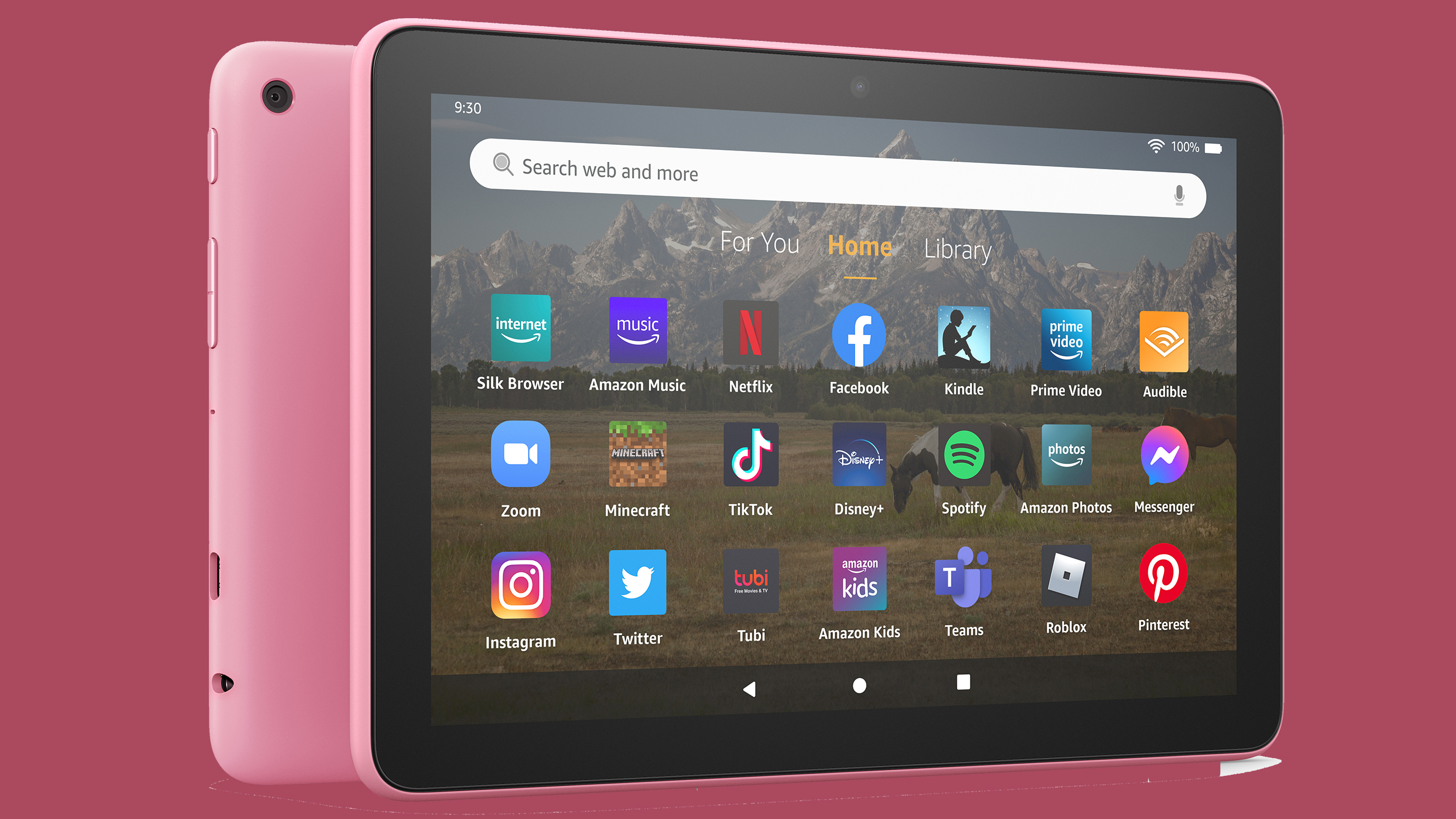
The new Amazon Fire HD 8 has been launched; this 2022 update on Amazon's middle-sized tablet family replaces the 2020 model, and has four different tablets in all.
That's right, Amazon has launched four tablets: there's the standard Fire HD 8, a Plus model, a Kids' Edition version and a Kids' Edition Pro device, because Amazon clearly isn't worried about confusing its buyers with too many options.
These all replace members of the Amazon Fire HD 8 (2020) family, though the upgrades are quite limited. To give you an idea as to what's new, we'll run you through the new Fire HD 8 below.
Amazon Fire HD 8 price and availability
The new base Amazon Fire HD 8 costs $99 for 32GB storage, which is a slight price hike over the $89 / £89 starting cost of the last-gen model. A 64GB version of the tablet is also going on sale but TechRadar wasn't provided the price for that ahead of time.
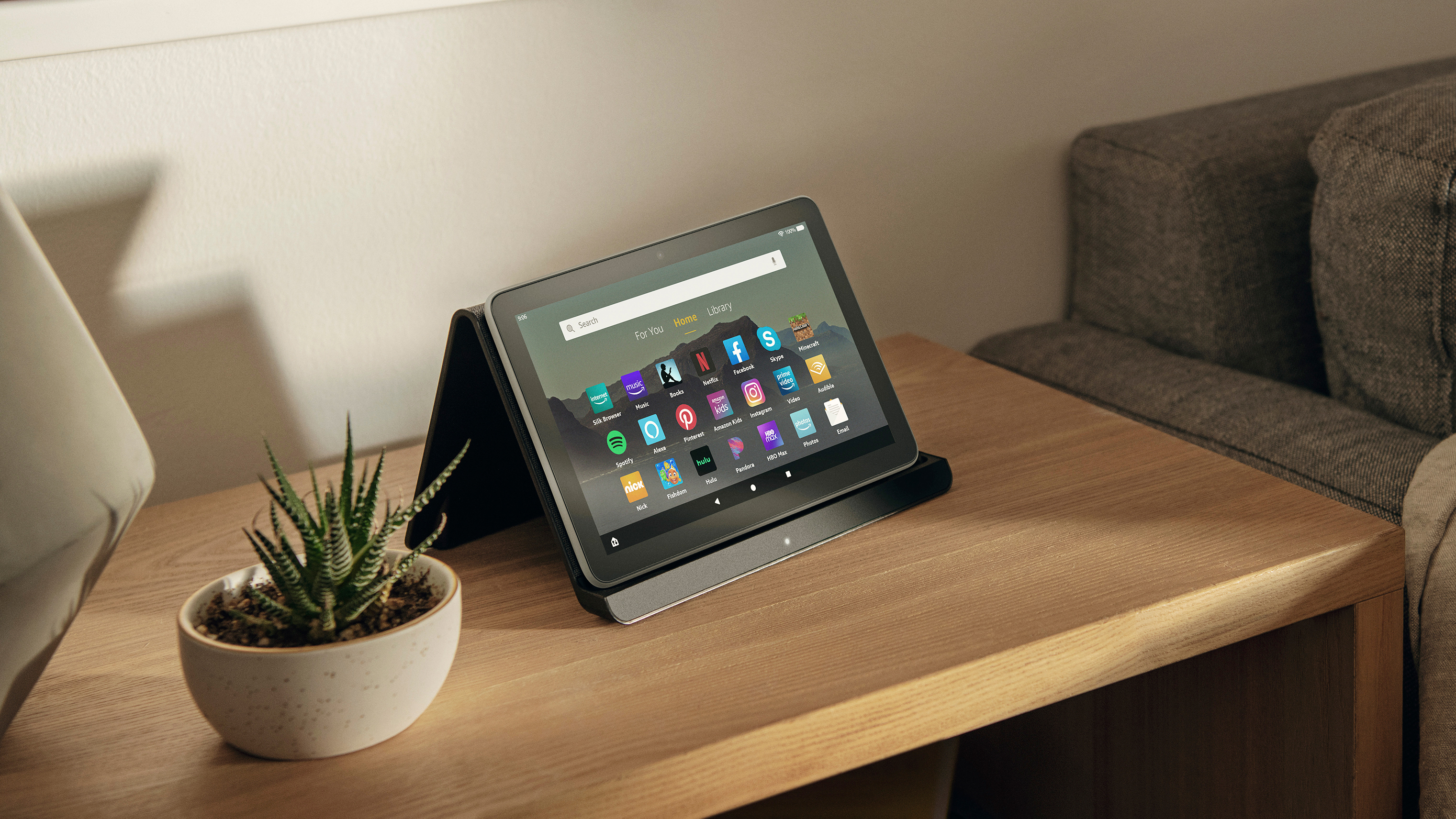
(Image credit: Amazon)
The Fire HD 8 Plus sells for $119, which is again slightly more than the $110 / £110 asking price for the previous version of the slate.
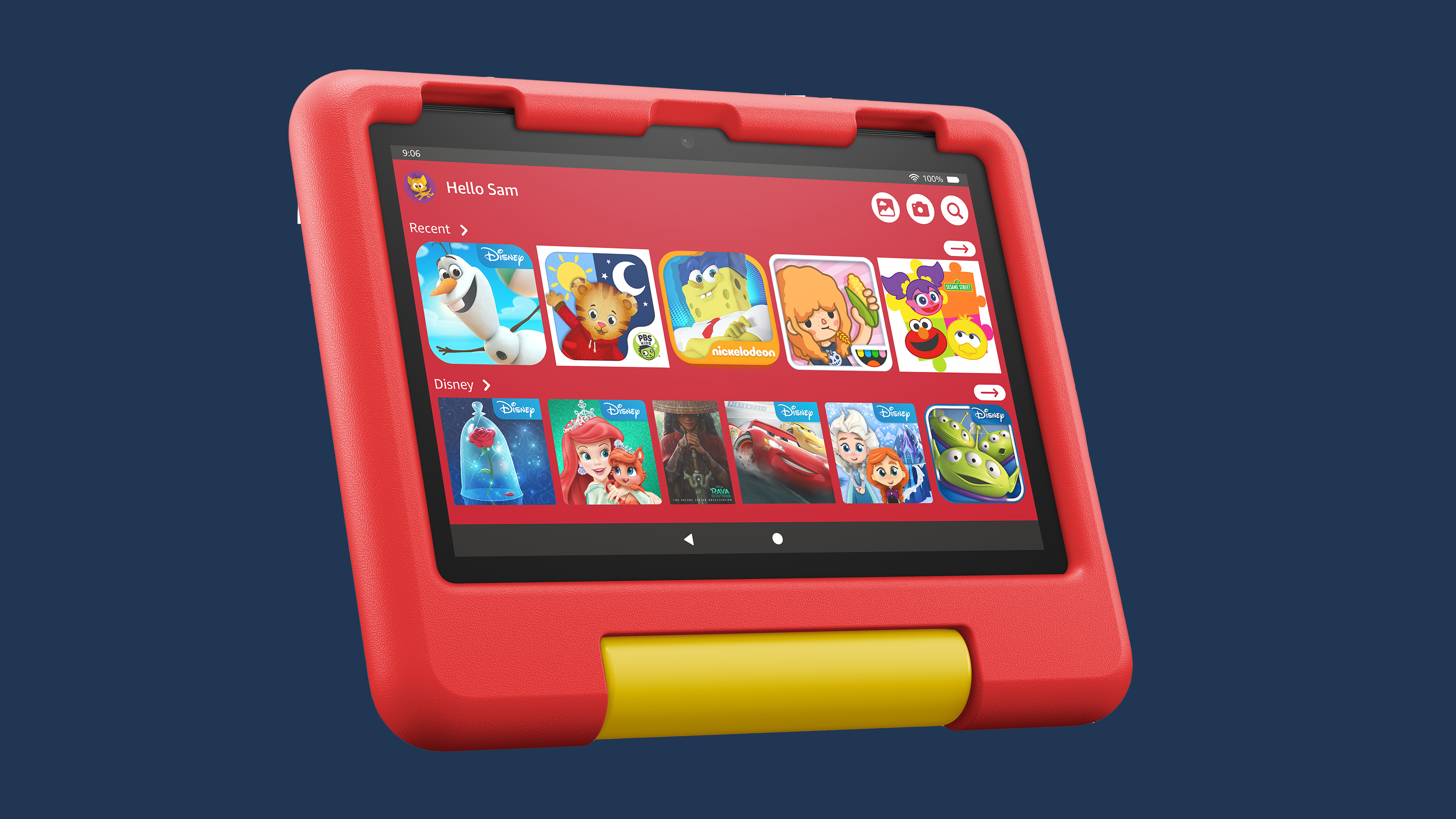
Both the Fire HD 8 Kids, designed for younger users, and the Fire HD 8 Kids Pro, designed for older kids, cost $149 – these models are more expensive because they have protective cases and special software designed for children.
Pre-orders for all these tablets begins on September 21, and they'll fully go on sale in October.
Amazon Fire HD 8 vs Plus vs Kids vs Kids Pro
Before we go on a deep dive into the standard Amazon Fire HD 8, we should probably run through the variants, so you know how they're different.
Firstly, the 8 Plus is a more premium version of the standard HD 8. It has more RAM, wireless charging and a higher-resolution camera, but not much else. You can buy a dock for it, which works with the wireless charging to turn the Fire HD 8 Plus into an Amazon Echo imitator if you like too.
(Image credit: Amazon)
Both the Kids and Kids Pro models are designed for younger users: the former is aimed at 3-7-year-olds, while the latter is for 7-12-year-olds. The tablets come with big protective cases and the software is quite restrictive, locking the user to content and apps which are appropriate for this user group. A parental account can be linked to better control what the child can access.
Amazon Fire HD 8 design and display
Amazon's tablets don't exactly have revolutionary designs, but that's to be expected with the price.
The slates, including the new one, are large plastic rectangles with a screen on the front – hey, it's a tablet, what did you expect? The new model has a USB-C port for faster charging, 3.5mm headphone jack for wired audio, a power button and a volume rocker.
The new Fire HD 8 has seen a few design tweaks from its predecessor as it's thinner, lighter and, according to Amazon, more durable: the company says the slate was "testing twice as durable as the iPad mini in tumble tests." But the changes are likely minor.
As with all Amazon Fire tablets, this one is named after its display, which means it has an 8-inch HD screen. This is unchanged over the display on the 2020 model, and we found that the screen on that wasn't great, but was fine for certain entertainment tasks.
Amazon Fire HD 8 cameras and battery life
(Image credit: Amazon)
You're probably not buying the Amazon Fire HD 8 for its photographic prowess, but it's always useful to have something for video calling.
The Amazon Fire HD 8 has a 2MP front and 2MP rear camera, and at that resolution these are fit for video chats but not much else. If you want some additional camera grunt, the Plus model has a 5MP rear camera.
In terms of battery life, Amazon cites the device as lasting for 13 hours of use, which is a single hour up from the 2020 model. That's for watching content, but you'll get more time if you're just reading an e-book or checking your emails.
The charging speed doesn't seem to have changed though; so you'll still be waiting well over an hour and a half for the thing to be powered to full.
Amazon Fire HD 8 performance, specs and software
(Image credit: Amazon)
In terms of performance, not much has changed with the new Amazon Fire HD 8. The company says the processor is 30% quicker, but it's still at 2GB RAM (3GB for the Plus model), so the differences will likely be rather minor.
Amazon's tablets tend to be pretty slow though, as they're designed for entertainment purposes like watching TV shows, listening to music and playing low-end games, so you don't need that much processing power.
You can pick up the tablets with 32GB or 64GB storage, but if neither of those options are enough, you'll be pleased to know that there's expandable memory up to 1TB.
As for software, Amazon's tablets are all locked to the company's own operating system, which is in fact a heavily modified version of Android. This has heavy integration with the brand's own services like Prime Video, Prime Music, Kindle and so on, so you'd better be a Prime subscriber to make the most of it.
That doesn't mean Amazon engages in anti-competitive measures though, and you can also download apps like Disney Plus, Netflix and Spotify, and use various games and apps that are available on Amazon's app store.
Whether they'll make it onto our best cheap tablet roundup remains to be seen, but they'll no doubt find favor with those after an affordable slate with some family-friendly functionality, just like always.
from TechRadar - All the latest technology news https://ift.tt/DRmKhTd
via IFTTT
Amazon recently launched the new Kindle (2022) alongside a Kids' Edition version of the slate, but those apparently weren't the only new ereaders the company had up its sleeve. They were all of them deceived, for another Kindle was made.
As spotted by keen-eyed fans, the Amazon Kindle Paperwhite from 2021 has received a new purchase option on Amazon's website – you can now buy it with 16GB storage, instead of just 8GB as before.
Amazon didn't make much of a song and dance about this new Kindle model at all – in fact, the news only started doing the rounds a few days after launch.
As well as 8GB, the current model can also be had with 32GB storage, if you buy the Kindle Paperwhite Signature Edition, but this ereader costs quite a bit more than the 8GB 'standard' Kindle.
The new 16GB Kindle Paperwhite costs $149.99 / £149.99 / AU$259, making it only slightly pricier than the $129.99 / £129.99 / AU$199 8GB model, and much cheaper than the 32GB Signature Edition at $189.99 / £179.99 / AU$289.
Other than the storage space, this is exactly the same Paperwhite that launched last year – you're getting a big screen, USB-C charging and a 10-week battery life.
Analysis: the Goldilocks Kindle
One of the biggest decisions you always have to make when buying a new device is storage space – how much do you need?
Too little and you'll find yourself having to frequently delete your files and apps when you want something new. Too much, and you'll be paying extra money for bytes that you never end up using.
This dilemma was previously the case for prospective Paperwhite purchasers – 8GB might not be enough if you like your comic books, magazines or audio books, yet 32GB (and the ensuing price hike) would be overkill for most people.
However, this new 16GB version will likely be just right for most people, offering the right amount of storage at a fair price, and we imagine that it'll become the most popular option for Paperwhite buyers going forward.
That's especially the case for people who want a premium ereader, as the Kindle Oasis, which last saw an update in 2019, only comes in 8GB or 32GB too – and it certainly comes at a high price.
In fact, at 16GB, this could be one of the best ereaders on the market, providing enough storage for most people without ramping the price really high. We'd recommend checking it out for Kindle power-users who don't want to spend too much.
from TechRadar - All the latest technology news https://ift.tt/DlpJ1vu
via IFTTT
The new Amazon Kindle (2022) has been unveiled, bringing a USB-C port and high-res screen to the company's line of budget ereaders – however it continues a worrying trend amongst the rainforest-named brand's E Ink gadgets.
The new Kindle costs more than its predecessor, the Kindle (2019), with an entry price of $99.99 / £84.99 meaning that you're paying $10 / £15 more for this new model than you would have spent on the cheapest variant of the older one.
We saw the same thing happen with the Kindle Paperwhite (2021), in some regions at least, as in the UK it cost £10 more than its predecessor (but the same in the US and Australia). Other Amazon gadgets aren't exempt from these price increases, with the Amazon Fire 7 (2022) costing $10 / £10 more than the previous-gen model - bear in mind these are all super-affordable devices, so even a low double-figure price increase is of note.
Sure, these price increases are justified in myriad ways - the newer devices all eschew the older micro USB port for the standard USB-C, and they also come with more storage by default, so you're not losing ou in terms of value.
But that's to forget the fact that, if you just want the hardware without having to spend lots of money, and without worrying about specs, you're still having to spend more for the newer gadgets than you were for the older one.
However you don't need to be substantially out of pocket when buying a new Kindle ereader – no, this is a good reminder that it's possible to buy a gadget on a budget.
Previous-gen versions exist
While Amazon likes to make a song and dance about its new, flashy Kindles, it generally leaves the older-gen models on sale.
In the case of the standard Kindle, this is the 2019 model, while for the Paperwhite it's the 2018 one – the high-end Oasis hasn't had an upgrade since 2019 so the current-gen version of that is rather old at this point.
These older Kindles don't have the upgrades and tweaks of the new ones, but those changes aren't always worth the cost anyway, so some users might not mind that they're getting an older version.
Plus, as we've already discussed, these versions are cheaper than the newer ones – and that's not even taking into account the frequent price cuts and discounts they see, making them more affordable overall.
Second-hand Kindles
(Image credit: TechRadar)
The second-hand market for Kindles isn't as bustling as it is for tech like smartphones or tablets – ereader gadgets are generally designed to last a lot longer than smart ones, meaning people are unlikely to get rid of one unless it's completely broken.
But there are a few refurbished and renewed Kindles on the web, and buying one of these can be a great way to save yourself some money on an older device that might run just as well as a newer one.
That's especially the case ahead of the release of a new Kindle, as lots of people will be trading in their older models for the new one, especially given that the 2022 model has USB-C, which is a popular feature.
Amazon has its own refurbished section, but if you hunt around online, you can find other refurbished sites too. You can also simply buy second-hand devices, ones which haven't been renewed, from a load of other sites, including eBay and the Facebook Marketplace, but these have less of a quality guarantee.
It's worth it to save money
More so than most gadgets, we'd recommend looking into buying older or renewed Kindles.
While buying second-hand or older gadgets generally comes with pitfalls – these gadgets are sometimes slower, with reduced battery lives and scuff marks – these issues aren't as problematic on Kindles. Amazon's ereaders are already slow, with such long-lasting batteries that it takes years of use to have a noticeable impact on their lasting power.
As we've said, the second-hand market isn't the same for Kindles as it is for smartphones, but that makes buying previous-generation models more tempting. If you're looking for a 'new' ereader, then before buying one of the brand-new devices, it's definitely worth checking out alternative markets.
from TechRadar - All the latest technology news https://ift.tt/sfXt9j3
via IFTTT
ASUS is expanding its Expert line of business laptops by adding a new member: the mid-tier ExpertBook B3 Detachable, a computer that the company envisions will be used in a variety of industries.
According to ASUS, the B3 can be used in remote work settings, “in the classroom, on the manufacturing line,” and even in healthcare environments. To facilitate this jack-of-all-trades style, the laptop includes features that give it a great deal of flexibility. Plus, the B3 only weighs 1.3 pounds (around half a kilogram) and has a battery life of up to 21 hours, so you can lug it around at work comfortably without worrying that it'll die on you quickly.
The B3 is a 2-in-1 device with a detachable keyboard so it can turn into a tablet, complete with horizontal and vertical configurations for its screen. The display is a 10.5-inch touch screen that outputs at a resolution of 1920x1200, also known as WUXGA Resolution (widescreen ultra extended graphics array). While not as nice as a 4K or even a 2K resolution screen, the B3 still has a decent-looking wide display.
On the back, you will find an MPP (Microsoft Pen Protocol) stylus that ASUS states can be used to write down notes on the touch screen if you don’t want to smudge the screen with your hands. The stylus also charges pretty quickly. A fast 15-second charge will last you 45 minutes.
Eclectic features
When it comes to the B3’s features, the suite is rather eclectic.
You have some that are expected for a business laptop like a high-resolution dual camera system consisting of a front-facing 5MP lens and an outward-facing 13MP lens. The cameras sport active noise reduction to keep video calls clear. AI-powered noise-canceling is included to get rid of outside sounds. ASUS SmartConnect on the machines promises better-performing Wi-Fi connections and extends the reach of Bluetooth connectivity. There’s even a mute key for microphones right on the keyboard.
Maybe more interesting for people concerned about health and cleanliness is the B3's Antibacterial Guard, which protects the laptop from germs. It's a feature you hardly see on any tech device. ASUS explains laptop surfaces can potentially harbor “harmful bacteria”. To fight this, the keyboard has been given an “antibacterial treatment” said to reduce microbial growth by more than 99 percent over the course of 24 hours. It can even withstand “alcohol-based cleaning products” in case you want to wipe it down before using it.
We should also mention the keyboard is spill-resistant and built to withstand 10 million keystrokes. The display is TÜV Rheinland certified for low blue-light emissions, which is good to have as it will reduce the odds of experiencing eye strain due to prolonged usage.
On sale now
The laptop is powered by the Qualcomm Snapdragon 7c Gen 2 chipset, consisting of an eight-core processor, an Adreno GPU, and a 4G LPDDR4X RAM. It has a CPU clock speed of 2.55 Ghz. Not the fastest in the world, but for a general-purpose device like the B3, it’s a decent speed. Storage capacity is rather disappointing. The device houses a 128 GB eMMC (MultiMedia Card), something that’s typically found in phones. In other words, it's not very big.
Again, this is a mid-tier laptop, so it isn't the most robust, but may be a decent machine nonetheless. The ExpertBook B3 Detachable is currently available for sale with a $599 price tag through Best Buy, or if you want it a little bit cheaper, it’s $539 on Amazon. It’s only available in Star Black, however.